
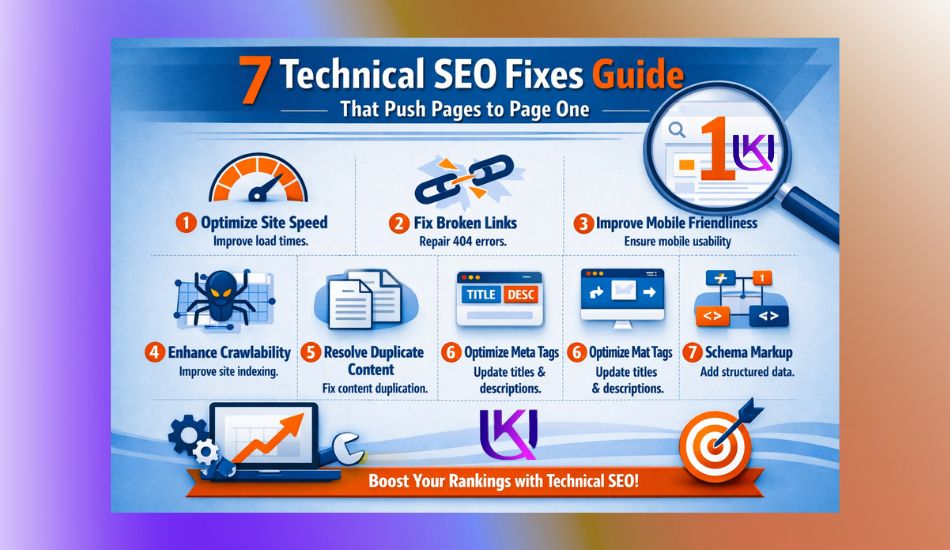
Technical SEO fixes can be the difference between a page that sits on page five and a page that finally reaches page one. You may have great content, target the right keywords, and even earn backlinks, yet your pages still struggle to rank.
In many cases, the real problem is hidden behind the scenes. Search engines cannot rank content properly if they face crawl issues, indexing problems, slow page speed, duplicate content, broken links, or poor mobile usability.
You have good content. You have done keyword research. You have published blog posts. But your pages still sit on page 2 or 3 in Google. Sound familiar?
Here is the hard truth. Google does not just rank good content. It ranks content that can actually be found, read, and trusted. If your site has backend problems, even your best pages stay buried.
That is where technical SEO fixes come in. These are not about writing better. They are about making your site work better for search engines and for real people clicking through on their phones.
Let us walk through the seven fixes that actually move the needle.

What Are Technical SEO Fixes?
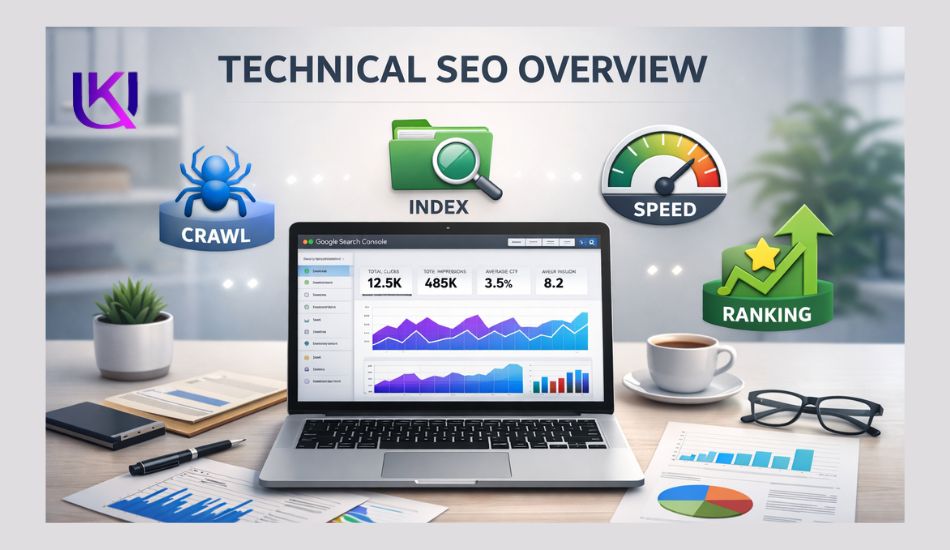
Technical SEO fixes are improvements you make to your website’s technical foundation so search engines can crawl, understand, and index your pages more efficiently.
Unlike content SEO or link building, technical SEO focuses on the behind-the-scenes elements that affect how your website performs in search results.
Think of your website as a house. Your content is the furniture, and your backlinks are the visitors.
Technical SEO is the foundation, plumbing, and electrical system that keeps everything working properly. If the foundation has problems, even the best content may struggle to rank.
Search engines such as Google use automated bots to crawl websites and discover pages.
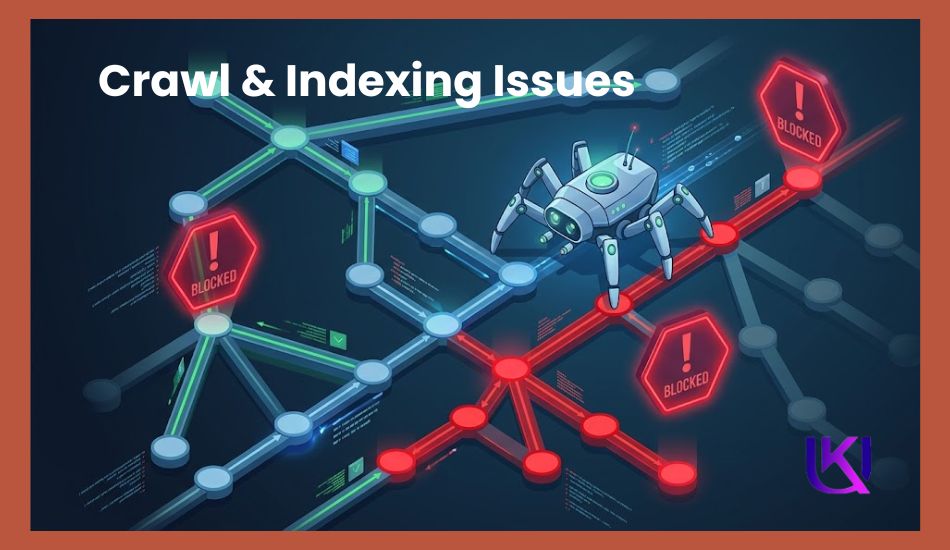
When those bots encounter broken links, 404 errors, redirect chains, duplicate content, blocked resources in robots.txt, or missing XML sitemap files, they may have difficulty accessing or understanding your content.
As a result, valuable pages can remain unindexed or lose ranking opportunities.
Technical SEO fixes help remove these barriers. For example, adding canonical tags tells search engines which version of a page should be indexed.
Compressing images and improving Core Web Vitals can make pages load faster and create a better user experience.
Implementing structured data through Schema.org helps search engines understand your content more clearly and may increase your chances of earning rich results.
Today, technical SEO is more important than ever because Google evaluates websites based on page experience, mobile usability, crawlability, indexability, and content understanding.
A technically healthy website allows search engines to focus on what matters most, delivering your content to the right audience at the right time.
In simple terms, technical SEO fixes remove obstacles between your content and higher rankings. They help search engines access your pages, understand your information, and confidently display your website in search results.
Why Do Technical SEO Fixes Matter?
Google wants to crawl, understand, and index your website without obstacles. That is why factors such as XML sitemaps, robots.txt files, canonical tags, Core Web Vitals, responsive design, structured data, and image optimization play such an important role in modern SEO.
Even small technical errors can prevent search engines from discovering your best content or understanding which pages deserve to rank.
The good news is that most technical SEO problems are fixable.
- By using tools such as Google Search Console,
- monitoring 404 errors,
- improving Largest Contentful Paint (LCP),
- removing redirect chains,
- minifying CSS and JavaScript files,
- consolidating duplicate pages,
- implementing Schema.org markup,
You can create a website that is easier for both users and search engines to navigate.
In this guide, you will learn seven proven technical SEO fixes that help improve crawling, indexing, page experience, and search visibility.
If your site has traffic issues, ranking drops, or pages that never seem to get indexed, these fixes will help you build a stronger technical foundation that supports long-term organic growth.
Why Pages Fail to Reach Page One Even With Great Content?
You can publish helpful content, target the right keywords, and spend hours improving your articles. Yet your pages may still stay buried in search results. This is one of the most common frustrations website owners face.
The truth is that great content alone is not always enough.
Before Google can rank a page, it must first crawl it, understand it, and add it to its index. If something blocks that process, your content may never reach its full ranking potential.
Here are some of the most common reasons pages struggle to reach page one:

1. Search Engines Cannot Properly Crawl Your Website
Google relies on crawlers to discover pages. If your website has broken links, redirect chains, server errors, or important pages blocked by robots.txt, search engines may miss valuable content.
When pages cannot be crawled efficiently, they often receive less visibility in search results.
2. Important Pages Are Not Indexed
A page cannot rank if it is not indexed.
Many websites have indexing problems caused by noindex tags, duplicate URLs, poor internal linking, or outdated XML sitemaps. Sometimes, website owners do not even realize that key pages are missing from Google’s index.
3. Slow Loading Pages Create Ranking Problems
Page speed affects both users and search engines.
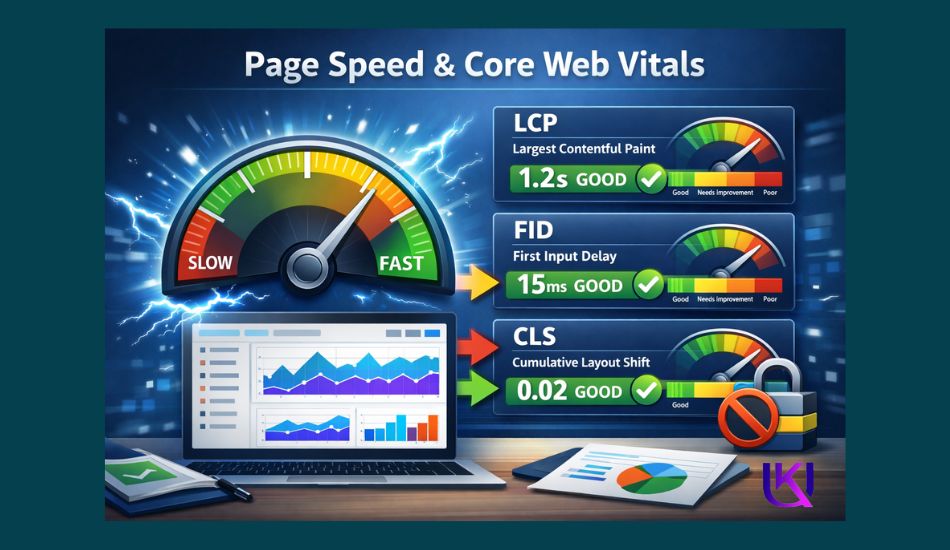
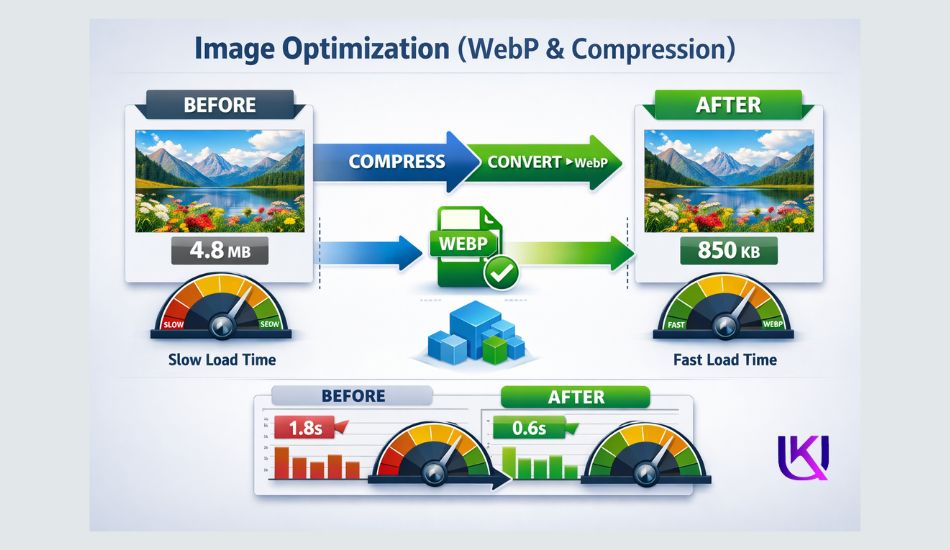
When pages load slowly, visitors leave before they engage with your content. Large images, unoptimized code, excessive JavaScript, and heavy CSS files can hurt Core Web Vitals and reduce overall page performance.
A slow website often struggles to compete against faster competitors.
4. Duplicate Content Confuses Search Engines
Search engines want to know which page should rank for a topic.
When multiple pages target the same keyword or contain very similar content, Google may become uncertain about which page deserves visibility.
This issue is often called keyword cannibalization. Without proper canonical tags and content consolidation, ranking signals can become divided across several pages.
5. Poor Mobile Experience Hurts Visibility
Most searches now happen on mobile devices.
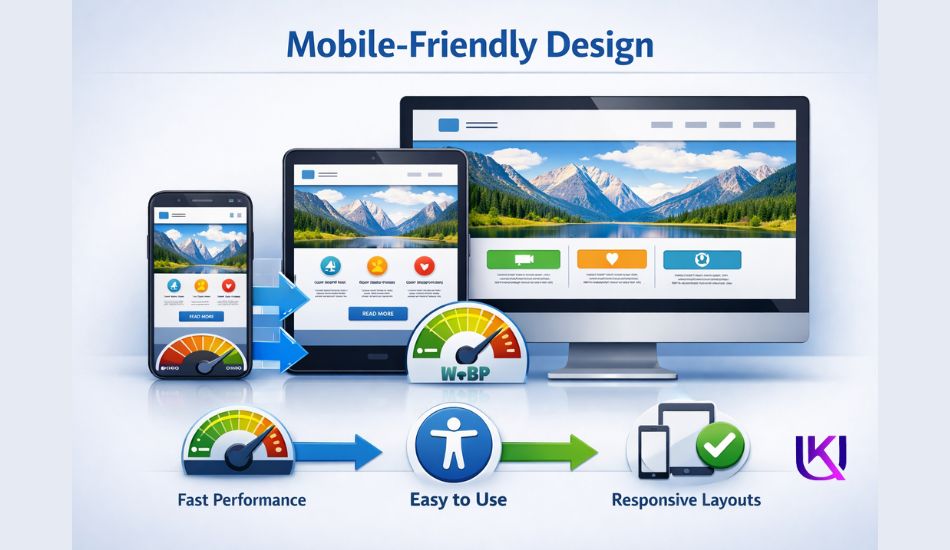
If your website is difficult to use on smaller screens, visitors may leave quickly. A lack of responsive design, slow mobile performance, or usability issues can negatively affect user experience and rankings.
6. Search Engines Struggle to Understand Your Content
Modern SEO is not only about keywords.
Search engines also try to understand context, entities, and relationships between topics. Without structured data and clear site architecture, Google may have difficulty interpreting your content and displaying enhanced search features such as rich results.
7. Small Technical Problems Add Up
Many websites do not fail because of one major issue.
Instead, several small technical problems work together to reduce performance. A few broken links, slow images, missing schema markup, crawl errors, and indexing issues may seem minor on their own. Combined, they can create a significant barrier to higher rankings.
The good news is that these problems are usually fixable. Once you identify and correct them, search engines can access, understand, and rank your content more effectively. The next seven technical SEO fixes will help you remove these obstacles and build a stronger foundation for long-term organic growth.
7 Most Technical SEO Fixes Explained for Beginners
Technical SEO fixes are changes you make to your website’s backend.
They help search engines crawl your site, understand your pages, and decide where to rank them.
Think of it like this. Your content is the product. Technical SEO is the store itself. If the store is broken, messy, or hard to find, nobody buys anything.
Google’s crawlers visit your site like tiny robots. They follow links, read code, and collect data.
If something blocks them or slows them down, your rankings suffer. Fix the backend. Rank higher. Here are seven technical SEO fixes for better rankings

Fix 1: Repair Crawl and Indexing Errors
This is the foundation. If Google cannot crawl your pages, those pages do not exist to Google.
A. Start with broken links.
A 404 error means a page is missing. It wastes crawl budget and pushes users away. Open Google Search Console and check under Coverage or Pages. Every 404 is a problem waiting to be fixed. Either restore the page or redirect it to a working one.
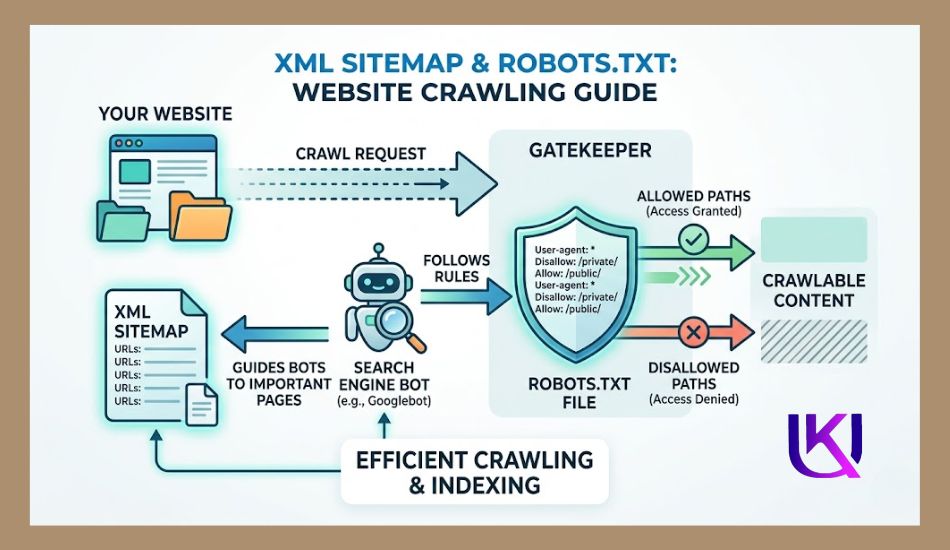
B. Check your XML sitemap next.
Your sitemap is like a map you hand to Google. It tells crawlers which pages to visit. But here is what most site owners miss: if your sitemap includes noindex pages, redirect chains, or broken URLs, you are giving Google a bad map. Keep only your best, live, indexable URLs in that file. Then resubmit it inside Search Console.
C. Audit your robots.txt file.
This small file tells crawlers what they can and cannot access. One wrong line can block your entire site from being indexed. Use Google’s robots.txt Tester to check if critical CSS, JavaScript, or key pages are accidentally blocked. A blocked CSS file can make Google think your site looks broken on mobile. That alone can tank rankings.
Fix 2: Speed Up Your Pages and Core Web Vitals
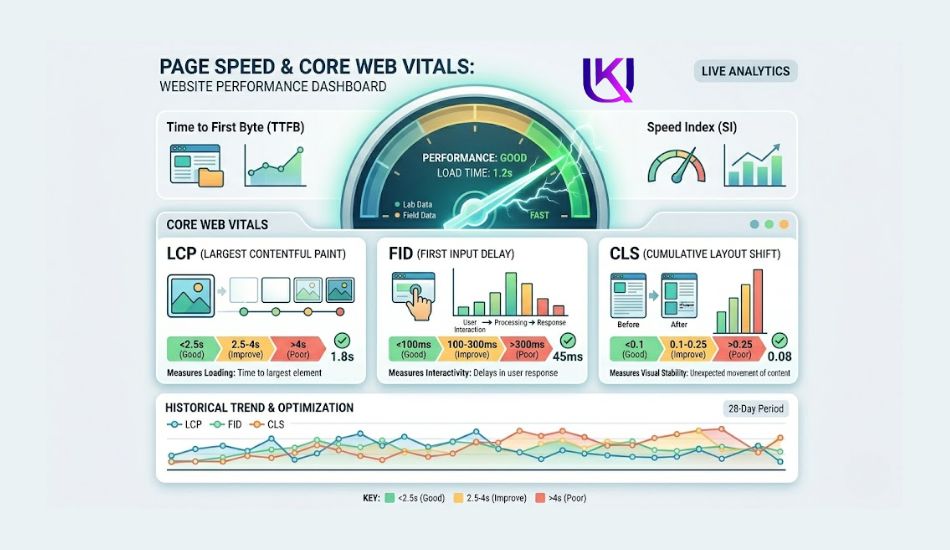
Speed is not just a nice-to-have. Google confirmed Core Web Vitals as a ranking signal. Slow pages lose rankings and lose visitors.
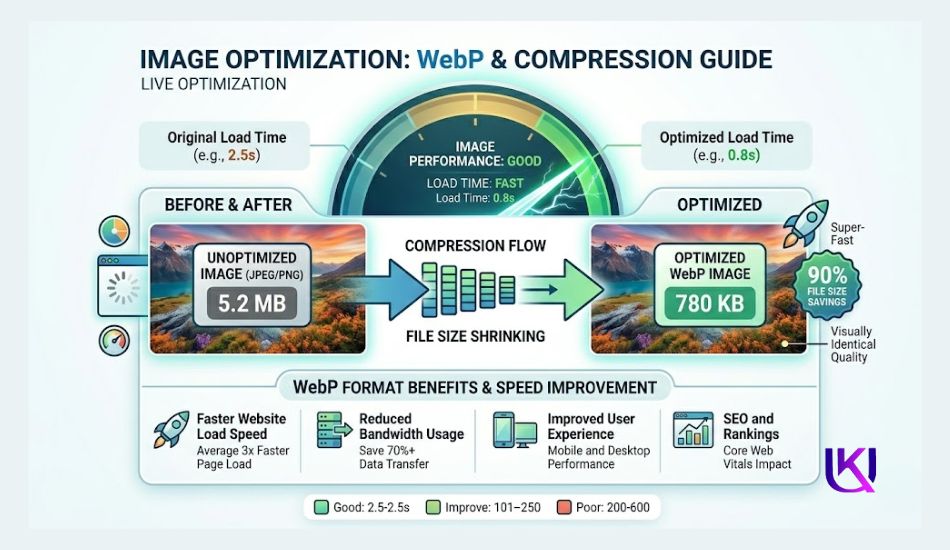
A. Optimize your images first.
Images are almost always the biggest culprits behind slow load times. Convert your images to WebP format. WebP files are much smaller than JPGs or PNGs. Smaller files load faster. Faster load times improve your Largest Contentful Paint (LCP) score, which Google watches closely.
Use PageSpeed Insights to see exactly which images are dragging your site down.
B. Fix redirect chains.
A redirect chain looks like this: Page A → Page B → Page C. Each hop adds load time. Google has to follow each step. So do your users. Cut the chain. Point Page A directly to Page C. Use a tool like Screaming Frog to map out all your redirects and spot the problem spots fast.
C. Minify your CSS and JavaScript.
These files contain your site’s code. Unminified files have extra spaces, line breaks, and comments that browsers do not need. Strip all of that out. Tools like NitroPack or built-in WordPress plugins like WP Rocket handle this with a few clicks.
Smaller files = faster rendering = better rankings.
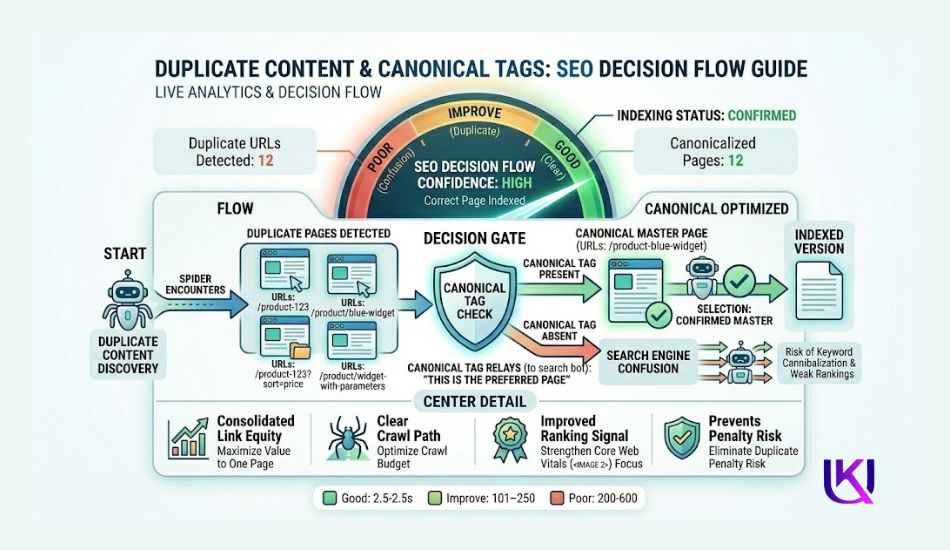
Fix 3: Eliminate Duplicate Content Problems
Duplicate content confuses Google. When two pages look the same, Google does not know which one to rank. So it might rank neither of them well.
1. Use canonical tags.
A canonical tag is a line of HTML code that tells Google: “This is the main version of this page.” Add <link rel=”canonical” href=”https://yoursite.com/main-page/”> inside the <head> of any page that has duplicates or near-duplicates.
This happens more than you think. Product pages with color filters. Blog posts with category URL variations. Pages accessible with and without “www.” or trailing slashes. All of these create duplicate signals without canonical tags in place.
2. Consolidate thin or overlapping pages.
If you have two pages targeting the same keyword, they compete against each other, not against your competitors. This is called keyword cannibalization. Merge those pages into one strong, well-structured page.
Update your internal links to point to the new combined version. Redirect the old URL with a 301 redirect. One strong page beats two weak ones every time.
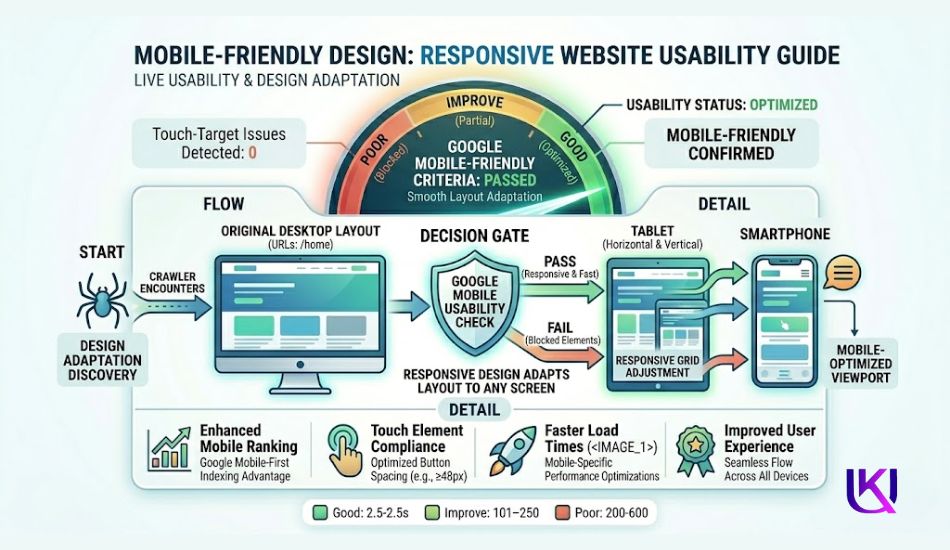
Fix 4: Pass Google’s Mobile Usability Test
Over 60% of Google searches happen on mobile devices. Google uses mobile-first indexing. That means Google looks at your mobile site first when deciding where to rank you.
- Use a responsive design. Responsive means your site automatically adjusts to fit any screen size. Buttons get bigger on phones. Text becomes readable without zooming. Images scale properly. If your site still uses a fixed-width desktop layout, you have a serious problem.
Run your URL through Google’s Mobile-Friendly Test. It shows you exactly what Google sees. If it flags issues, fix them. Common problems include text too small to read, clickable elements too close together, and content wider than the screen.

Fix 5: Add Structured Data (Schema Markup)
Structured data is code you add to your pages that helps Google understand what your content is about. It is not visible to your readers. But it is very visible to search engines and to AI-powered search results.
When you add schema markup, Google can display rich results in search. These include star ratings, FAQs, product prices, and more right below your page title. Rich results get more clicks. More clicks signal relevance. Relevance drives rankings.
Use the vocabulary from Schema.org to mark up your content. Common schema types include:
- Article for blog posts and news content
- Product for e-commerce pages
- FAQ for question-and-answer sections
- Organize your business details
You can generate schema code for free at Google’s Rich Results Test. Paste it in your page’s <head> section or use a plugin like Yoast SEO or Rank Math if you are on WordPress.
Structured data also helps your content appear in AI-powered search tools like Google’s AI Overviews and ChatGPT’s web results, a growing traffic source you do not want to miss.
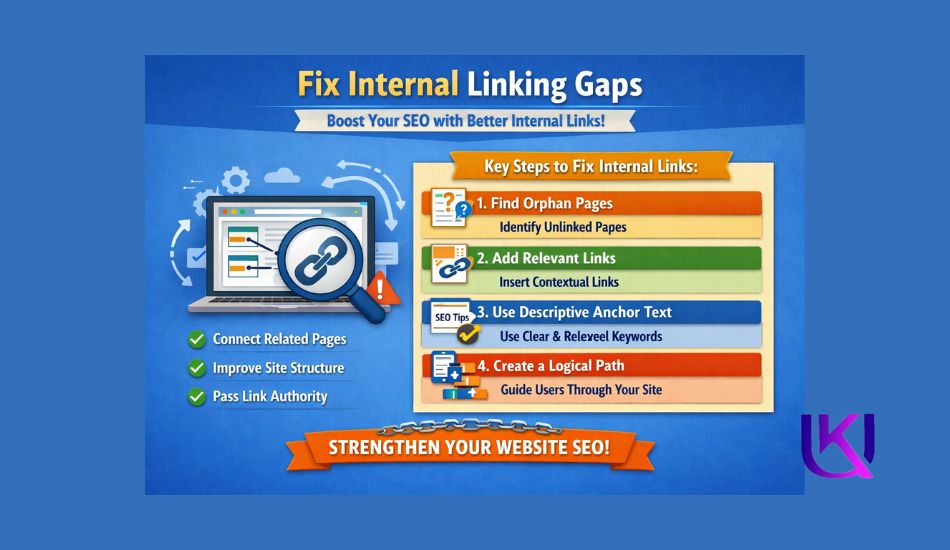
Fix 6: Fix Internal Linking Gaps
Internal links are links from one page on your site to another page on your site. Most people underestimate how important these are for technical SEO.
Here is why they matter. When Google crawls your site, it follows links. If a page has no internal links pointing to it, Google may never find it. These are called orphan pages. They get little to no organic traffic.
- Link your new pages from your older, high-traffic pages. This passes authority and tells Google that the new page matters. Use descriptive anchor text, not “click here,” but the actual topic of the page you are linking to.
- Fix broken internal links, too. A broken internal link wastes crawl budget and frustrates users. Use Ahrefs or Screaming Frog to find internal links pointing to 404 pages. Update or remove every single one.

Fix 7: Secure Your Site with HTTPS
If your site still runs on HTTP, switch to HTTPS today. Google confirmed HTTPS as a ranking signal back in 2014. But in 2025, it is not just a ranking boost, but also a trust signal that affects whether users stay on your site at all.
Browsers like Chrome show a “Not Secure” warning on HTTP sites. Users see that warning and leave. High bounce rates send negative signals to Google.
Getting an SSL certificate is easier than ever. Most hosting providers like SiteGround, Cloudflare, Hostinger, Namecheap, or Bluehost offer free SSL certificates. Turn it on. Make sure all your HTTP pages redirect to HTTPS versions.
Then check for mixed content warnings, which happen when an HTTPS page loads some resources over HTTP. Use Why No Padlock to catch them.
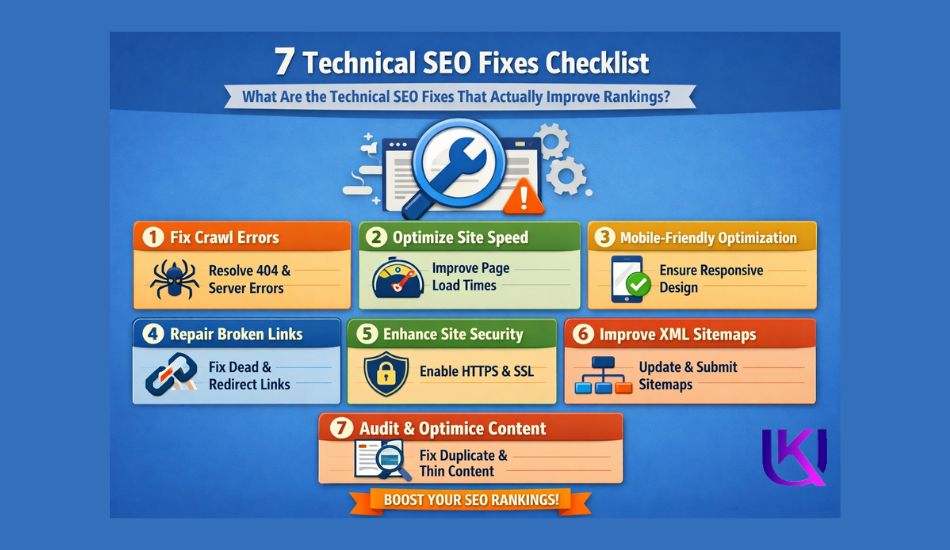
Technical SEO Fixes Checklist: Does That Actually Improve Rankings?
Here is a quick reference so you can start auditing today:
| Fix | Tool to Use |
| Find broken links (404s) | Google Search Console |
| Submit and clean the XML sitemap | Google Search Console |
| Audit robots.txt | Google robots.txt Tester |
| Test page speed and LCP | PageSpeed Insights |
| Convert images to WebP | Canva, FreeConvert, Squoosh |
| Find redirect chains | Screaming Frog |
| Add canonical tags | Your WordPress CMS or Yoast SEO / Rank Math plugin |
| Test mobile usability | Mobile-Friendly Test |
| Add schema markup | Schema.org + Rich Results Test |
| Find orphan pages | Ahrefs or Screaming Frog |
| Switch to HTTPS | Your hosting provider |
| Fix mixed content | Why No Padlock |
How Long Do Technical SEO Fixes Take to Work?
Results vary depending on how often Google crawls your site. For most sites, you start seeing changes within 4 to 12 weeks after fixing technical issues.
Pages that were crawled but not ranking often jump faster. Fixing crawl errors can show results in days if Google recrawls quickly.
Speed improvements and Core Web Vitals changes can show ranking movement within a few weeks. Structured data can trigger rich results the next time Google crawls and re-indexes your pages.
Do not fix everything at once and then wait six months. Make fixes in batches. Track your rankings and crawl data in Google Search Console. Adjust as you go.
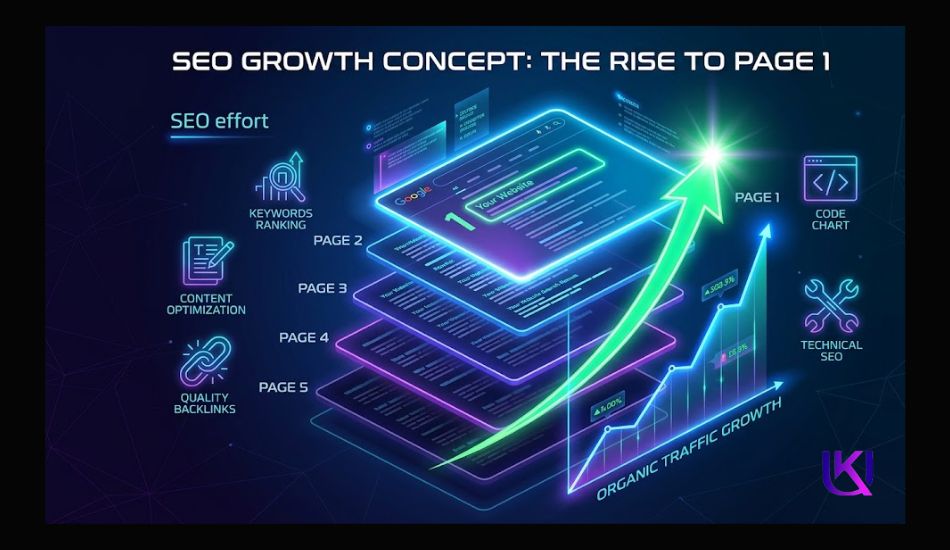
Start With One Fix Today: Do Technical SEO Fixes Help You Rank Higher on Google?
You do not have to fix everything at once. Pick the one area where your site hurts the most. Run a free audit in Google Search Console. Fix the broken links. Compress your heaviest images. Add one schema markup block.
Small, consistent technical SEO fixes compound over time. Six months from now, your pages can look very different in search results if you start today.

Conclusion: Build a Strong Technical Foundation for Page One Rankings.
If your pages are not reaching page one, it is rarely just a content problem. In most cases, the real issue sits inside your website’s technical setup. Crawl errors, indexing issues.
Also, slow page speed, duplicate content, weak mobile usability, and missing structured data can quietly block your growth without showing obvious warnings.
The good news is that you now understand where the real gaps happen. When you fix technical SEO problems, you remove the barriers that stop search engines from fully trusting and ranking your site.
Tools like Google Search Console help you spot issues early, while improvements in Core Web Vitals, XML sitemaps, robots.txt, canonical tags, and schema markup help your site become easier to read for search engines.
You do not need to fix everything at once. Start small. Fix crawl issues first, then improve speed, then clean up duplicate pages, and finally strengthen your mobile experience and structured data. Each step builds momentum.
When your website becomes clean, fast, and easy to understand, search engines reward you with better visibility. That is how pages move from being invisible to reaching page one consistently over time.
Helpful article: Google Search Console for Beginners: Your First 7 Days
FAQs: Technical SEO Fixes Website Back From Page One Rankings.
1. What are technical SEO fixes in simple words?
Technical SEO fixes are changes you make to your website so search engines like Google can easily crawl, understand, and index your pages. These fixes improve speed, structure, and overall website health.
2. Why is my website not ranking even with good content?
Your website may have technical problems like crawl errors, slow loading speed, duplicate content, or indexing issues. These problems stop Google from properly showing your pages in search results.
3. What is the most important technical SEO fix to start with?
Start with crawl and indexing errors. If Google cannot access your pages, nothing else matters. Open Google Search Console, check the Pages report, and fix every 404 and redirect error first. Fixing crawl and indexing issues is the most important step. If Google cannot access your pages, no other SEO effort will help them rank.
4. Do technical SEO fixes help new websites?
Yes, especially for new websites. A clean technical foundation from day one means Google can index your content faster and start ranking your pages sooner.
5. Can I do technical SEO fixes without a developer?
Many fixes are beginner-friendly. Image compression, sitemap submission, and mobile testing require no coding. Canonical tags, schema markup, and redirect fixes may need some basic HTML knowledge or a plugin if you use WordPress.
6. How often should I run a technical SEO audit?
Run a full audit at least every three to six months. Set up Google Search Console alerts so you catch new crawl errors as they appear.
7. How does page speed affect SEO?
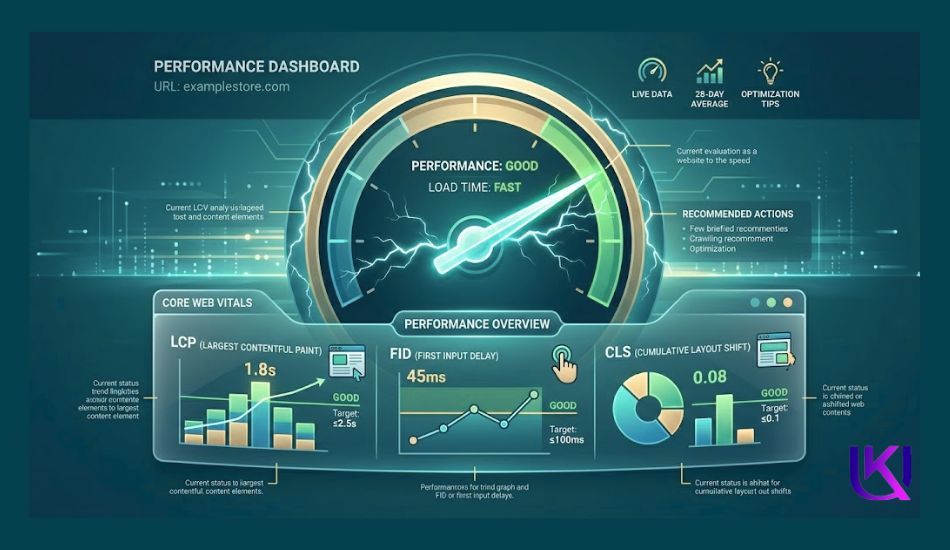
Slow pages increase bounce rate and reduce user experience. Google uses Core Web Vitals like LCP, FID, and CLS to measure speed and ranking quality.