

SEO Guide for Small Business USA starts with one simple goal: helping more people find your business on Google.
If you own a small business, you may already have a website. But having a website is not enough. Many business owners wonder why their site does not show up in Google Search. The reason is often a lack of SEO.
SEO, or search engine optimization, helps your website appear in search results when people look for your products or services. It helps you reach new customers without paying for ads every day.
You do not need to be a tech expert to get started. Simple steps like choosing the right keywords, improving your Technical SEO, creating a mobile-friendly website, and setting up your Google Business Profile (GBP) can make a big difference. These changes improve user experience, boost online visibility, and help bring more organic traffic to your business.
In this beginner-friendly guide, you will learn the basic SEO steps that help American small businesses get found online and grow with confidence.
Why Your Small Business Is Hard to Find on Google?
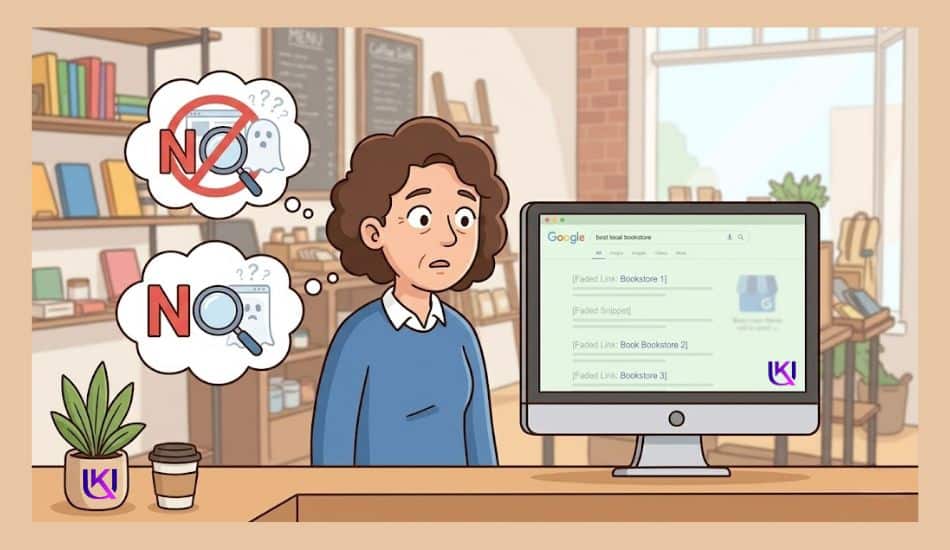
You may have a great product, a helpful service, and a professional website. Yet your business still does not appear when people search on Google. This is a common problem for many new business owners in the USA.
Google looks at millions of web pages every day. If your website does not give Google clear signals, it can be hard for the search engine to understand what your business offers and who should see it.
When your website is not visible in search results, potential customers may never know your business exists. Instead, they find competitors that have stronger SEO and a better online presence.
Most visibility problems can be fixed. Once you understand what is holding your website back, you can take simple steps to improve your rankings and attract more organic traffic.
1. Common Mistakes New Business Owners Make
Many small business owners launch a website and expect visitors to come automatically. Unfortunately, that is not how Google Search works.
SEO Guide for Small Business USA: Some of the most common mistakes include:
- Not using the keywords customers search for
- Skipping a Google Business Profile (GBP) setup
- Creating very little and not optimized website content
- Having slow-loading pages
- Using a website that is not mobile-friendly
- Ignoring Technical SEO issues for GSC (Google Search Console)
- Not updating the website regularly
These mistakes make it harder for Google to trust and understand your website. As a result, your pages may stay buried in search results.
2. Why a Website Alone Is Not Enough
Think of your website as a new store on a busy street. If there are no signs, directions, or advertisements, most people will walk right past it.
SEO acts like those signs and directions. It helps Google understand:
- What your business does
- Where your business serves customers
- Which products or services do you offer
- Why your website is helpful
Basically, without search engine optimization, even a beautiful website can struggle to get visitors.
A strong SEO strategy combines helpful content, relevant keywords, Local SEO, Technical SEO improvements, and a great user experience. Together, these elements increase your online visibility and help more customers find your business when they need it most.
By understanding these challenges first, you are already taking the first step toward building a website that works for your business rather than going unnoticed online.
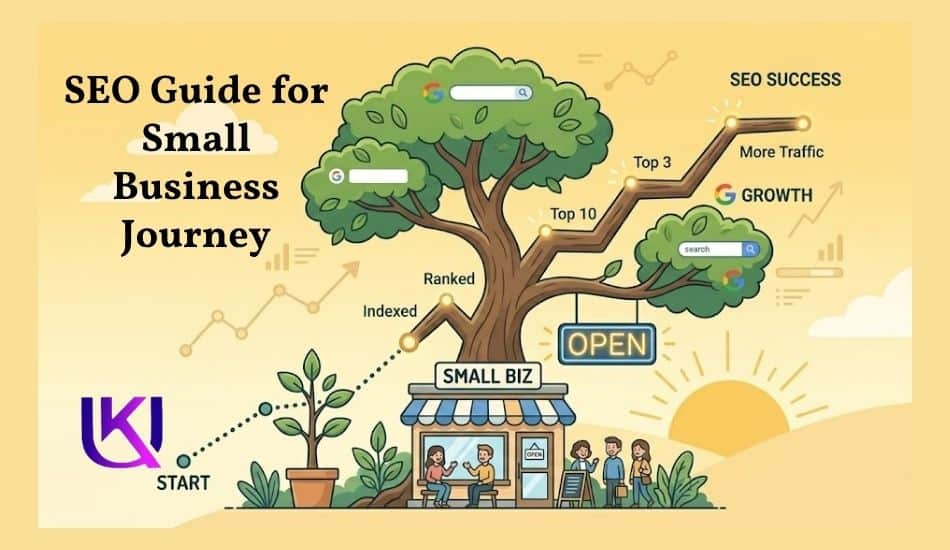
How Do Beginners Start SEO for a Small Business Website? Step-by-Step Guide for 2026.
You opened a business. You built a website. But when you search for your own shop on Google, you barely find it. Sound familiar? You are not alone. Millions of small business owners across the USA face the same problem every day.
The most common question is how to get found on Google without spending a fortune on ads.
The good news? You do not need a big marketing budget to fix this. You need SEO, and this guide breaks it down in plain English, step by step.
SEO stands for Search Engine Optimization. It is the practice of making your website easy for Google to find, read, and recommend to real people who are already searching for what you sell.
| Quick Stat Tips: 93% of all online experiences begin with a search engine. If your business is not showing up, your competitors are taking those customers. |
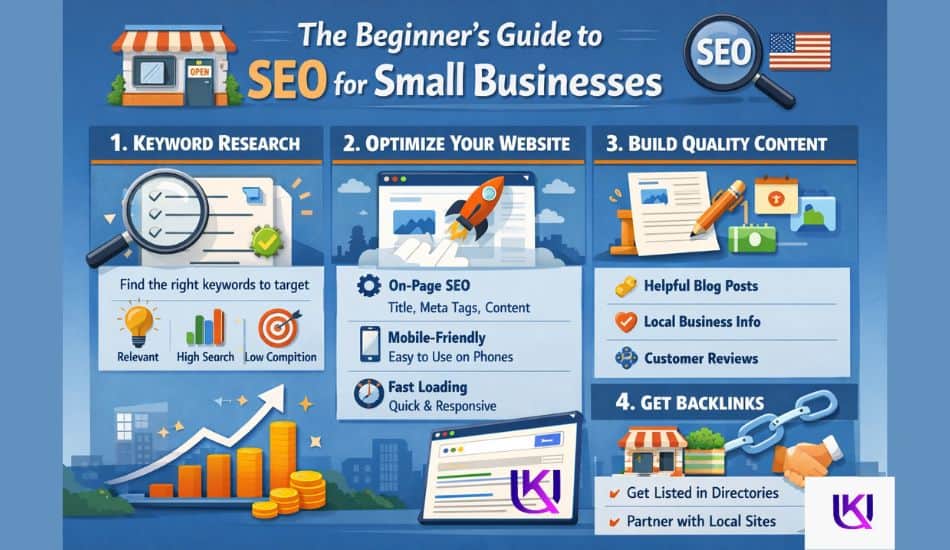
This guide covers everything a new US small business owner needs to know. You will learn local SEO, keyword research, on-page fixes, link building, and how to track your results, all without jargon or confusion.
However, you will know exactly what to do next. And you will have a checklist to follow, step by step.
Section 1: What Is SEO and Why Does It Matter for Your Small Business?
When someone types “coffee shop near me” or “best plumber in Austin” into Google, a list of results pops up. Those results are not random. Google picks them based on a set of rules. SEO is the process of following those rules so YOUR business shows up at the top.
Think of Google as the world’s biggest yellow pages. You want to be listed, and you want to be listed first. SEO makes that happen.
SEO Guide for Small Business USA: Why are paid ads not enough?
Google Ads can get you to the top, but only while you pay. The moment you stop, you disappear. SEO is different. When you earn a top spot organically, it stays. You keep getting free clicks, week after week.
For most small businesses with a limited budget, SEO is the smarter long-term investment.
| Real Talk: A bakery in Chicago that ranks #1 on Google for ‘best cupcakes near me’ gets free walk-in traffic every single day, no ad spend needed. |
How long does SEO take?
Most businesses start seeing real results in 3 to 6 months. Local SEO can sometimes show results in 4 to 8 weeks. It is not instant, but the results compound over time and last far longer than any paid campaign.
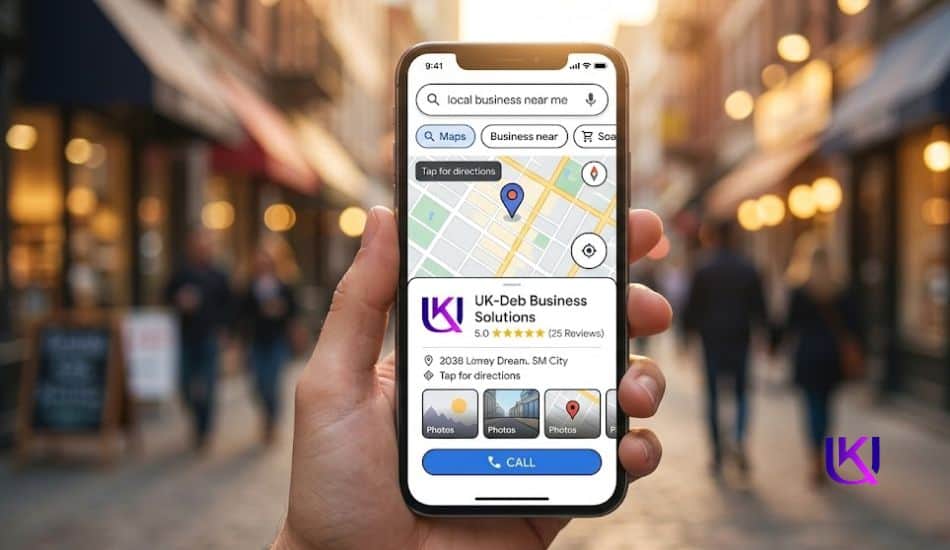
Section 2: Master First Local SEO Guide for Small Business USA
If you run a business that serves a specific city, town, or neighborhood, local SEO is your #1 priority. Before anything else. Before blog posts. Before backlinks. Before anything.
Local SEO puts your business on Google Maps. It puts you in the “Local Pack,” that box of three businesses that appears right at the top of search results. Real estate is gold for small businesses.
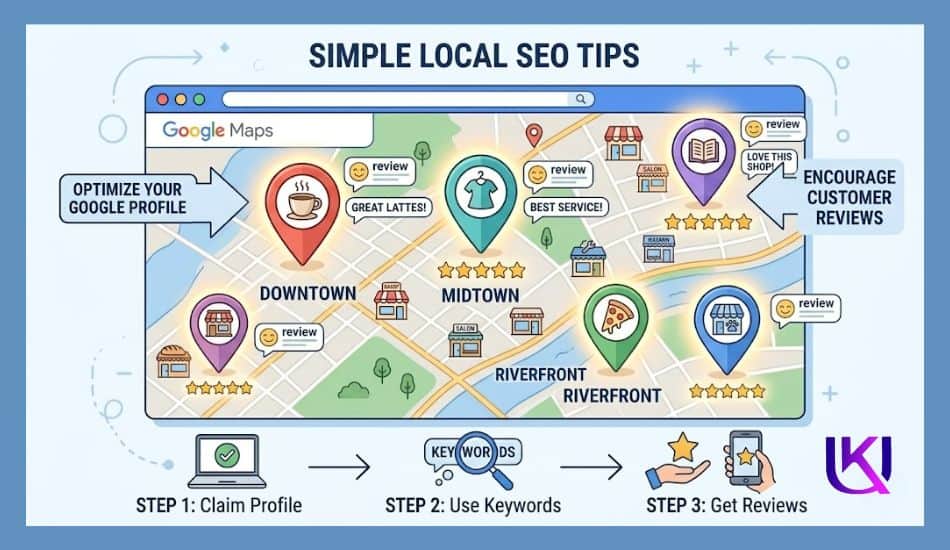
Step 1: Claim Your Google Business Profile (GBP)
Google Business Profile (formerly Google My Business) is a free tool from Google. GBP is the single most powerful local SEO move you can make right now.
Here is what you need to do:
- Go to business.google.com and claim your listing
- Fill in your business name exactly as it appears on your storefront
- Add your complete address, phone number, and website
- Set your business hours, including holidays
- Upload at least 10 real photos of your shop, products, or team
- Write a clear business description using your main keywords
| Warning: SEO Guide for Small Business USA Do not use a P.O. Box or a fake address. Google verifies your location. Using a false address can get your listing removed permanently. |
Step 2: Keep Your NAP Consistent Everywhere
NAP stands for Name, Address, and Phone number. Your NAP must be 100% identical across every website, directory, and social profile that mentions your business.
Even small differences like “St.” vs “Street” can confuse Google and hurt your rankings.
Check your NAP on these platforms:
- Yelp
- Bing Places for Business
- Apple Maps
- Your local Chamber of Commerce website
- Facebook Business Page
- Your own website footer
Step 3: Get More Google Reviews
Reviews are a major local ranking signal. The more 5-star reviews you have, the higher you appear in local search.
Here is how to get more reviews without begging:
- Ask happy customers right after a great experience in person
- Send a follow-up text or email with a direct link to your Google review page
- Add a small sign at your register or on your receipt: “Love our service? Leave us a Google review!”
And respond to every single review. Good ones too. A simple “Thank you for your kind words!” shows Google and future customers that you are an active, trustworthy business.
Section 3: Find the Right Keywords for Your Business
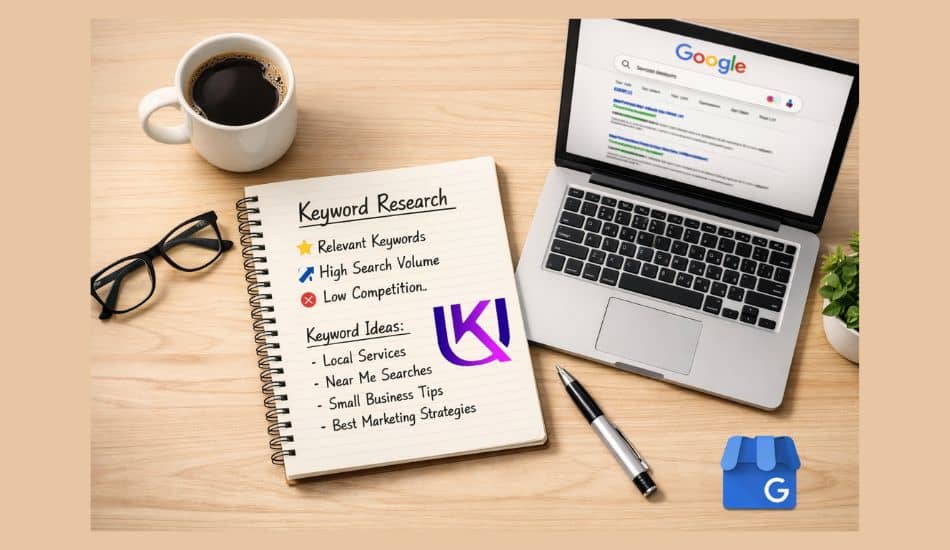
Keywords are the words and phrases real people type into any search engine, like Google, Bing, Yandex, Yahoo, Bravo, etc. They are looking for what you offer. Your job is to figure out exactly what those words are and then use them in the right places on your website.
How to find your keywords for free on Google?
You do not need to pay for expensive software at the start. Use these free tools:
- Google Keyword Planner: Made for advertisers, but free to use. Shows you monthly search volumes.
- Google Trends: Provided by Google, a free public tool. Google Trends shows how often a specific search term, topic, or phrase is entered into Google Search and YouTube over a given period.
- Google Search Bar: Start typing your service in Google and look at the autocomplete suggestions. Those suggestions are real searches real people make.
- Google’s ‘People Also Ask’: Scroll down any Google results page. Those questions are pure keyword gold.
- Google Search Console: Once set up, GSC shows you exactly what people typed to find your website.
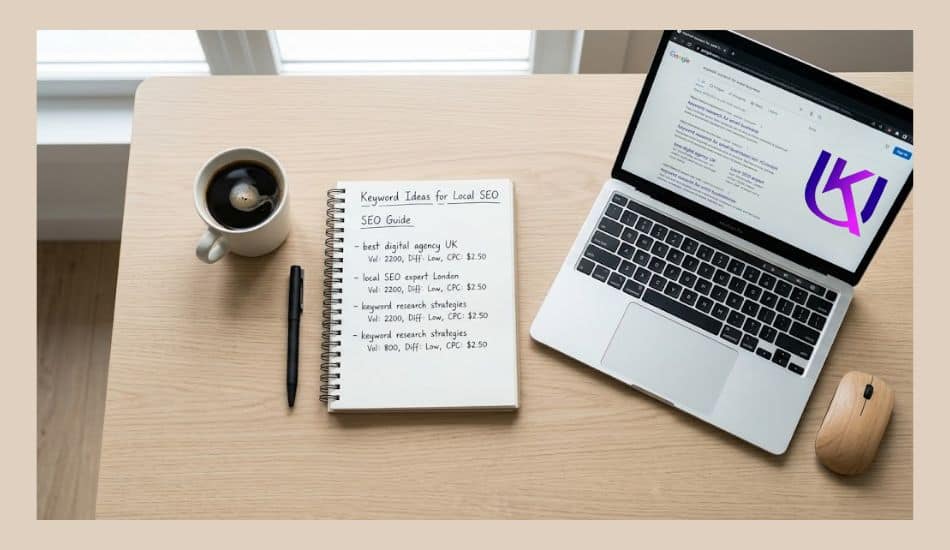
SEO Guide for Small Business USA: Focus on Local keywords with buying intent
Do not try to rank for broad national terms. You cannot compete with big brands. Instead, focus on hyper-local, intent-specific phrases.
| ❌ Too Broad (Avoid) | ✅ Local + Intent (Use These) |
| plumber | emergency plumber in Denver, CO |
| dentist | family dentist near Oak Park Illinois |
| pet grooming | dog grooming salon in Boca Raton FL |
| bakery | custom cake bakery in Austin Texas |
Once you have 5 to 10 solid local keywords, the next step is putting them in the right places on your website.
Section 4: Optimize Your Website Pages
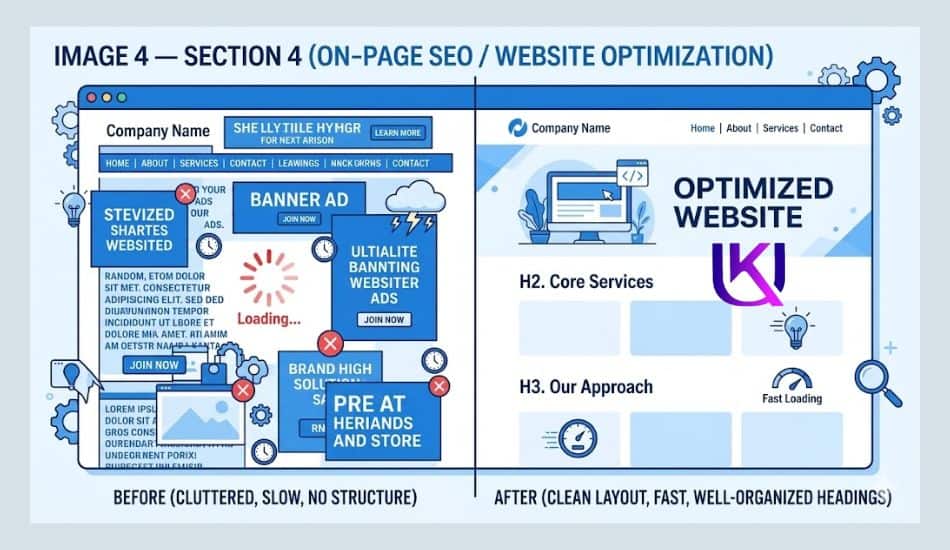
Getting traffic is only possible if your website is set up so that Google can read and understand it. This is called on-page SEO. It does not require a developer. You can do most of it yourself.
1. Page Titles and Meta Descriptions
Every page on your website has a title and a meta description. These are the two lines of text that appear in Google search results. They are the first thing a potential customer sees.
A good page title for a local business looks like this:
| Example Title Tag Emergency Plumber in Denver, CO | Fast 24/7 Service | [Your Business Name] |
A good meta description tells people what they get and why they should click:
| 📝 Example Meta Description: Need a plumber fast in Denver? We respond in under an hour, 7 days a week. Licensed, insured, and trusted by 500+ Denver homeowners. Call us now. |
Keep titles under 60 characters. Keep meta descriptions under 160 characters.
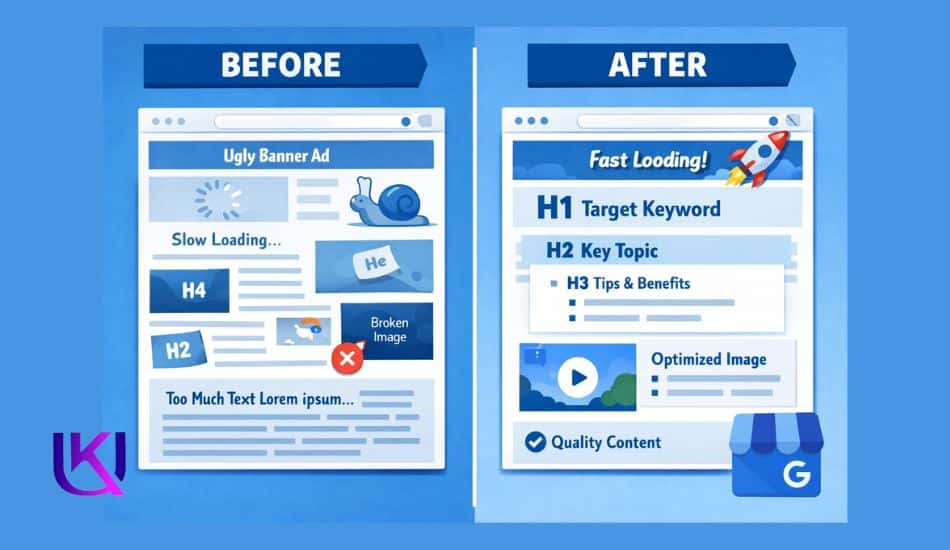
2. Header Tags: H1, H2, H3
Think of header tags like chapter headings in a book. They help both readers and Google understand what each section of your page is about.
- H1 — Use only ONE per page. It is the main title of the page.
- H2 — Use for major sections of your page.
- H3 — Use for sub-points within each section.
Put your primary keyword in your H1 tag. Use related keywords naturally in your H2 tags.
2. Image Optimization
Slow-loading images kill your rankings. Google favors fast websites. Here is what to do:
- Compress every image before uploading using a free tool like TinyPNG
- Name your image files with descriptive words, not ‘IMG_0032.jpg’. Use ‘denver-plumber-service.jpg’ instead.
- Add alt text to every image. This is a short description that screen readers and Google both use.
3. Mobile-Friendly Design: SEO Guide for Small Business USA
Over approximately 60% of all Google searches in the USA happen on a phone. If your website looks broken on mobile, Google will not rank it well. Check your site at Google’s free Mobile-Friendly Test tool.
4. Site Speed: Core Technical SEO Ranking Factor
Page speed is a direct Google ranking factor. Run your site through Google PageSpeed Insights (free). Fix the top issues it flags, and you will see your rankings improve.
Section 5: Build Your Online Authority with Links
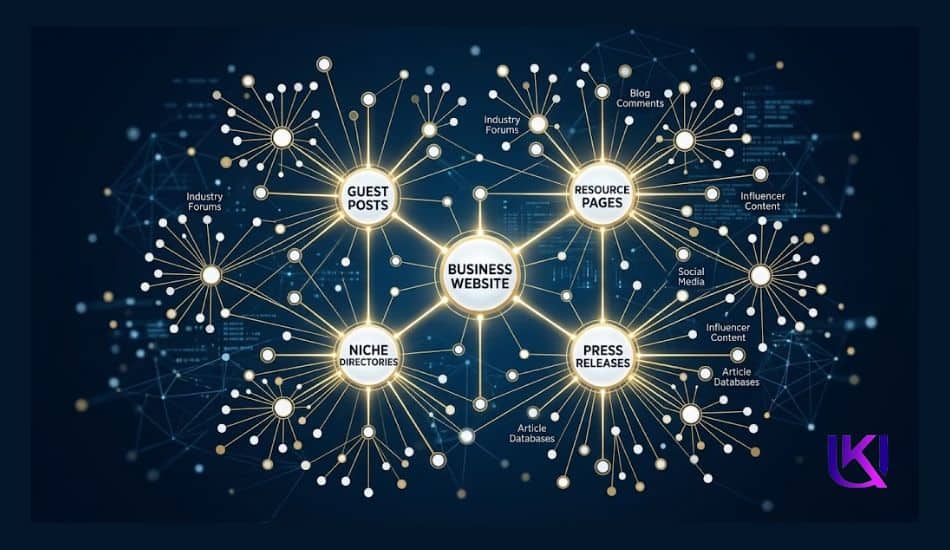
Google trusts websites that other websites link to. These links are called backlinks. Think of each backlink as a vote of confidence from another site saying, “We trust this business.”
The more trustworthy links you earn, the higher Google ranks you. Quality matters more than quantity.
How to get your first backlinks: SEO Guide for Small Business USA
- Local directories: List your business on Yelp, the Better Business Bureau (BBB), Angi, and your city’s Chamber of Commerce website. These are trusted sources.
- Local press: Reach out to your local newspaper, news blog, or community website. Offer to be quoted as an expert in your field. Many will link back to you.
- Partner businesses: If you work with other local businesses, ask if they will mention you on their website (and offer to do the same for them).
- Sponsor local events: Sponsoring a Little League team or a school fundraiser often earns you a link from the event website.
| Never Do This: Do not buy backlinks. Ever. Google’s algorithm detects paid link schemes and will penalize your site, sometimes permanently removing it from search results. No shortcut is worth the risk. |
Section 6: Track Your Progress
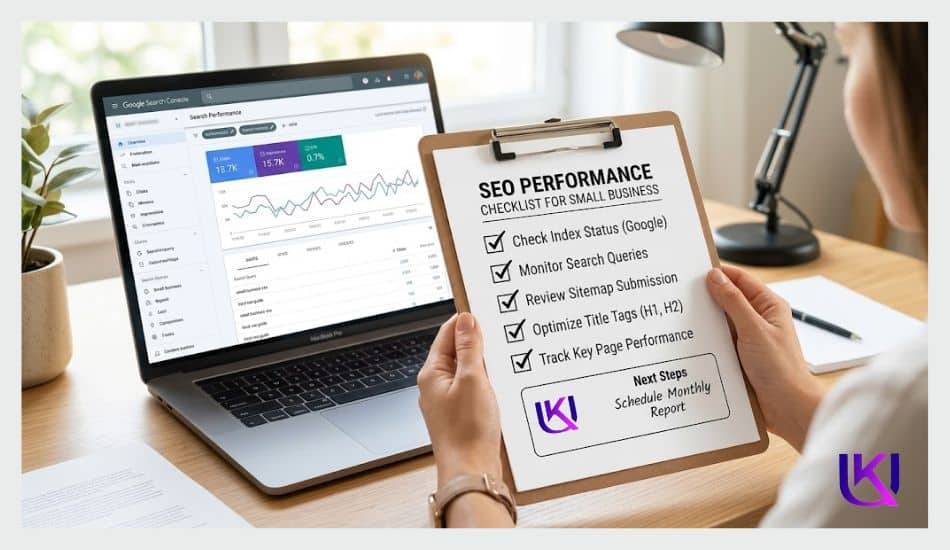
SEO without tracking is like driving without a speedometer. You need to know what is working, what is not, and what to fix next.
The good news? The best tracking tools are completely free.
1. Google Search Console (GSC)
This is the most important SEO tool for any small business. Set GSC up as soon as possible. Google Search Console shows you the SEO Guide for Small Business USA:
- Which keywords do people use to find your site
- How many people click through to your site from Google
- Which pages are ranking and which are not
- Any technical errors Google found on your site
Go to search.google.com/search-console and connect your website. It is free and takes about 10 minutes to set up.
2. Google Analytics
Google Analytics shows you what visitors do after they land on your site. How long do they stay? Which pages do they visit? Where do they leave? This data helps you improve your content and user experience over time.
3. How to track your rankings
Once a month, search for your top 5 keywords on Google while in an Incognito window. Write down where you appear. Over time, you will see your rankings climb as your SEO efforts build up.
| Be Patient: SEO is not a light switch. It is a slow-burning fire that grows stronger over time. Business owners who quit at 6 weeks miss the results that come at 6 months. |
SEO Guide for Small Business USA: Create Helpful Content That Builds Trust with Users.
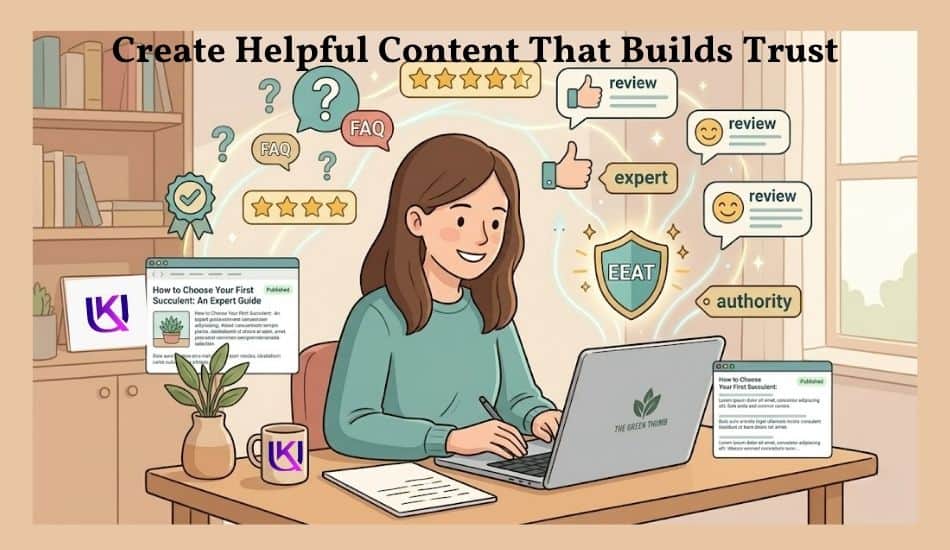
Helpful content is one of the most important parts of SEO. When your website answers real customer questions, Google can better understand your business. At the same time, visitors begin to trust you. Trust is important because people usually buy from businesses they believe can help them. Good content shows that you understand their problems and have useful solutions.
1. Answer Customer Questions
Think about the questions customers ask before they buy.
For example, they may ask:
- How much does this service cost?
- How long does it take?
- Is this product right for me?
- What makes your business different?
When you answer these questions on your website, you help both customers and Google. Visitors get the information they need, and search engines learn what your pages are about.
A good place to start is an FAQ page, service page, or blog post that focuses on common customer concerns.
2. Show Expertise and Experience: SEO Guide for Small Business USA
People want advice from someone who has real knowledge and experience.
Instead of writing general information, share what you know from working with customers. Explain how you solve problems. Use examples when possible. Show photos, case studies, testimonials, or results from past work.
For example, a local plumber can explain how they fixed a common pipe problem. A bakery can share tips for choosing the right cake for an event.
Real experience makes your content more helpful and more trustworthy.
3. EEAT and NLP for Small Businesses
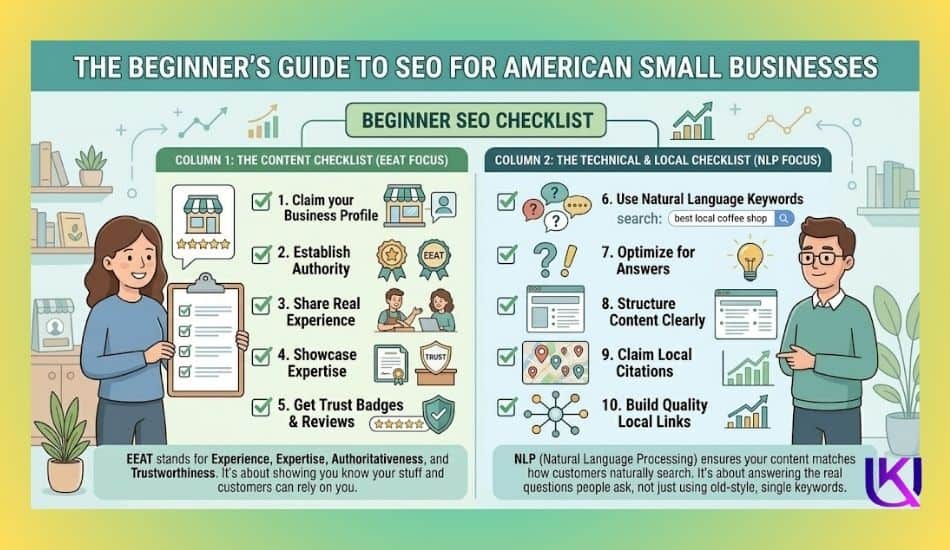
Google uses a concept called EEAT. It stands for:
- Experience
- Expertise
- Authoritativeness
- Trustworthiness
You do not need to be a large company to demonstrate EEAT. Small businesses can build it in simple ways.
You can improve EEAT by:
- Sharing real business experience
- Keeping business information accurate
- Displaying customer reviews
- Creating helpful and honest content
- Showing clear contact details
- Updating old content when needed
These signals help visitors feel confident in your business. They also help Google see your website as a reliable source of information.
SEO guide for small business USA focuses on Natural Language Processing (NLP) in SEO, which is the practice of optimizing content so AI models and search algorithms (like Google’s MUM, BERT, and Gemini) can easily understand your content’s context, semantics, and entities.
NLP bridges the gap between human communication and machine understanding, allowing technology to process both text and speech naturally. It shifts the focus from rigid keyword stuffing to satisfying user intent and building topical authority.
4. Blogging Basics: Info, Problem & Solution Provided SEO Guide for Small Business USA
A unique blog gives you more chances to appear in Google Search. Each blog post can target a specific keyword or customer question. Over time, these articles bring more organic traffic to your website.
If you are new to blogging, start with simple topics such as:
- Frequently asked customer questions
- How-to guides
- Product comparisons
- Industry tips
- Local service information
Keep your writing clear and easy to read. Use headings, short paragraphs, and simple language. Focus on helping the reader rather than trying to impress search engines.
The more useful your content is, the more likely people are to trust your business, stay on your website, and become customers.
Simple Local SEO Tips for More Visibility
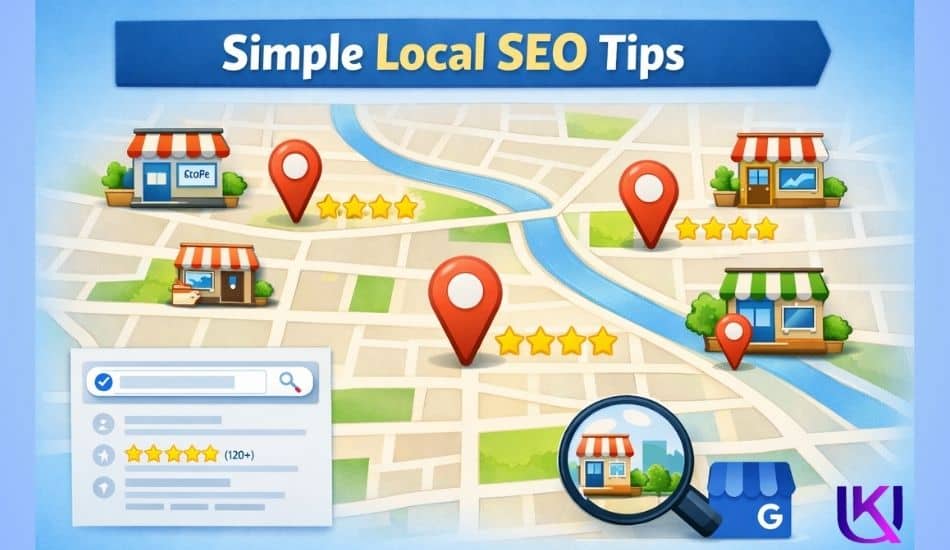
Local SEO helps your business appear when people search for products or services in their area. If someone searches for a nearby business, Google tries to show the most relevant local results first.
For small businesses, Local SEO can be one of the fastest ways to increase online visibility and attract new customers.
The good news is that you do not need a huge budget to get started.
1. Local Landing Pages
If your business serves more than one city or area, create a separate welcome page for each location.
For example, a roofing company serving Dallas, Fort Worth, and Arlington should have dedicated pages for each city rather than putting everything on a single page.
Each local landing page should include:
- The city or service area name
- Services offered in that location
- Local customer testimonials
- Contact information
- Helpful local content
These lead-capture pages help Google understand where your business operates and improve your chances of appearing in local search results.
2. Reviews and Reputation: SEO Guide for Small Business USA
Online reviews are one of the strongest trust signals for local businesses. When customers see positive reviews, they feel more confident about choosing your business. Google also uses reviews as a signal when ranking local results.
To build a strong reputation:
- Ask happy customers for reviews
- Respond to reviews politely
- Thank customers for positive feedback
- Address concerns professionally
- Never buy fake reviews
A steady flow of genuine reviews shows that your business is active, trusted, and customer-focused.
3. Local Citations
A local citation is any online mention of your business (NAP) name, address, and phone number. These listings help Google confirm that your business information is accurate. You should keep your details consistent across all directories and platforms.
Common places for NAP local citations include:
- Google Business Profile (GBP)
- Yelp
- Bing Places
- Yellow Pages
- Industry-specific directories
- Local business directories
Even small differences in your business information can create confusion, so always use the same details everywhere.
4. Google Maps Visibility
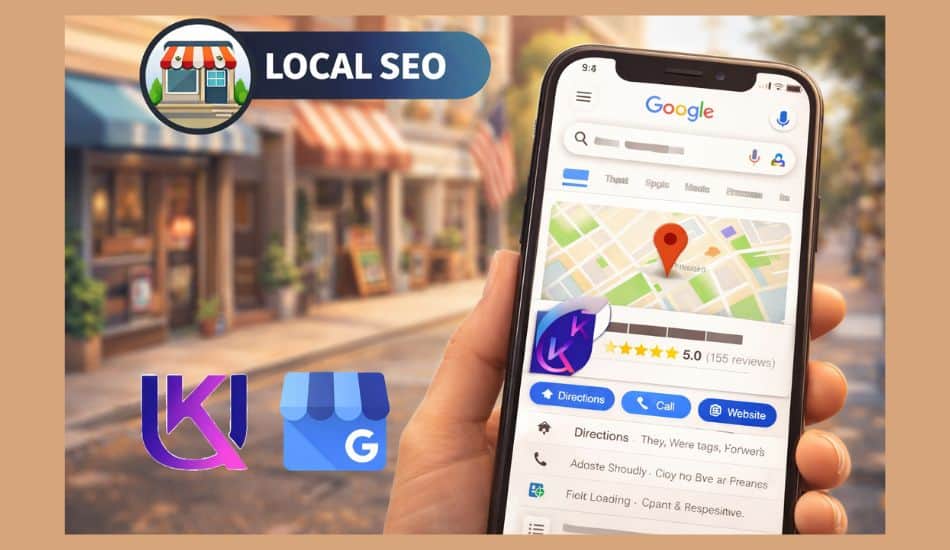
Many customers find businesses directly through Google Maps in addition to traditional search results. That is why your Google Business Profile (GBP) is so important.
To improve your Google Maps visibility:
- Complete every section of your profile
- Choose the correct business category
- Add high-quality photos
- Keep business hours updated
- Collect customer reviews
- Post updates regularly
- Verify your business information
A well-optimized Google Business Profile helps your business appear in local searches, map results, and the valuable Google Local Pack.
When local landing pages, reviews, citations, and Google Maps optimization work together, your business becomes easier to find. This leads to more website visits, more phone calls, and more customers from your local area.
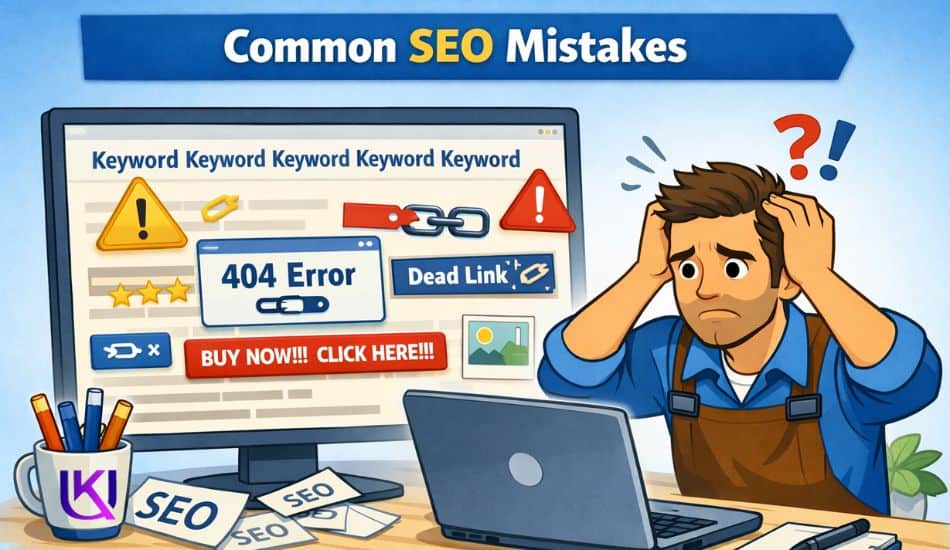
Common SEO Mistakes Beginners Should Avoid
When you start SEO for your small business, small mistakes can stop your website from growing. Many beginners make the same errors without knowing it. These mistakes can reduce your visibility on Google and slow down your progress.
The good news is that the SEO guide for small business USA is also that once you know them, you can fix them quickly.
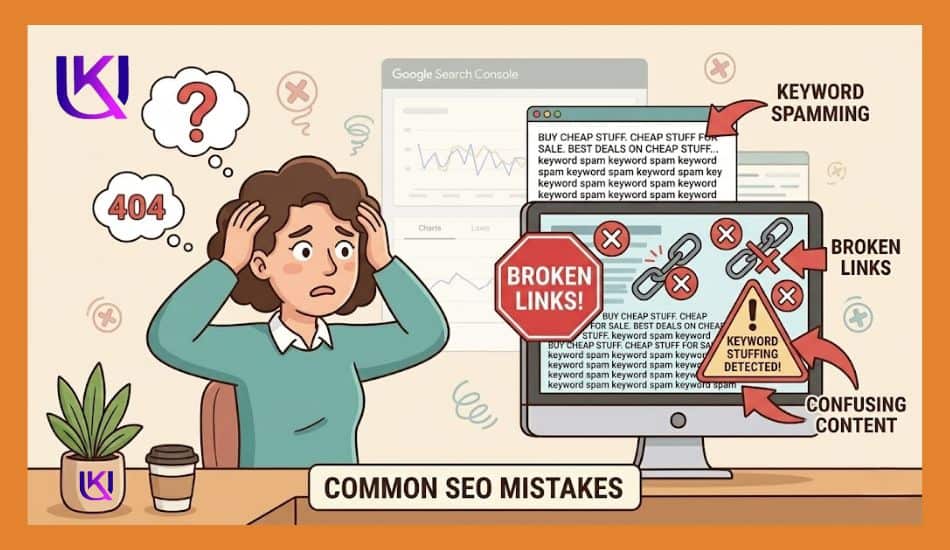
1. Keyword Stuffing
Keyword stuffing means using the same keyword too many times in your content. Some people think more keywords will help them rank higher. But it does the opposite.
Google wants natural writing that helps real people. If your page repeats the same words again and again, it becomes hard to read.
Instead, use keywords simply and naturally. Focus on meaning, not repetition. Write for your reader first, and search engines will understand your content better.
2. Duplicate Content
Duplicate content means copying the same text on different pages or from other websites. This can confuse Google and lower your rankings.
Each page on your website should have its own unique content. Even similar pages should be written freshly.
For example, do not copy one service page and reuse it for all locations. Instead, change the details for each area and make it helpful for that specific audience.
Original content helps build trust and improves your SEO performance over time.
3. Ignoring Mobile Users
Most people now use mobile phones to search on Google. If your website does not work well on mobile, you may lose many customers.
A mobile-friendly website should:
- Load fast on phones
- Fit the screen properly
- Have easy-to-read text
- Make buttons simple to tap
If users struggle to use your site on mobile, they will leave quickly. This increases bounce rate and can hurt your rankings. Google also prefers mobile-friendly websites in search results, so this step is very important.
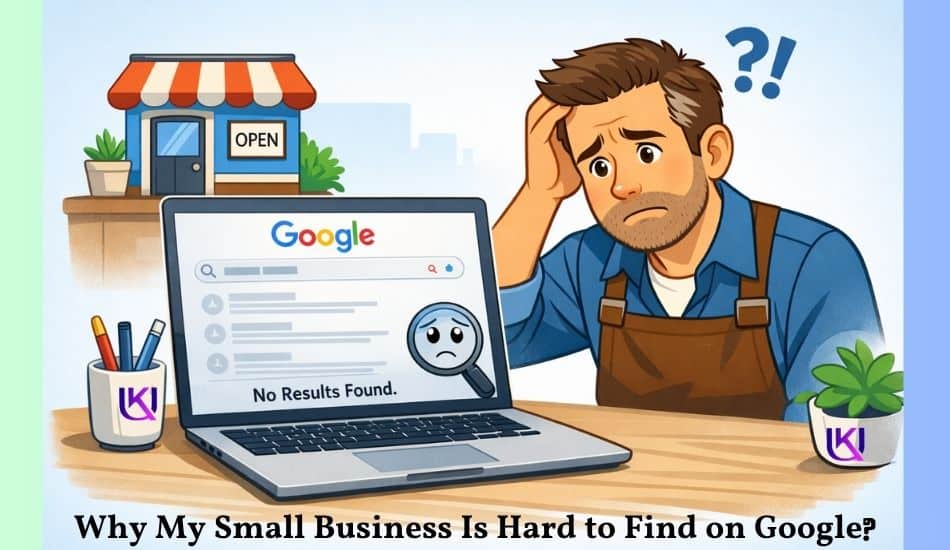
4. Neglecting Technical Issues
Technical SEO problems can quietly damage your website without you noticing.
Common issues include:
- Slow page speed
- Broken links
- Missing page titles
- Poor site structure
- Indexing problems
These issues make it harder for Google to crawl and understand your website. As a result, your pages may not appear in search results at all.
You do not need advanced skills to fix many of these problems. Simple tools like Google Search Console can help you find and solve basic technical issues.
When you avoid these common mistakes, your SEO becomes stronger and more stable. Your website becomes easier for Google to read and easier for customers to trust.
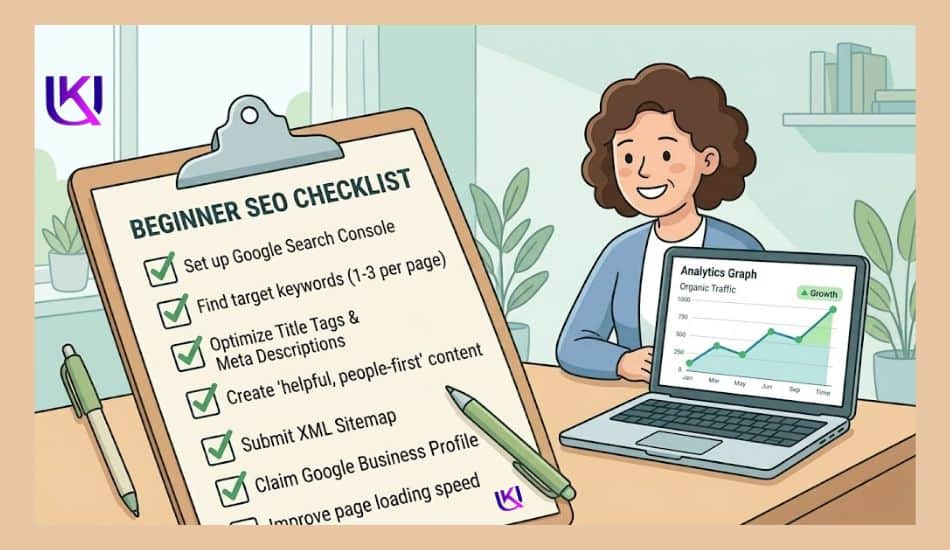
Beginner SEO Guide for Small Business USA Checklist for Owners
SEO can feel big at first. But you do not need to do everything at once. A simple checklist helps you stay on track and grow step by step.
Use this easy plan to improve your website without stress.
1. Quick Action Steps
Start with these basic tasks. They give fast results and build a strong base.
- Set up your Google Business Profile
- Add your business name, address, and phone number
- Make your website mobile-friendly
- Choose 3–5 main keywords for your business
- Write clear service pages
- Add basic contact information on every page
- Install Google Search Console
These steps help Google understand your business quickly.
2. Weekly Tasks: SEO Guide for Small Business USA
Do these small tasks every week to keep your SEO growing.
- Write one helpful blog post or update existing content
- Add new customer reviews (if possible)
- Check your website for broken links
- Post updates on your Google Business Profile
- Share your website content on social media
- Answer customer questions on your site or blog
These actions keep your website active and fresh in Google’s eyes.
3. Monthly Tasks
Once a month, take time for deeper work on an SEO guide for small business USA. This helps long-term growth.
- Review your keyword performance
- Update old blog posts with new information
- Check website speed and fix slow pages
- Add new local citations (business listings)
- Review Google Search Console data
- Improve pages that are not getting traffic
- Add new service or location pages if needed
Monthly work helps your website stay strong and competitive.
When you follow this simple checklist, SEO becomes easy to manage. You build steady growth instead of quick stress. Over time, your small business becomes easier to find on Google, and more customers start coming to you.

Conclusion: How Can a Small Business Get Found on Google in 2026?
SEO is not something you fix in one day. It is a step-by-step process. But when you start with the right basics, your small business can grow slowly and safely on Google.
You learned how search engine optimization helps people find your business, how content builds trust, and how simple local SEO can bring real customers. You also saw common mistakes and a clear checklist to follow.
Now it is your turn to take action. Start small. Fix one thing at a time. Add helpful content. Improve your website. Keep your Google Business Profile active.
Every small step you take makes your business easier to find in Google Search.
If you stay consistent, your website will not stay hidden. It will start working for you, day and night, bringing new visitors and real customers.
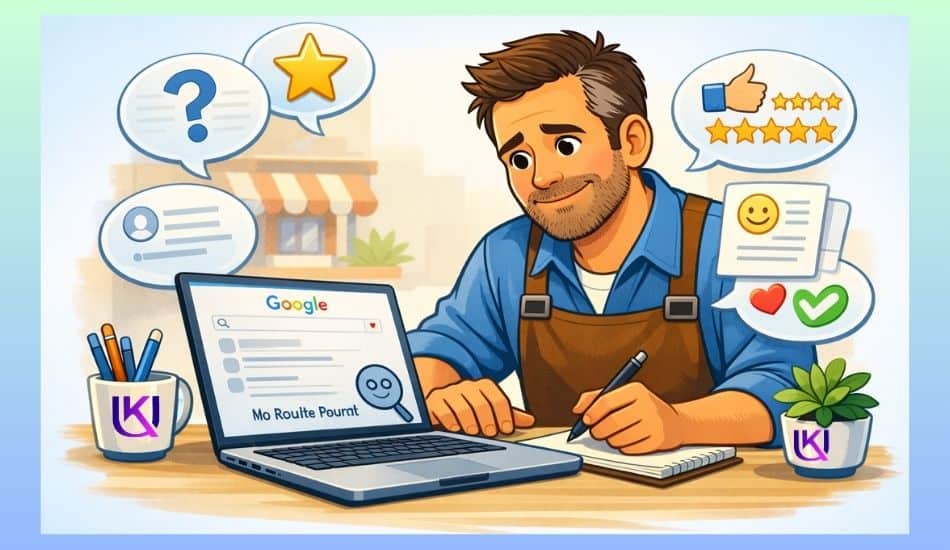
SEO Guide for Small Business: Your Small Business SEO Checklist
Print this out. Tape it to your wall. Work through it one step at a time.
| Category | Task | Done |
| Local SEO | Claim and optimize Google Business Profile | ☐ |
| Local SEO | Match NAP info across all directories | ☐ |
| Local SEO | Ask happy customers for Google reviews | ☐ |
| Keyword Research | Use Google Keyword Planner for local terms | ☐ |
| Keyword Research | Target ‘near me’ and city + service phrases | ☐ |
| On-Page SEO | Write unique title tags for every page | ☐ |
| On-Page SEO | Write clear meta descriptions (under 160 chars) | ☐ |
| On-Page SEO | Use H1 for page title, H2 for sections | ☐ |
| On-Page SEO | Compress all images and add alt text | ☐ |
| Link Building | Get listed in local directories (Yelp, BBB) | ☐ |
| Link Building | Partner with nearby businesses for links | ☐ |
| Tracking | Set up Google Search Console | ☐ |
| Tracking | Connect Google Analytics to your site | ☐ |
| Tracking | Check rankings monthly and adjust content | ☐ |
Download Your SEO Checklist
Keep your progress simple and clear. Use the checklist to guide your next steps and grow your small business online with confidence.
Get more relevant articles: Google My Business Setup Guide for US Local Businesses
FAQs: Common SEO Questions from Small Business Owners. How Can You Improve Your Small Business Website’s Google Ranking?

1. How long does SEO take for a small business?
Most small businesses start seeing real results in 3 to 6 months. Local SEO can show results a little faster, sometimes in 4 to 8 weeks, if your Google Business Profile is fully set up.
2. Is SEO free for small businesses?
The basic tools are free. Google Search Console and Google Business Profile cost nothing. You may pay for tools like Semrush or Ahrefs later, but you can grow with free tools at the start.
3. What is the most important SEO step for a local business?
Claiming and fully filling out your Google Business Profile is the fastest win. It puts you on Google Maps and in local search results right away.
4. Does my small business need a blog for SEO?
A unique and informative problem-solving blog helps, but it is not required at first. Focus on your main service pages first. Once those are done, a blog can bring in extra traffic over time.
5. Can I do SEO myself without hiring an agency?
Yes. Many small business owners handle their own SEO using free tools like Google Search Console. Start with local SEO, then build from there as you learn more.