

ChatGPT keyword research total guidance for beginners can help you find new keyword ideas, understand what people may search for, and build better content topics.
Start with one simple keyword and use ChatGPT to explore related phrases, questions, long-tail keywords, and subtopics.
For example, imagine you run a small business in the US that sells running shoes. You may start with the keyword “running shoes.” In this query of trying to guess every related search yourself.
You can ask this genius tool to suggest questions beginners ask, long-tail keyword ideas, and topics related to buying running shoes.
This can save you time during the early stage of keyword research.
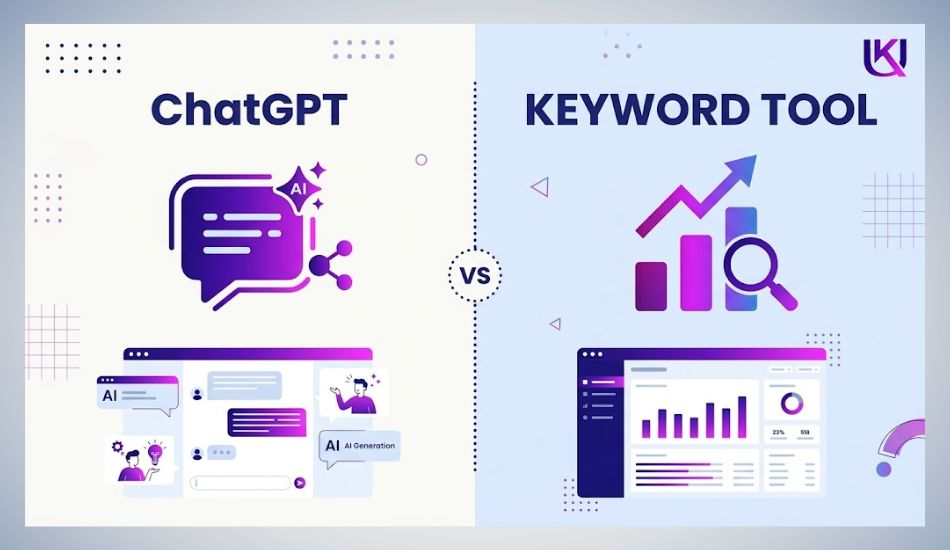
But ChatGPT is not a replacement for SEO data. It can generate useful ideas, but it does not automatically tell you which keyword or query has the best search volume, competition, or ranking opportunity.
You should check important ideas with tools such as Google Keyword Planner, Google Trends, and Google Search Console (GSC) before making your final keyword or query choices.
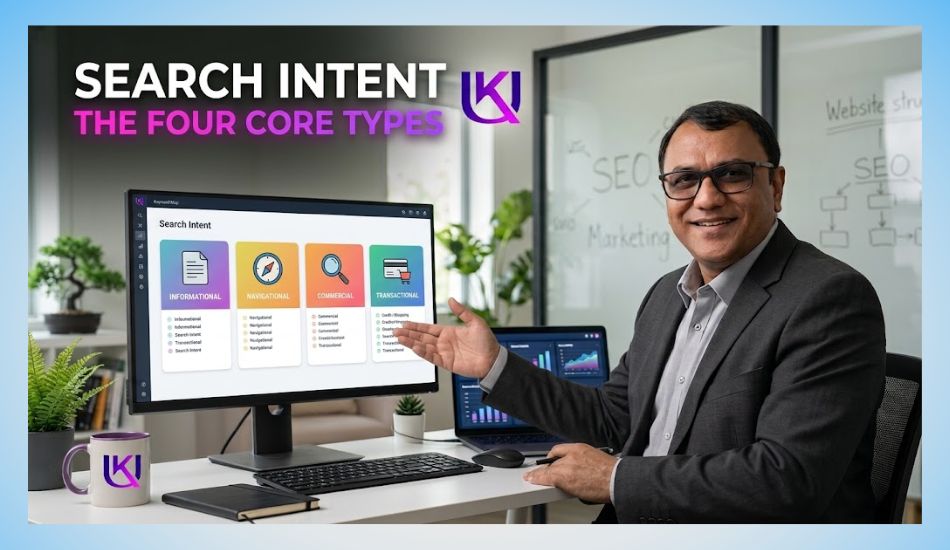
You also need to understand search intent. A person searching “best running shoes for beginners” has a different goal from someone searching “buy running shoes near me.” One may be looking for information, while the other may be ready to buy.
In this guide, you will practice how to use ChatGPT for keyword research step by step. You will see how to find keyword ideas, discover long-tail searches, understand search intent, group related keywords, create content topics, and validate your ideas with real SEO data.
The goal is simple: use ChatGPT to discover opportunities, then use reliable search data to decide which opportunities are worth targeting.
What Is ChatGPT Keyword Research?
When you use ChatGPT for keyword research, you are using this genius tool to discover and organize search terms around a topic. You can start with one main idea and ask it to expand it into related keywords, questions, problems, and longer search phrases.
Think of it as a keyword idea generator and research assistant.
For example, suppose you offer a local SEO service for small businesses in the US. Your starting keyword might be:
“local SEO services”
You can ask ChatGPT to find different keyword angles around that topic, such as:
- local SEO services for small businesses
- local SEO company near me
- affordable local SEO services
- local SEO services for restaurants
- local SEO services for dentists
- how much does local SEO cost
- how to improve Google Business Profile rankings
These suggestions give you more ways to understand the topic and the problems your potential customers may have.
ChatGPT Helps You Explore the Topic
The real value is not simply getting a long list of keywords.
You can use ChatGPT to explore why people search.
For example, these searches are related, but they show different goals:
| Search | Possible intent |
| what is local SEO | Learning |
| how to do local SEO | Learning/How-to |
| local SEO checklist | Learning/Action |
| best local SEO company | Comparing services |
| local SEO services near me | Finding a provider |
| local SEO pricing | Checking cost |
This helps you move from a basic keyword list to a better understanding of search intent.
ChatGPT Does Not Know Your Best Keywords Automatically
You should also remember one important limitation.
This genius tool can suggest keyword ideas, but you should not assume every suggestion has real search demand.
Before you target a keyword, check it with reliable SEO or Google data. Look at factors such as:
- Search demand
- Competition
- Search intent
- Current Google results
- Location
- Business relevance
- Potential to bring the right visitor
So, your workflow should be simple:
Use ChatGPT to discover ideas → check the ideas with real search data → choose the keywords that match your audience and goal.
This approach lets you use AI for speed without letting AI make the final SEO decision for you.

How Can You Start Your Keyword Research With ChatGPT?
Start with one simple seed keyword. This is the main word or phrase that describes your topic, product, or service.
For example, suppose you run a home cleaning business in the United States. Your starting phrase could be:
“house cleaning service”
You can give this phrase to ChatGPT and ask it to find different search ideas around the same topic. This can help you see questions and phrases you may not have thought about on your own.
1. Start With Your Main Topic
Give ChatGPT some useful context before asking for ideas.
Instead of writing:
“Give me keywords for cleaning.”
You could write:
“I run a house cleaning service in the US. Give me search terms that people may use when looking for home cleaning services.”
The second prompt gives the tool a clearer job. You can make it even more useful by adding your target customer, service area, or specific service.
2. Ask for Different Types of Searches
A single list of related terms may not be enough. Ask for different types of searches based on what you want to learn.
You can ask for:
- Long-tail keywords
- Question-based searches
- Local searches
- Service-related terms
- Informational searches
- Comparison searches
- Buyer-focused phrases
- Problem-based searches
For example, if you want customers who are ready to hire a cleaning company, you could ask:
“Give me long-tail search phrases used by people in the US who are looking to hire a house cleaning service.”
This can uncover more specific phrases than simply targeting “house cleaning service.”
3. Find the Questions Behind the Search
Good keyword research is not only about finding words. You also want to understand what the searcher needs.
Someone looking for a cleaning service may search:
- how much does a house cleaner cost
- how often should you deep clean a house
- best house cleaning service near me
- what does a deep cleaning service include
These searches show different needs.
One person may want information. Another may be comparing companies. Someone else may already be ready to hire.
That difference is called search intent. Understanding it helps you choose the right keyword for the right page.
4. Do Not Treat AI Suggestions as Final Data
ChatGPT can give you useful ideas, but you should not assume every suggested phrase has strong search demand.
Take the useful ideas and check them with real data. You can use tools such as Google Keyword Planner, Google Trends, Google Search Console, or a trusted SEO platform.
Then look at the current Google results.
Ask yourself:
- Are people actually searching for this topic?
- What pages are ranking now?
- What does the searcher want?
- Is the keyword relevant to your business?
- Can your page give the searcher a useful answer?
This gives you a better process:
Start with an idea → expand it with ChatGPT → study the search intent → check real search data → choose the terms that fit your page.
That way, you use AI to speed up the research without allowing it to make the final SEO decision for you.
How Can ChatGPT Find Long-Tail Keywords?
Long-tail keywords are longer and more specific search phrases. They often show what a person wants more clearly than a broad keyword.
For example, “SEO” is broad. But “affordable SEO services for small businesses in Texas” tells you much more about the searcher.
You can use ChatGPT to expand a broad topic into these more specific searches.
1. Start With a Broad Keyword
Suppose you want to create content for a US SEO agency.
Your starting keyword might be:
“small business SEO”
Ask ChatGPT to turn this into specific search phrases.
You may discover ideas around:
- small business SEO services
- small business SEO checklist
- how to do SEO for a small business
- affordable SEO for small businesses
- local SEO for small businesses
- small business SEO pricing
- best SEO tools for small businesses
These phrases cover different needs. Some people want to learn. Others may be comparing services or looking for a solution.
2. Ask for Specific Search Intent
You can make the results more useful by telling ChatGPT what type of searcher you want.
For example:
“Give me 20 long-tail keywords for small business SEO. Focus on US business owners who are trying to improve their Google rankings. Group the keywords by informational, commercial, and local intent.”
This gives you more than a random keyword list. Query helps you organize ideas around the reason behind each search.
3. Look for Natural Questions
Long-tail searches often appear as questions.
For example:
- How much does SEO cost for a small business?
- How long does SEO take to work?
- Is SEO worth it for a small business?
- How can I improve my Google ranking?
- How do I find the right SEO company?
These questions can become useful blog posts, FAQ sections, service-page content, or supporting sections within a larger guide.
4. Check Each Keyword Before You Target It
Do not publish a page simply because ChatGPT suggested a phrase.
You should check the keyword in Google and study the results. Look at the type of pages that rank, the questions shown in the results, and whether the search matches what you offer.
You should also check search demand with a keyword research tool when possible.
The goal is not to collect hundreds of phrases.
The goal is to find specific searches that match what your audience needs and what your website can genuinely answer.
How Can ChatGPT Help You Understand Search Intent?
Finding a keyword is only one part of SEO. You also need to understand why someone types that keyword into Google.
This is called search intent.
You can use ChatGPT to review a keyword and suggest the likely reason behind the search. This can help you decide whether the keyword belongs on a blog post, service page, product page, or another type of content.
1. Give ChatGPT a Keyword
Suppose you are targeting the phrase:
“best SEO tools for small business”
You can ask:
“What is the likely search intent behind ‘best SEO tools for small business’? Explain what the searcher wants and what type of page would best answer the query.”
This genius tool may identify that the searcher is likely comparing different tools before making a choice.
You can then create content that fits that need, such as a comparison guide or list of recommended tools.
2. Compare Keywords With Different Intent
Consider these three searches:
| Search term | Likely intent | Suitable content |
| what is technical SEO | Informational | Beginner guide |
| technical SEO checklist | Informational + action | Checklist or guide |
| technical SEO services | Commercial | Service page |
The keywords are closely related, but you should not treat them as the same search.
A person searching “what is technical SEO” may be learning about the topic. Someone searching “technical SEO services” may be looking for a company to hire.
This difference matters when you plan your pages.
3. Use Google Results to Confirm the Intent
ChatGPT can help you form a starting view, but you should check the actual Google results before making your decision.
Search the phrase yourself and study the pages that appear.
Look for:
- Blog posts
- Service pages
- Product pages
- Category pages
- Comparison articles
- Local business results
- Featured snippets
- People Also Ask questions
If most of the top results are detailed guides, Google may be treating the query as informational.
If most results are service pages, the search may have stronger commercial intent.
4. Match Your Page to the Searcher
Once you understand the intent, make the page fit the need.
- If someone wants to learn, teach them.
- If someone wants to compare options, help them compare.
- And if someone wants to buy or hire, make the next step clear.
This is where AI can support your research, but your SEO judgment still matters. The best keyword is not always the one with the highest search volume.
It is often the one that matches your audience, your page, and the action you want the visitor to take.
How Can You Use ChatGPT to Group Related Keywords?
After finding keyword ideas, your next problem is usually organization. A long list can contain similar phrases that belong to the same topic.
You can use ChatGPT to group those terms into clear keyword clusters. This can help you plan pages without creating a separate article for every small variation.
1. Give ChatGPT Your Keyword List
Suppose you have these terms:
- local SEO services
- local SEO for small businesses
- Google Business Profile (GBP) SEO
- how to improve GBP
- local SEO pricing
- affordable local SEO services
- local SEO checklist
- how does local SEO work
You can ask ChatGPT:
“Group these keywords by topic and search intent. Put closely related terms together and suggest one main keyword for each group.”
You may then get groups such as:
| Topic group | Example keywords | Possible page |
| Local SEO basics | how does local SEO work, local SEO checklist | Blog guide |
| Local SEO services | local SEO services, local SEO for small businesses | Service page |
| Google Business Profile(GBP) | GBP SEO, how to improve Google Business Profile(GBP) | Guide |
| Local SEO pricing | local SEO pricing, affordable local SEO services | Pricing/service content |
This gives you a clearer content plan.
2. Avoid Creating Too Many Similar Pages
Keyword grouping can also help you spot keyword overlap.
For example, you may have:
- SEO services for small businesses
- small business SEO services
- affordable SEO services for small business
- SEO company for small businesses
These phrases may have similar intent. Creating four pages only because the wording is slightly different could make your website harder to manage.
Instead, you can study the Google results and decide whether one strong page can satisfy the related searches.
3. Build Topic Clusters
You can also use the grouped keywords to create a topic cluster.
For example, your main page could cover:
Small Business SEO
Supporting content could cover:
- Local SEO
- Technical SEO
- Keyword research
- On-page SEO
- Link building
- Google Business Profile
- SEO reporting
- SEO pricing
The supporting pages can answer narrower questions and link back to the main topic.
This gives your website a clearer structure and helps you cover a subject from different angles.
4. Let Search Results Guide the Final Grouping
Do not rely only on ChatGPT’s grouping.
Two keywords may look similar but produce different results in Google. If that happens, they may need different content.
So use AI to organize and simplify your research, then compare the groups with actual search results.
The useful process is:
Collect keywords → group similar searches → identify the main topic → check Google results → decide which pages you really need.
This can save you from building a large website filled with pages that answer almost the same question.
How Can You Use ChatGPT to Find Keyword Questions?
Questions are useful keyword opportunities because they show you what people want to know. They can also help you build blog posts, FAQ sections, and supporting content around your main topic.
ChatGPT can help you turn a broad keyword into a list of questions worth investigating.
1. Start With One Keyword
Suppose your main topic is “Google Business Profile.”
You can ask:
“Give me common questions US small business owners may search about Google Business Profile. Group the questions for beginners, troubleshooting, and business growth.”
This gives you different content angles instead of one large list of random phrases.
You may find questions such as:
- How do I create a Google Business Profile?
- How long does Google Business Profile verification take?
- How do I add my business to Google Maps?
- Why is my Google Business Profile not showing?
- How can I get more Google reviews?
- How do I improve my local ranking?
Each question can reveal a different need.
2. Turn Questions Into Content Ideas
Then choose questions that match your website and audience.
For example:
Question: Why is my Google Business Profile not showing?
This could become a troubleshooting guide.
Question: How can I get more Google reviews?
This could become a practical local SEO article.
Question: How do I create a Google Business Profile?
This could become a beginner-friendly how-to guide.
You are not just collecting keywords. You are discovering content problems you can solve.
3. Ask for Questions at Different Stages
Your audience will not have the same goal every time they search.
You can ask ChatGPT to find questions for different stages:
Early research
“What questions would a beginner ask about local SEO?”
Problem solving
“What problems do small businesses commonly face with local SEO?”
Comparison
“What questions might someone ask before choosing a local SEO company?”
Buying
“What questions might a US business owner ask before hiring an SEO agency?”
This can help you build content for people who are learning, comparing, and preparing to take action.
4. Check Whether People Actually Search the Question
One important step remains.
A question generated by ChatGPT is not automatically a real search query.
Check promising questions in Google. Look at autocomplete suggestions, People Also Ask, related searches, and keyword data from SEO tools.
You may also find that people use a shorter or different version of the question.
For example, your research may suggest:
“How can I improve my Google Business Profile ranking?”
But actual searches may use a simpler phrase such as:
“how to rank Google Business Profile”
That difference matters.
Use ChatGPT to discover questions, then use real search behavior to decide which ones deserve your attention.
How Can You Use ChatGPT to Discover Keyword Ideas From Competitors?
Your competitors can show you topics you may have missed. You can use ChatGPT to organize competitor keyword ideas and look for gaps in your own content.
But there is an important difference between finding competitor topics and copying competitor keywords.
Your goal is to understand what they cover, then find where you can provide a better or more useful answer.
1. Start With a Competitor Page
If you already know a competing page that ranks for your topic, give ChatGPT the page content or a list of its headings.
For example, you could ask:
“Analyze these headings from a competing SEO guide. Identify the main topics, related subtopics, questions, and keyword themes covered on the page. Then suggest useful topics that are missing.”
This can help you see the structure of the competing content.
2. Look for Missing Topics
Suppose a competitor’s article covers:
- What SEO is
- Why SEO matters
- Keyword research
- On-page SEO
- Link building
You may notice that it does not explain:
- How to choose keywords for a local business
- How search intent affects keyword selection
- How to check keywords before targeting them
- Common keyword research mistakes
- How to organize keywords into content groups
Those missing areas can become opportunities for your own content.
3. Do Not Assume Competitor Keywords Are Good
A competitor ranking in Google does not mean every keyword they use is worth targeting.
Some terms may have:
- Very little search demand
- The wrong search intent
- Strong competition
- No connection to your business
- A different audience
- No useful value for your readers
You should still check important terms with keyword tools and Google Search.
4. Compare the Search Results
You can also ask ChatGPT to help you create a comparison framework:
“Compare the topics covered by these competing pages. Identify common topics, unique topics, missing questions, and areas where a new article could provide more useful information.”
Then review the results yourself.
Look at what Google currently ranks for your target search. Pay attention to the format, depth, questions, and user needs behind the results.
The goal is not to make a longer version of another article.
The goal is to create a page that gives the reader a clearer answer, better examples, useful steps, and information that competing pages fail to explain well.
That is where competitor research becomes useful for SEO.
How Can ChatGPT Help You Build a Keyword or Query List?
Once you have a few useful ideas, you can use ChatGPT to expand them into a wider keyword list. This is helpful when you are starting a new website, planning a blog, or creating content for a US business.
The key is to give the tool a clear task. A simple prompt can produce a large list, but a well-planned prompt can give you ideas that are easier to sort and use.
1. Start With Your Seed Keyword
Suppose your topic is “personal injury lawyer.”
You can ask:
“Create keyword ideas related to personal injury lawyers in the US. Include informational, commercial, local, question-based, and long-tail searches. Avoid duplicate phrases.”
This can give you different ways people may search for the same service.
For example:
- personal injury lawyer
- personal injury attorney
- personal injury lawyer near me
- how much does a personal injury lawyer cost
- how to find a personal injury lawyer
- best personal injury lawyer in Texas
- personal injury attorney for car accidents
- what does a personal injury lawyer do
You can then sort these ideas based on intent, location, audience, and business value.
2. Create Query or Keyword Groups
A large query or keyword list becomes easier to use when you divide it into groups.
For a personal injury law firm, you might create groups such as:
A. Core services
- personal injury lawyer
- personal injury attorney
- injury law firm
B. Car accident searches
- car accident lawyer
- car accident attorney
- lawyer for car accident injury
C. Local searches
- personal injury lawyer in Houston
- personal injury attorney near me
- Houston injury law firm
D. Question searches
- how much does a personal injury lawyer cost
- how long does a personal injury claim take
- when should you hire a personal injury lawyer
Each group can support a different page or content idea.
3. Ask ChatGPT to Remove Duplicates
AI-generated lists often contain similar phrases.
You can ask:
“Remove duplicate and near-duplicate keywords from this list. Keep the phrases that represent different search intent or useful variations.”
This can make your research easier to manage.
However, do not automatically delete similar keywords. Two phrases that look alike can still have different meanings or search results. Check Google before deciding whether they belong on the same page.
4. Add a Location When Local SEO Matters
If you serve a specific US market, include the location in your research.
For example:
“Find keyword ideas for a plumbing company serving homeowners in Phoenix, Arizona. Include local, service, emergency, and question-based searches.”
This can uncover searches connected to the local market, such as emergency services, specific plumbing problems, and location-based searches.
You should still validate those terms with local search results and keyword data.
5. Build the List for a Purpose
Do not try to collect every possible keyword.
A better list contains keywords that help you answer questions such as:
- What does your audience need?
- What problems are they trying to solve?
- Which services do they want?
- Which searches show buying interest?
- Which topics deserve supporting content?
- Which searches are relevant to your location?
A smaller list of useful keywords is often more valuable than hundreds of loosely related phrases.
ChatGPT can help you build that starting list quickly. Your job is to filter it, verify it, and connect each useful term to the right content.
How Can You Use ChatGPT to Find Local Keywords?
If you target customers in the United States, location can change the value of a keyword.
Someone searching for a plumber in Austin is not looking for the same business as someone searching for a plumber in Chicago.
ChatGPT can help you discover location-based keyword ideas, especially when you already know the service and area you want to target.
1. Add the Service and Location
Start with both your service and target market.
For example:
“Find keyword ideas for a roofing company serving homeowners in Dallas, Texas. Include local, service, emergency, and question-based searches.”
You may get ideas such as:
- roofing company Dallas
- roof repair Dallas
- roofing contractor Dallas
- emergency roof repair Dallas
- roof replacement Dallas
- best roofing company near me
- how much does roof replacement cost in Dallas
These phrases give you different ways to approach the same local market.
2. Think Beyond the City Name
Local searches do not always contain a city name.
People may use phrases such as:
- near me
- nearby
- in my area
- local
- specific neighborhood names
- ZIP codes
- landmarks
For example, someone may search “roof repair near me” rather than typing the name of their city.
You should not create a separate page for every possible location variation. Instead, understand which areas you actually serve and create useful local content around those markets.
3. Find Service-Specific Local Searches
You can also ask ChatGPT to break a local market into individual services.
For a dental practice, you might research:
- dentist in Miami
- emergency dentist Miami
- teeth whitening Miami
- Invisalign dentist Miami
- dental implants Miami
- dentist near me
This can help you identify which services deserve their own pages.
4. Check Local Results Yourself
AI suggestions are only the starting point.
Search the important phrases in Google and look at the local results. Check the Google Business Profile listings, local pack, organic pages, directories, and service pages that appear.
You want to know whether the search has genuine local intent and what type of businesses Google considers relevant.
Also remember that your Google results can change based on your location. A keyword that looks strong from one US city may behave differently in another market.
5. Use Local Keywords Naturally
You do not need to repeat a city name in every sentence.
If your page is about roof repair in Dallas, you can naturally explain:
- the roofing problems common to your customers
- the services you provide
- the areas you serve
- what customers should expect
- how to request an estimate
The location should help the reader understand where you provide the service, not make the page sound like a list of keywords.
Use ChatGPT to discover local search ideas, then use Google and real market data to decide which ones deserve your attention.
How Can You Use ChatGPT to Find Related Keywords?
A good keyword is rarely alone. One main search term usually connects to many related words, questions, and subtopics.
ChatGPT can help you uncover these connections. This is useful when you want to understand a topic more fully instead of writing a page around one phrase.
1. Start With One Main Keyword
Suppose your main topic is “small business SEO.”
You can ask:
“Give me closely related keywords and subtopics for small business SEO. Include terms beginners may use, common problems, services, and questions. Do not repeat the same idea with different wording.”
You may discover topics such as:
- local SEO
- technical SEO
- on-page SEO
- keyword research
- Google Business Profile
- SEO audit
- link building
- SEO tools
- SEO pricing
- SEO for small business websites
These terms help you understand the wider subject.
2. Separate Closely Related Ideas From New Topics
Not every related keyword needs its own page.
For example:
- “small business SEO”
- “SEO for small businesses”
- “small business search engine optimization”
These may describe almost the same search.
But “small business SEO pricing”
has a different purpose. A person searching it wants cost information.
Likewise, “local SEO for small business”
can represent a more specific topic.
This is why you should look at meaning and search intent, not just whether two keywords contain similar words.
3. Use Semantic Relationships to Build Better Content
When you understand related concepts, you can make your article more complete.
For example, an article about small business SEO may naturally discuss:
Keywords → search intent → on-page SEO → technical SEO → local SEO → links → Google Search → measurement
You do not need to force these terms into the article. Include them when they help answer the reader’s question.
This creates stronger topical coverage because your page explains the subject from several useful angles.
4. Ask ChatGPT to Find Missing Subtopics
You can also use a prompt such as:
“I am writing a beginner guide about small business SEO. List important subtopics a reader would expect to understand. Focus on topics that are useful for US small business owners and avoid unrelated SEO concepts.”
This can help you spot gaps in your outline.
You might realize that your draft explains keyword research but says nothing about Google Business Profile(GBP), local search, website speed, or how to measure results.
5. Do Not Add Every Related Term
More keywords do not automatically make better content.
If a related term does not help the reader, leave it out.
Your page should feel like one clear explanation, not a collection of SEO terms.
Use ChatGPT to discover the relationships around your main topic. Then choose only the terms and subtopics that help you give the reader a more complete answer.
How Can You Use ChatGPT to Create a Keyword Research Plan?
Finding keywords is only the first step. You also need to decide which keywords to target first, which pages to create, and how the topics should connect.
ChatGPT can help you turn a raw keyword list into a simple content plan.
1. Start With Your Business Goal
Before sorting your keywords, tell ChatGPT what you want to achieve.
For example, if you run an SEO agency that serves US small businesses, you could ask:
“I want to attract US small business owners who need SEO services. Organize these keyword ideas by search intent, business value, and content type.”
This gives your keyword research a clear purpose.
You are not simply looking for keywords with search traffic. You are looking for searches that can bring the right people to your website.
2. Sort Keywords by Intent
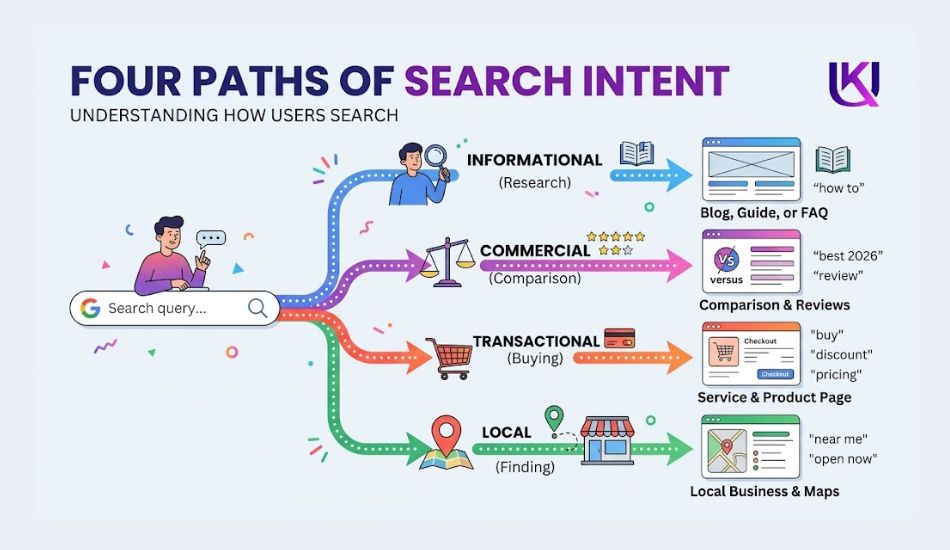
You can ask ChatGPT to place your keywords into groups such as:
- Informational: The person wants to learn something.
- Commercial: The person is comparing options.
- Transactional: The person is ready to take action.
- Local: The person is looking for a nearby business or service.
For example:
| Keyword | Intent | Possible page |
| what is SEO | Informational | Beginner guide |
| best SEO tools | Commercial | Comparison article |
| SEO services for small business | Commercial | Service page |
| SEO company near me | Local + Commercial | Local service page |
This makes it easier to connect each keyword with the type of page that can satisfy the search.
3. Prioritize the Keywords
You can also ask ChatGPT to help you create a priority list.
For example:
“Rank these keywords into high, medium, and low priority based on relevance to my SEO agency, buyer intent, and content opportunity. Explain the reason for each choice.”
Treat this as a planning exercise, not as final keyword data.
ChatGPT does not know your exact business situation or every change in the Google search results. You should review the recommendations and confirm important terms with real SEO data.
4. Turn the Research Into a Content Calendar
Once your keywords are organized, you can turn them into a publishing plan.
For example:
Month 1
- What Is SEO for Small Businesses?
- How to Find Keywords for a Small Business Website
- Local SEO Checklist for Beginners
Month 2
- How Much Does Small Business SEO Cost?
- Google Business Profile SEO Guide
- Technical SEO Problems That Can Hurt Your Website
The topics can then support your main service pages and each other through relevant internal links.
5. Focus on Business Relevance
A keyword may have a large audience but still be a poor choice for your website.
For example, a US SEO agency may find a popular keyword about “free SEO tools.” It could bring visitors, but those visitors may not be looking for SEO services.
A smaller keyword such as “SEO services for small businesses” may have fewer searches but much stronger business value.
That is why your keyword plan should balance:
Search demand + relevance + intent + competition + business value.
ChatGPT can help you organize these factors. You still make the final decision based on your research and goals.
How Can You Use ChatGPT to Improve Keyword Research Prompts?
The quality of your results often depends on how you ask the question. A short prompt can give you a broad list, while a detailed prompt can give you ideas that are much closer to your actual audience.
You do not need complicated prompts. You need to tell ChatGPT what you are researching, who you want to reach, and what type of keywords you need.
1. Give ChatGPT a Clear Role
Start by explaining the task.
For example:
“Act as an SEO keyword research assistant. I am planning content for a US-based home improvement website.”
This gives the tool a clear context before you ask for keywords.
2. Tell It About Your Audience
Your audience can change the type of searches you need.
For example:
“My audience is US homeowners who are looking for affordable ways to improve their homes. Find informational and commercial keyword ideas around kitchen remodeling.”
Now the research has a clearer audience and purpose.
3. Tell It What You Do Not Want
This can reduce irrelevant results.
You could add:
“Avoid keywords that are too broad, unrelated to home remodeling, or focused on commercial contractors.”
You can also ask it to remove:
- Duplicate keywords
- Brand names
- Unrelated topics
- Very broad terms
- Keywords outside your target market
4. Ask for a Useful Format
Instead of asking for a plain list, ask ChatGPT to organize the results.
For example:
“Create a table with keyword, search intent, topic, funnel stage, and suggested content type.”
You might get a structure like:
| Keyword | Intent | Topic | Content type |
| kitchen remodeling ideas | Informational | Planning | Blog post |
| kitchen remodel cost | Informational/Commercial | Pricing | Guide |
| kitchen remodeling contractor | Commercial | Hiring | Service page |
| kitchen remodeler near me | Local/Commercial | Local service | Local landing page |
This makes the output much easier to review.
5. Ask Follow-Up Questions
You do not have to create the perfect prompt in one attempt.
Start broad, then narrow your research.
For example:
- First prompt: “Find keyword ideas for kitchen remodeling.”
- Second prompt: “Now give me long-tail questions from US homeowners.”
- Third prompt: “Separate these by informational, commercial, and local intent.”
- Fourth prompt: “Which topics could be combined because they have similar intent?”
This conversation-style process can help you move from a basic list toward a more useful keyword plan.
6. Remember What the Prompt Cannot Do
A detailed prompt can improve the quality and organization of ideas, but it does not turn ChatGPT into a live keyword database.
You should still validate important keywords with current search data.
Your best workflow is:
Clear prompt → keyword ideas → semantic grouping → intent analysis → Google and SEO-tool validation → final keyword selection.
That gives you a much stronger research process than asking ChatGPT for “100 keywords” and using the list without checking it.
How Can ChatGPT Turn One Keyword Into Many Content Ideas?
You do not always need a large keyword list to start planning content. One good keyword can lead you to several useful topics.
For example, imagine you want to target: “small business SEO”
Instead of asking ChatGPT for hundreds of keywords, ask it to explore the topic from a reader’s point of view.
You could use a prompt like:
“I want to create content for US small business owners who are new to SEO. Starting with the topic ‘small business SEO,’ give me the main questions, problems, subtopics, and buying concerns they may have.”
Now you are looking beyond keywords. You are looking at the whole topic.
1. Turn One Topic Into Different Articles
From one broad subject, you may find several useful content ideas:
- What Is SEO for a Small Business?
- How to Find Keywords for Your Small Business
- How Much Does Small Business SEO Cost?
- Local SEO vs. Traditional SEO
- How to Improve Your Google Business Profile
- How Long Does SEO Take to Work?
- Common SEO Mistakes Small Businesses Make
These topics have different purposes. Some help people learn. Others help them compare options or decide whether they need professional help.
2. Find Subtopics for One Main Article
You can also use ChatGPT to make one article more complete.
Suppose your article is about SEO for small businesses. Ask:
“What important subtopics should I cover so a beginner can understand small business SEO without needing another basic guide?”
You might uncover areas such as:
Keyword research → on-page SEO → technical SEO → local SEO → backlinks → Google Business Profile → tracking results
You can then decide which subjects belong in the main article and which deserve separate supporting pages.
3. Do Not Turn Every Idea Into a New Page
This is where your SEO judgment matters.
If three suggested topics answer almost the same question, combining them may create a stronger page.
For example:
- How to choose SEO keywords
- Best keywords for small businesses
- Finding keywords for a small business website
These may overlap heavily.
But “small business SEO pricing” serves a different need and may deserve its own page.
Your aim is not to publish as many pages as possible.
You aim to build a website where each page has a clear purpose and gives the reader a useful answer.
That makes ChatGPT more useful as a content planning assistant, not just a tool for producing keyword lists.
How Can ChatGPT Help You Organize Keywords by Search Intent?
Once you have a list of keyword ideas, you need to decide what each searcher is trying to do. This makes your keyword list much easier to turn into useful pages.
For example, a US reader searching “SEO audit” could have very different needs depending on the query:
| Search query | What the reader may want |
| what is an SEO audit | Basic information |
| how to do an SEO audit | A step-by-step guide |
| free SEO audit tool | A tool to use |
| SEO audit checklist | A practical checklist |
| SEO audit services | Professional help |
| SEO company near me | A local provider |
You can ask ChatGPT to sort your keyword list into these types.
Use a Simple Prompt
Try: “Group these keywords by search intent. Use informational, commercial, transactional, and local categories. Give a short reason for each group.”
You can then review the results and decide what content each group needs.
1. Match the Keyword to the Right Page
This step is important.
If someone searches “what is an SEO audit,” a detailed educational article makes sense.
If they search “SEO audit services,” they may be looking for a service page.
If they search “SEO audit checklist,” a downloadable checklist or practical guide may be more useful.
The keyword alone does not tell you what to publish. The intent behind the keyword helps you choose the right format.
2. Use Google as Your Final Check
ChatGPT can make a useful prediction about intent, but you can get a stronger signal by searching the phrase on Google.
Look at the pages that appear near the top.
If most results are guides, Google is likely seeing an informational need. If service pages dominate, the query may have commercial intent.
You can then create content that fits the same need while offering your own useful information, examples, and experience.
Good keyword research is not just about finding what people search for. It is about understanding what they expect to find when they search.
How Can ChatGPT Help You Find Keyword Variations?
People do not always use the same words when they search for a product, service, or answer. Two people can have the same goal but type very different phrases into Google.
ChatGPT can help you uncover these variations.
For example, if your main topic is “WordPress website speed,” people may also search for:
- how to speed up a WordPress website
- WordPress website slow
- improve WordPress loading speed
- WordPress speed optimization
- make WordPress faster
- fix slow WordPress site
- reduce WordPress page load time
These phrases are different, but they point to a closely related problem.
1. Ask for Different Ways People May Search
Instead of asking for a huge keyword list, give ChatGPT a specific task:
“Give me different ways a US website owner might search for help with a slow WordPress website. Include simple phrases, questions, problem-based searches, and service-related terms.”
This can uncover language that is closer to how real people describe their problems.
2. Include Customer Language
This is especially useful when your audience is not made up of SEO professionals.
An expert may search: “WordPress performance optimization.”
A beginner may simply search: “Why is my WordPress website so slow?”
Both searches relate to the same subject, but the second one reveals the person’s problem more clearly.
You can use those natural questions in your headings, examples, FAQs, or supporting content when they genuinely fit.
3. Watch for Meaning Changes
Do not treat every variation as the same keyword.
For example:
“WordPress developer” may indicate someone looking for a developer.
“how to become a WordPress developer” is aimed at someone who wants to learn the profession.
The words are related, but the search intent is completely different.
That is why you should review the meaning of each variation before grouping it with other terms.
4. Use Variations Naturally
You do not need to place every variation on one page.
Choose a main topic, then use related phrases where they make the explanation clearer.
This creates content that sounds natural while still covering the different ways your audience may describe the same need.
The goal is not to collect every possible variation. The goal is to understand how your audience talks about the problem and use that language where it helps them.
How Can ChatGPT Help You Find Content Gaps?
Keyword research becomes more useful when you look beyond individual search terms. You also want to know which useful topics your website has not covered yet.
A content gap is simply a topic, question, or problem that deserves attention but is missing or weak on your site.
1. Compare What You Cover With What People Need
Suppose your website is about SEO for US small businesses.
You already have pages about:
- Keyword research
- On-page SEO
- Link building
- Local SEO
But you have no useful guide about SEO pricing, Google Business Profile problems, or how long SEO takes to work.
Those missing subjects may be worth researching.
You can ask ChatGPT:
“Here are the topics my website already covers. Based on my audience of US small business owners, suggest important related topics and questions that I may be missing.”
This can give you new directions for your content plan.
2. Find Gaps in a Specific Article
You can also use the same idea on one page.
Give ChatGPT your article outline and ask:
“Review this outline for a beginner SEO guide. What important questions or subtopics are missing? Only suggest topics that directly help the reader understand or use SEO.”
The response may point out areas you have overlooked.
For example, your article may explain how to choose keywords but not explain:
- How to check search intent
- How to compare competing pages
- How to avoid targeting similar keywords on multiple pages
- How to choose keywords based on business goals
You can then decide which gaps are worth adding.
3. Do Not Add Gaps to Make the Article Longer
This is where many long-form articles go wrong.
Finding ten missing topics does not mean you should add all ten.
If a topic does not help answer the main question, leave it out.
A strong article should feel complete, not overloaded.
Ask:
Does this information help the reader solve the problem?
If yes, include it.
If it only adds another keyword, skip it.
4. Check the Gap Against Google
ChatGPT can suggest possible gaps, but you should confirm them.
Search the topic on Google and see what people are already being shown. Check the People Also Ask questions, related searches, and top-ranking pages.
You may discover a better angle than the original suggestion.
For example, instead of writing another general article about “SEO tips,” you may find a more useful opportunity around a specific problem such as “why your small business website is not appearing on Google.”
That gives you a clearer reader need and a stronger content purpose.
Use AI to spot possible gaps. Use your own research to decide which gaps are worth filling.

How Can ChatGPT Help You Build a Keyword Cluster?
Once you have related keywords, you can organize them into keyword clusters. A cluster groups search terms that belong to the same main topic.
This helps you decide which terms can be covered on one page and which ones may need separate content.
1. Start With a Main Topic
Suppose your main topic is:
“Google Business Profile SEO”
Related searches may include:
- Google Business Profile optimization
- how to optimize Google Business Profile
- Google Business Profile ranking
- improve Google Maps ranking
- Google Business Profile categories
- Google Business Profile reviews
- Google Business Profile posts
These terms are connected, but they do not all need separate articles.
You can ask ChatGPT:
“Group these keywords into topic clusters. Identify the main topic, closely related terms, and keywords that may need separate pages based on search intent.”
2. Build One Strong Main Page
A broad guide could cover the main subject:
Google Business Profile SEO Guide
Then supporting articles could focus on narrower problems:
- How to Optimize Your Google Business Profile
- How to Improve Google Maps Visibility
- How to Get More Google Reviews
- How to Choose Google Business Profile Categories
The pages can link to each other when the connection is useful.
3. Watch for Keyword Cannibalization
Keyword clustering can also help you avoid keyword cannibalization.
This can happen when several pages on your website target nearly the same search intent. Instead of helping your rankings, those pages may compete for attention and make your site structure less clear.
For example, creating separate pages for:
- Google Business Profile optimization
- Optimize Google Business Profile
- Google Business Profile optimization services
may not always be the best approach.
The first two could potentially belong on one useful guide, while the third may have a different commercial purpose.
You should check the actual Google results before making that decision.
4. Use Clusters to Plan Your Site
A simple structure might look like:
Main topic:
Google Business Profile SEO
Supporting topics:
→ Profile optimization
→ Google Maps ranking
→ Reviews
→ Categories
→ Local posts
→ Troubleshooting
This gives you a clear content structure without forcing every keyword into a separate page.
The important part is not how many keywords you can put into a cluster. It is whether those searches share the same topic and intent.
ChatGPT can help you organize the research. You decide which terms belong together after reviewing their meaning and the search results.

How Can You Use ChatGPT to Analyze Keyword Competition?
Finding a keyword that looks relevant is not enough. You also need to know how difficult it may be to compete for that search.
ChatGPT can help you make an initial competition review, but you should not treat its opinion as a replacement for current keyword data or a live Google search.
1. Ask ChatGPT to Review the Keyword
Suppose you want to target:
“SEO services for small business”
You can ask:
“Analyze this keyword for a US small business audience. Explain the likely search intent, type of websites that may rank, possible competition, and what a useful page would need to cover.”
This can help you think about the keyword before you spend time creating content.
ChatGPT may point out that the search is commercially focused and that you are likely to compete with SEO agencies, directories, and established websites.
2. Compare Broad and Specific Keywords
Broad searches are often harder to target because they can have many meanings.
For example: “SEO”
is extremely broad.
But “affordable SEO services for small businesses”
is more specific.
The second search tells you more about the person’s need and may be more closely connected to a service page.
That does not mean the longer phrase will always be easier to rank for. You still need to check the actual competition.
3. Study the Pages Ranking on Google
Search your target phrase and look at the first page.
Ask:
- Are large brands ranking?
- Are small websites ranking?
- Are service pages ranking?
- Are blog posts ranking?
- Do the results closely match the search intent?
- Are the pages very detailed?
- Do they answer the main question clearly?
This gives you information that a keyword list cannot provide.
If the current results are weak or do not fully answer the searcher’s need, you may have an opportunity to create something better.
4. Do Not Rely on One Difficulty Score
SEO tools often provide a keyword difficulty score. These scores can help you compare keywords, but they are not a direct prediction of whether your page will rank.
Your real competition depends on many things, including:
- The quality of competing pages
- Website authority
- Relevant backlinks
- Search intent
- Content depth
- Topical relevance
- Your website’s overall strength
For a newer US website, a highly specific keyword may sometimes be a better starting point than a huge broad term.
5. Use ChatGPT for Analysis, Not a Final Verdict
A useful workflow is:
Find the keyword → ask ChatGPT to analyze it → search Google → study the competing pages → check keyword data → decide whether the opportunity fits your site.
This gives you a more realistic view of competition.
The important question is not simply “Can I rank for this keyword?”
Ask instead: “Can I create a page that gives this searcher a better and more useful answer than the pages already ranking?”
Can ChatGPT Tell You Search Volume and Keyword Difficulty?
ChatGPT can help you understand a keyword, but you should not depend on it for exact search volume or current keyword difficulty.
Search data changes over time. ChatGPT may also not have access to the latest data for a specific keyword.
For example, you can ask: “What is the search volume for ‘SEO services for small business’ in the USA?”
The answer may give you an estimate or explain the keyword, but you should not treat that number as verified search data.
1. Use Real SEO Data for Numbers
For current keyword data, use tools such as:
- Google Keyword Planner
- Google Trends
- Google Search Console
- Ahrefs
- Semrush
- Moz Keyword Explorer
These tools can help you check metrics such as search volume, trends, competition, clicks, and keyword difficulty.
ChatGPT becomes more useful when you give it the data.
For example, you can provide a list like this:
| Keyword | Volume | Difficulty |
| small business SEO | 1,000 | 65 |
| affordable SEO services | 700 | 48 |
| SEO services for small business | 500 | 42 |
Then ask ChatGPT: “Analyze these keywords for a US SEO service website. Rank them by business value, search intent, competition, and content opportunity.”
Now ChatGPT can help you interpret the data instead of guessing it.
2. Search Volume Is Not Everything
A keyword with high search volume is not always the best choice.
Imagine these two searches: “SEO” and “SEO services for small business in Texas”
The first keyword may have much more search demand. But the second search shows a much clearer business need.
If you sell SEO services, the more specific search may be more valuable because the person already knows what they are looking for.
3. A Better Approach
Use ChatGPT to help with ideas, grouping, intent, questions, and analysis.
Use keyword tools and Google results to confirm current search demand and competition.
This simple division makes your research more reliable:
- ChatGPT = research assistant
- SEO tools = keyword data
- Google = real search results
Using all three together gives you a stronger keyword research process.

How Can You Validate ChatGPT Keyword Ideas in Google?
ChatGPT can give you many useful keyword ideas. But before choosing one for your website, search the keyword on Google.
This simple step helps you see what people actually get when they use that search.
For example, suppose ChatGPT suggests: “best SEO services for small businesses”
Search that phrase on Google and study the first-page results.
1. Check the Search Results
Look at the pages that already rank.
Ask yourself:
- Are they blog posts or service pages?
- Are they targeting the same audience?
- Do they answer the searcher’s main question?
- Are the results mostly large companies?
- Are smaller websites also ranking?
- Is the content current?
- What topics do the top pages cover?
This gives you a better idea of what Google considers useful for that search.
2. Check the Search Intent
The keyword may look right but still have the wrong intent.
For example: “how to improve Google Maps ranking”
is mainly an informational search.
A detailed guide may fit this search.
But “Google Maps SEO services”
has stronger commercial intent.
A service page may be a better match.
If you create the wrong type of page, even good content may struggle to perform well.
3. Look at People Also Ask
Google’s People Also Ask section can reveal related questions.
For a topic like WordPress speed, you may find questions such as:
- Why is my WordPress website slow?
- How can I make WordPress load faster?
- Does a WordPress plugin slow down a website?
- How fast should a website load?
These questions can help you improve your content or create supporting articles.
4. Check Related Searches
Scroll toward the bottom of the Google results page and look at related searches.
These searches can show different ways people describe the same problem.
For example, someone searching for WordPress speed may also search for:
- WordPress website slow
- speed up WordPress
- improve WordPress performance
- WordPress page speed optimization
You can use these terms to understand the wider topic rather than forcing every phrase into one page.
5. Compare ChatGPT Ideas With Google
A useful process is:
ChatGPT ideas → Google search → study ranking pages → check related questions → choose the best content angle
This helps you move from an AI-generated keyword list to a real search-based content plan.
The goal is not to copy the pages that already rank. Instead, use them to understand what searchers expect and where you can provide a better answer.
How Can ChatGPT Turn Keywords Into a Content Outline?
Finding keywords is only the first step. You also need to decide where each keyword should be used.
ChatGPT can help you turn a keyword list into a simple content structure.
For example, suppose your main topic is: “WordPress SEO”
You may have related searches such as:
- WordPress SEO checklist
- how to do SEO on WordPress
- WordPress SEO settings
- WordPress SEO plugins
- WordPress technical SEO
- WordPress on-page SEO
- WordPress SEO for beginners
Instead of putting all these phrases into one long article, ask ChatGPT to organize them by topic and search intent.
1. Use a Content Planning Prompt
You can use a prompt like:
“Create a content structure for the topic ‘WordPress SEO for beginners.’ Group these keywords by search intent and suggest the best main sections, supporting topics, and separate article ideas. Avoid keyword stuffing.”
ChatGPT can then help you create a basic structure.
For example:
| Topic | Search intent | Possible content |
| WordPress SEO | Informational | Main guide |
| WordPress SEO checklist | Informational | Checklist section |
| WordPress SEO settings | Informational | Dedicated guide |
| WordPress SEO plugins | Commercial | Comparison article |
| WordPress technical SEO | Informational | Supporting guide |
| WordPress SEO services | Commercial | Service page |
2. Decide What Belongs on One Page
Not every keyword needs its own article.
For example: “WordPress SEO” and “SEO on WordPress” may have very similar intentions.
They could naturally fit within the same main guide.
But “WordPress SEO services” has a different purpose. Someone searching for that phrase may be looking to hire an SEO provider.
That search may deserve a separate service page.
3. Build a Simple Topic Structure
You can also ask ChatGPT to create a content hub.
For example:
Main guide: WordPress SEO for Beginners
Supporting content:
- WordPress SEO checklist
- WordPress technical SEO guide
- WordPress SEO plugin guide
- WordPress page speed guide
- WordPress on-page SEO guide
These pages can be connected with relevant internal links.
This gives your website a clearer topic structure and helps visitors move from one useful resource to another.
4. Keep the Reader in Control
Do not let the keyword list decide your entire article.
Start with the reader’s problem.
Then use keywords to understand how people search for solutions to that problem.
ChatGPT is useful for organizing those ideas, creating outlines, and finding connections between topics. Your final content structure should still be based on search intent, usefulness, and what your audience actually needs to know.
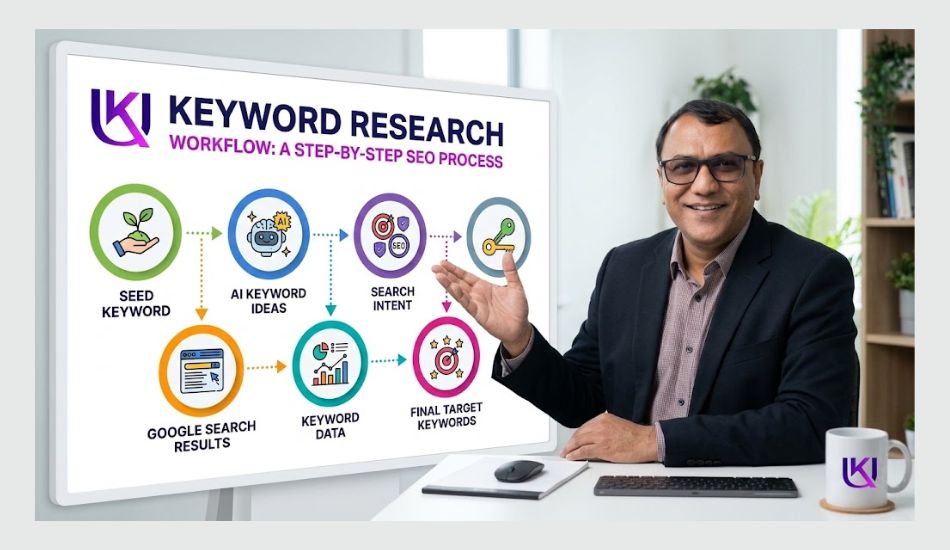
How Can ChatGPT Help You Create a Keyword Content Calendar?
A keyword list can become difficult to manage when you have dozens or hundreds of ideas.
ChatGPT can help you organize those ideas into a simple content calendar.
Instead of publishing random topics, you can plan content around your main subject, audience, and business goals.
1. Start With Your Keyword List
Suppose you run an SEO website targeting small businesses in the USA.
Your keyword list might include:
- small business SEO
- local SEO for small business
- SEO audit for small business
- Google Business Profile SEO
- affordable SEO services
- how long does SEO take
- SEO pricing for small business
- technical SEO checklist
You can give this list to ChatGPT and ask it to organize the topics.
For example: “Create a 12-week content calendar from these keywords. Group related topics together, assign search intent, suggest the best content type, and prioritize topics that support an SEO service business.”
2. Organize Content Around One Main Topic
A good calendar does not need to jump from one unrelated subject to another.
You could start with a broad topic: Small Business SEO
Then publish supporting topics such as:
- Small Business SEO Guide
- Local SEO for Small Businesses
- Google Business Profile SEO
- Small Business SEO Audit
- Technical SEO Checklist
- SEO Pricing for Small Businesses
- How Long Does SEO Take?
This creates a connected group of content instead of a collection of unrelated articles.
3. Add Search Intent to Your Calendar
Search intent can help you decide what type of content to publish.
| Keyword | Intent | Content type |
| what is small business SEO | Informational | Beginner guide |
| local SEO for small business | Informational | Guide |
| small business SEO checklist | Informational | Checklist |
| small business SEO pricing | Commercial | Pricing guide |
| SEO services for small business | Commercial | Service page |
This makes the calendar more useful because you are planning around what the searcher wants.
4. Prioritize Business Value
Do not publish content only because ChatGPT says a keyword is interesting.
Look at how each topic connects to your business.
A beginner guide may bring new visitors.
A pricing article may attract people closer to making a decision.
A service page can target people who are already looking for professional help.
Your calendar should include a mix of these stages.
5. Review the Calendar Before Publishing
ChatGPT can help organize the plan, but you should still review it.
Check whether:
- Topics match your audience.
- Similar articles are not competing with each other.
- Important buyer questions are covered.
- Supporting pages link naturally to main pages.
- The topics support your business goals.
The goal is not to publish as much content as possible.
The goal is to build a useful group of pages that answers different searches and moves readers toward the information or service they need.
How Can ChatGPT Clean and Organize Your Keyword List?
Keyword research can produce a messy list.
You may have duplicate phrases, very similar searches, unrelated terms, or keywords that do not fit your business.
ChatGPT can help you clean the list before you use it for content planning.
1. Remove Duplicate Ideas
For example, your list might contain:
- WordPress SEO
- SEO for WordPress
- WordPress search engine optimization
- how to do SEO on WordPress
- WordPress SEO guide
These phrases are related, but they may not all need separate pages.
You can ask:
“Review this keyword list. Group keywords with similar meaning and search intent. Identify which terms could be covered by one page and which may need separate content.”
This gives you a clearer starting point.
2. Separate Different Search Intent
Similar words can sometimes represent different needs.
For example:
- SEO services for small business → looking for a service
- how to do SEO for a small business → looking for instructions
- small business SEO pricing → researching cost
- small business SEO tools → looking for tools
These should not automatically be combined into one article.
ChatGPT can help you identify these differences and organize the terms into groups.
3. Remove Keywords That Do Not Fit
Not every keyword related to your topic is useful for your website.
Suppose you provide professional SEO services.
A keyword list around SEO might contain:
- SEO jobs
- SEO courses
- SEO salary
- SEO certification
- SEO services
- SEO consultant
- SEO audit
Some of these may be useful for an educational website but not for a service-focused business.
Ask ChatGPT to remove keywords that do not match your:
- audience
- services
- location
- business goals
- content strategy
4. Create a Cleaner Keyword Table
You can also ask ChatGPT to organize your final list into columns such as:
| Keyword | Intent | Topic | Content type | Priority |
| small business SEO | Informational | SEO basics | Guide | High |
| local SEO services | Commercial | Local SEO | Service page | High |
| small business SEO pricing | Commercial | SEO cost | Article | Medium |
| how to do small business SEO | Informational | SEO process | Guide | High |
This makes the list easier to use when creating your content calendar.
Do a Human Review
ChatGPT can organize keywords quickly, but it can misunderstand similar phrases.
Before removing or combining keywords, check their meaning and search results.
A clean keyword list should help you answer three simple questions:
- What does the person want?
- What page should answer that need?
- Why is this topic useful for my website?
Once those answers are clear, your keyword research becomes much easier to turn into useful content.

How Can ChatGPT Clean and Organize Your Keyword List?
Keyword research can produce a messy list.
You may have duplicate phrases, very similar searches, unrelated terms, or keywords that do not fit your business.
ChatGPT can help you clean the list before you use it for content planning.
Step-by-Step Keyword Cleanup Workflow
You can use this simple process after collecting your keyword ideas.
Step 1: Collect Your Keywords
Put all your keyword ideas into one list.
You can collect them from ChatGPT, Google Search, Google Keyword Planner, Google Search Console, or other SEO tools.
Do not worry about duplicates at this stage.
Your first goal is to collect useful ideas.
Step 2: Remove Exact Duplicates
Look for keywords that appear more than once.
For example:
- WordPress SEO
- WordPress SEO
- WordPress SEO guide
- WordPress SEO guide
Keep one copy of each exact phrase.
You can ask ChatGPT to find duplicate entries in a large list.
Step 3: Group Similar Keywords
Now look for phrases that have almost the same meaning.
For example:
- WordPress SEO
- SEO for WordPress
- WordPress search engine optimization
These may belong to the same topic.
Ask ChatGPT:
“Group keywords that have similar meaning and search intent. Do not combine keywords when their search intent is different.”
This is important because similar wording does not always mean the same search purpose.
Step 4: Separate Search Intent
Create groups such as:
- Informational
- Commercial
- Transactional
- Local
- Navigational
For example:
“What is technical SEO?”
→ Informational
“Technical SEO services”
→ Commercial
“Technical SEO services near me”
→ Local + Commercial
Different intent may require different pages.
Step 5: Remove Irrelevant Keywords
Now remove terms that do not fit your website or business.
For example, an SEO service provider may not need keywords about:
- SEO jobs
- SEO salaries
- SEO courses
- SEO certifications
unless those topics are part of the website’s purpose.
Ask:
“Remove keywords that are not relevant to my SEO service business targeting small businesses in the USA.”
Step 6: Check Keyword Relevance
For every remaining keyword, ask:
- Does this search match what my audience needs?
- Does it relate to my website?
- Can I provide a useful answer?
- Does it support my business goal?
If the answer is no, remove the keyword.
Step 7: Assign Each Keyword to a Page
Now decide where each keyword belongs.
For example:
| Keyword | Best page |
| what is technical SEO | Beginner guide |
| technical SEO checklist | Checklist article |
| technical SEO services | Service page |
| technical SEO audit | Audit guide |
| technical SEO pricing | Pricing article |
This step prevents you from creating several pages that target the same search intent.
Step 8: Set Your Priority
Finally, divide your keywords into simple priority levels.
High priority: Strong business value and good topic fit.
Medium priority: Useful supporting topics.
Low priority: Less important or less relevant topics.
You can then build your content calendar from the high-priority topics first.
A Simple ChatGPT Cleanup Prompt
You can use this prompt with your keyword list:
“Clean this keyword list for a US SEO service website. Remove exact duplicates, group similar keywords by search intent, identify keywords that need separate pages, remove irrelevant terms, and assign each useful keyword to a suitable content type. Do not force similar keywords into the same group when their search intent is different.”
This workflow turns a large keyword list into a cleaner content plan.
The important part is to review ChatGPT’s groups before making final decisions. Keyword cleanup is not about reducing the list as much as possible. It is about keeping the keywords that have a clear purpose.
How Can ChatGPT Find Content Opportunities From Your Keyword List?
After cleaning your keyword list, you may still have many useful terms that need a clear content plan.
ChatGPT can help you look for content opportunities by comparing your keywords with the topics your audience needs.
The goal is not to create an article for every keyword. The goal is to find topics where your website can provide a useful answer.
1. Start With Your Existing Content
Give ChatGPT a list of your current articles and your cleaned keyword list.
For example:
“Here is my existing content and keyword list. Find important topics that are not covered well. Group the missing topics by search intent and suggest which ones should become new articles or sections.”
ChatGPT can then identify possible gaps.
2. Look for Missing Questions
Suppose your website already has an article about:
“What Is Local SEO?”
Your keyword research may show related questions such as:
- How does local SEO work?
- How long does local SEO take?
- How much does local SEO cost?
- How to improve Google Maps ranking?
- Why is my business not showing on Google Maps?
Your existing article may explain the basic concept but not answer these practical questions.
That creates opportunities for new sections or supporting content.
3. Find Topics at Different Stages
A strong content plan should help people at different stages of their search.
Early stage:
“What is local SEO?”
Problem-solving stage:
“Why is my business not showing on Google Maps?”
Comparison stage:
“Local SEO vs traditional SEO”
Buying stage:
“Local SEO services for small business”
ChatGPT can help organize your keywords across these stages.
4. Turn One Keyword Into Several Content Ideas
Suppose your main keyword is:
“technical SEO audit”
You could develop related content such as:
- What is a technical SEO audit?
- Technical SEO audit checklist
- How to perform a technical SEO audit
- Common technical SEO problems
- Technical SEO audit tools
- How much does a technical SEO audit cost?
Not all of these need separate pages.
Some may work better as sections inside a main guide, while others may deserve their own article.
5. Prioritize the Best Opportunities
Ask ChatGPT to score your ideas based on simple factors:
- Audience relevance
- Search intent
- Business value
- Content usefulness
- Existing coverage
- Potential for internal linking
For example:
| Topic | Audience value | Business value | Suggested action |
| What is technical SEO? | High | Medium | Main guide |
| Technical SEO checklist | High | High | Supporting article |
| Technical SEO services | High | Very high | Service page |
| Technical SEO tools | Medium | Medium | Comparison article |
This gives you a clearer publishing order.
6. Do Not Create Content to Fill a Gap
A keyword gap is only useful when the topic matters to your audience.
Before creating a new page, ask:
- Does this answer a real user need?
- Does it add something useful to my website?
- Is the topic different enough from my existing content?
- Can I provide a better or clearer answer?
ChatGPT can help you discover these opportunities, but the final decision should come from your understanding of the audience, the search results, and your website’s goals.
How Can ChatGPT Map Keywords to the Right Pages?
Once your keyword list is clean, you need to decide which page should target each keyword.
This is called keyword mapping.
It helps you avoid creating several pages that answer the same search and compete with each other.
1. Start With Your Existing Pages
Make a simple list of your website pages.
For example:
- Homepage
- SEO Services
- Local SEO
- Technical SEO
- Link Building
- SEO Beginner Guide
- SEO Audit Guide
Then add your researched keywords.
You can ask ChatGPT:
“Map these keywords to my existing website pages. Group keywords with the same search intent together. Tell me which keywords should use an existing page and which ones need a new page.”
2. Create a Keyword Map
A simple table can make the process easier.
| Keyword | Search intent | Target page | Action |
| SEO services | Commercial | SEO Services | Optimize existing page |
| local SEO services | Commercial | Local SEO | Optimize existing page |
| what is technical SEO | Informational | Technical SEO Guide | Create or update article |
| Technical SEO checklist | Informational | Technical SEO Checklist | Create new article |
| SEO audit services | Commercial | SEO Audit Service | Create or optimize page |
This gives every important keyword a clear home.
3. Avoid Targeting the Same Intent With Multiple Pages
Imagine you create three articles:
- SEO services for small businesses
- Small business SEO services
- SEO services for small businesses in the USA
These phrases look different, but they may have very similar intent.
Creating three separate pages without a clear reason could make your site harder to organize.
In many cases, one strong page can cover the main topic and its close variations naturally.
4. Know When a New Page Makes Sense
A separate page may be useful when the keyword has a clearly different purpose.
For example: “What is local SEO?”
needs an educational answer. “Local SEO services”
is aimed at someone looking for professional help.
Those searches may deserve different pages because the user’s needs are different.
5. Add Primary and Supporting Keywords
For each page, choose one main topic and then add closely related terms that help explain it.
For example:
Main topic: Local SEO Services
Supporting terms:
- local SEO
- Google Business Profile optimization
- Google Maps ranking
- local search optimization
- local SEO for small business
Use these naturally where they make sense.
You do not need to force every phrase into the page.
6. Use ChatGPT as a Mapping Assistant
You can give ChatGPT your keywords, URLs, page titles, and search intent.
Then ask it to create a keyword map with:
- Primary keyword
- Related keywords
- Search intent
- Existing URL
- Recommended page type
- New or existing page
- Priority
This can save time when working with a large website.
But review the suggestions before making changes.
The right page is determined by search intent, topic relevance, and the purpose of the page, not simply by which keyword has the highest search volume.
How Can ChatGPT Help You Improve Existing Keyword Targets?
You do not always need a new article to use your keyword research.
Sometimes, your website already has a useful page that could perform better with a clearer topic, better structure, or stronger coverage.
ChatGPT can help you review that page and find areas to improve.
1. Start With an Existing Article
Give ChatGPT your article title, target keyword, and content.
Then ask:
“Review this article for search intent and topic coverage. Identify missing questions, unclear sections, related topics, and areas that could better answer the reader’s needs. Do not recommend keyword stuffing.”
This can help you find weaknesses that are easy to miss when you wrote the article yourself.
2. Check Whether the Main Topic Is Clear
Your page should make it easy for readers to understand what they will learn.
For example, if your target topic is: “WordPress website speed”
the article should clearly explain:
- Why WordPress websites become slow
- How to test website speed
- Common causes of slow loading
- Ways to improve performance
- How to monitor results
ChatGPT can help you check whether the article covers the important parts of the topic.
3. Find Missing Subtopics
You can also ask: “What important subtopics should be covered in this article for a beginner audience?”
ChatGPT may suggest areas you have missed.
You can then decide which suggestions are actually useful.
Do not add a section simply because an AI tool suggested it. Every section should help the reader understand or solve the problem.
4. Improve Keyword Placement Naturally
ChatGPT can also review whether your main topic appears in important areas such as:
- Page title
- Main heading
- Introduction
- Relevant subheadings
- Body content
- Image alt text when appropriate
- Internal link text where useful
The goal is not to repeat the keyword everywhere.
Your wording should remain natural and easy to read.
5. Find Content That Needs Updating
Keyword research can also reveal new questions or changes around an existing topic.
For example, an older SEO article may not cover newer tools, current workflows, or changes in how people search.
You can ask:
“Review this article and suggest which sections may need updating based on the current topic. Separate useful updates from information that can remain unchanged.”
This can help you create a focused update plan instead of rewriting the entire article.
6. Compare the Old Page With the New Search Intent
Search behavior can change.
A page that once answered a query well may no longer match what users expect.
Use ChatGPT to review your content structure, then compare it with the current Google results.
Look for differences in:
- Content format
- Questions answered
- Topics covered
- Search intent
- Level of detail
- User problems addressed
This gives you a practical way to improve existing content.
Good keyword research is not only about finding new keywords. It can also help you make your existing pages more useful, focused, and relevant to the people you want to reach.
What Are the Best ChatGPT Prompts for Keyword Research?
The quality of your keyword ideas often depends on the information you give ChatGPT.
A short prompt such as: “Give me SEO keywords.”
may produce a broad list with little business value.
A better prompt gives ChatGPT the topic, audience, location, search intent, and goal.
1. Prompt for Keyword Ideas
Use this when you are starting with a new topic:
“I am creating content about [topic] for [audience] in the USA. Generate keyword ideas based on common problems, questions, services, comparisons, and long-tail searches. Group the ideas by search intent and avoid duplicate phrases.”
This gives you a wider starting list.
2. Prompt for Long-Tail Keywords
Try: “Generate specific long-tail keyword ideas around [main topic] for US searchers. Include question-based, problem-based, comparison, and buyer-focused searches. Focus on phrases that show a clear need rather than adding words to make keywords longer.”
This can help uncover more specific search ideas.
3. Prompt for Search Intent
Use: “Classify these keywords by search intent. Explain what the searcher is likely trying to accomplish and recommend the most suitable page type for each keyword.”
This is useful when your list contains many different types of searches.
4. Prompt for Keyword Clustering
Try: “Group these keywords into logical topic clusters. Identify the main topic, closely related terms, and keywords that may need separate pages because their search intent is different.”
This can help you build a clearer site structure.
5. Prompt for Content Gaps
Use: “Review these keywords against my existing topics. Identify important questions or subjects that my website does not cover well. Separate genuine content opportunities from topics that would create unnecessary duplicate pages.”
This is useful when your website already has a large content library.
6. Prompt for Keyword Mapping
You can ask: “Map these keywords to my existing pages. Recommend one primary topic for each page, related keywords that can be covered naturally, and keywords that should have a separate page because they have different search intent.”
This helps connect keyword research with your website structure.
7. Add Your Business Context
For better results, give ChatGPT information such as:
- What you sell
- Who you want to reach
- Your target country or region
- Your main services
- Your website type
- Your content goal
- The level of your audience
For example, “SEO services” can mean something very different for an agency, an SEO software company, a freelancer, or an educational website.
The more useful context you provide, the more relevant the suggestions can become.
8. Use Follow-Up Prompts
You do not need to create one huge prompt.
Start broad, then narrow the research.
For example:
- Prompt 1: Find keyword ideas.
- Prompt 2: Group them by intent.
- Prompt 3: Remove duplicates.
- Prompt 4: Identify the strongest business topics.
- Prompt 5: Map them to existing pages.
- Prompt 6: Create a content plan.
This step-by-step approach makes it easier to review the results and correct mistakes.
9. Remember the Role of the Prompt
A better prompt can improve the quality and organization of ideas.
It cannot turn ChatGPT into a live keyword database.
For current search volume, trends, competition, and ranking results, use current search data and Google results alongside the AI analysis.
The best workflow is simple:
Give context → generate ideas → organize them → review intent → check real search data → choose the keywords that fit your website.
How Can ChatGPT Help You Find FAQ and PAA Questions?
People often search Google using questions instead of short keywords.
For example, instead of searching only for “local SEO”, someone may search:
- What is local SEO?
- How does local SEO work?
- How long does local SEO take?
- How much does local SEO cost?
- Is local SEO worth it for a small business?
These questions can help you understand what your audience wants to know.
1. Ask ChatGPT for Question Ideas
Give ChatGPT your main topic and audience.
For example:
“Create common questions a US small business owner may ask about local SEO. Group the questions into beginner, problem-solving, comparison, and buying stages. Avoid questions that are too similar.”
This can give you a useful list of possible questions.
2. Group Questions by Search Journey
Different questions can show different levels of interest.
| Stage | Example question |
| Beginner | What is local SEO? |
| Learning | How does local SEO work? |
| Problem solving | Why is my business not showing on Google Maps? |
| Comparison | Is local SEO better than paid ads? |
| Buying | How much does local SEO cost? |
This helps you create content for people who are just learning as well as people who are ready to take action.
3. Use Questions Inside Your Article
You do not need to create a separate article for every question.
If your main article already answers a question clearly, add it as a useful H2 or H3 section.
For example, an article about local SEO could include:
- What Is Local SEO?
- How Does Local SEO Work?
- How Long Does Local SEO Take?
- How Much Does Local SEO Cost?
This makes the article easier to scan and helps readers find answers quickly.
4. Find Questions Your Article Does Not Answer
You can also give ChatGPT your existing article and ask:
“Review this article and list important beginner questions about the topic that are not answered clearly. Group them by importance and suggest where each question could fit.”
This can help you find missing information without adding unnecessary sections.
5. Check Questions Against Google
ChatGPT-generated questions are ideas, not proof that people search for them.
Before creating a page around an important question, check Google for:
- People Also Ask
- Autocomplete suggestions
- Related searches
- Search result titles
- Relevant keyword data
You may discover that people use different wording than ChatGPT suggested.
Use the wording that best reflects the real search and the reader’s intent.
6. Make FAQs Useful
Avoid adding FAQs only because they contain extra keywords.
A good FAQ should answer a real question in a clear and direct way.
If the main article already answers the question, you may not need to repeat the same information in an FAQ section.
The goal is to answer more of the user’s real questions, not to create more text simply to make the page longer.
How Can ChatGPT Help With Internal Linking From Keyword Research?
Keyword research can also help you decide how your website pages should connect.
When related pages link to each other in useful ways, readers can move through your content more easily.
ChatGPT can help you find possible internal linking opportunities from your keyword and content lists.
1. Start With Your Main Topics
Suppose your website covers SEO for small businesses.
You may have pages about:
- Small Business SEO
- Local SEO
- Technical SEO
- Keyword Research
- Link Building
- Google Business Profile
- SEO Audit
These topics are related, but each page has a different purpose.
You can ask ChatGPT:
“Review these pages and suggest relevant internal linking opportunities. Match each source page with useful destination pages based on topic and search intent. Avoid forced or unrelated links.”
2. Build a Simple Internal Link Map
For example:
| Source page | Destination page | Why link? |
| Small Business SEO Guide | Local SEO | Covers local search |
| Small Business SEO Guide | Technical SEO | Explains technical issues |
| Local SEO Guide | Google Business Profile | Related local ranking topic |
| SEO Audit Guide | Technical SEO | Explains technical problems |
| Keyword Research Guide | On-Page SEO | Connects keyword research with page optimization |
This creates useful relationships between your pages.
3. Use Relevant Anchor Text
ChatGPT can also suggest natural anchor text.
For example, instead of repeatedly using: “best local SEO services”
you might use:
- local SEO guide
- Google Business Profile optimization
- technical SEO checklist
- keyword research guide
The anchor text should help the reader understand what they will find after clicking.
4. Do Not Link Every Keyword
More internal links do not automatically make a page better.
A link should have a reason.
Ask: Will this link help the reader understand the topic?
If the answer is no, you probably do not need it.
Avoid adding links simply because two pages contain related keywords.
5. Find Orphan Content
You can also give ChatGPT a list of your URLs and ask:
“Identify pages that may have few or no relevant internal links. Suggest which existing pages could naturally link to them.”
This can help you find orphan content pages that are not well connected to the rest of your site.
6. Connect Supporting Content to Main Pages
A simple structure can look like this:
Main topic: Small Business SEO
↓
Supporting topics: Local SEO, Technical SEO, Keyword Research
↓
Detailed guides: Google Business Profile, SEO Audit, Link Building
Relevant internal links can connect these pages without forcing the same keyword into every article.
The important point is that keyword research should not stop when you choose your target terms. It can also help you understand how your pages relate to one another and how readers can move through your website.

How Can ChatGPT Help You Prioritize Keywords?
A large keyword list can make SEO planning harder.
You may have hundreds of keyword ideas, but you cannot create content for all of them at once.
ChatGPT can help you sort those ideas into a practical priority list.
1. Look Beyond Search Volume
Do not rank keywords only by how many searches they receive.
A useful keyword can also have:
- Strong business relevance
- Clear search intent
- Good audience fit
- Useful content potential
- A realistic competition level
- A clear connection to your products or services
For example, a small SEO agency may get more value from a specific service-related search than from a broad keyword with a much larger audience.
2. Create a Keyword Scoring System
You can ask ChatGPT to score your keywords using simple factors.
For example:
| Factor | Score |
| Business relevance | 1–5 |
| Search intent | 1–5 |
| Audience value | 1–5 |
| Content opportunity | 1–5 |
| Competition | 1–5 |
You can then use the scores to create a rough priority list.
For competition, remember that greater difficulty should usually reduce the priority, not increase it.
3. Use a Simple Prompt
Try this: “Review this keyword list for a US SEO service website. Score each keyword for business relevance, search intent, audience value, content opportunity, and competition. Recommend High, Medium, or Low priority. Explain the main reason for each recommendation.”
This gives you a structured way to review a large list.
4. Separate Quick Wins From Long-Term Targets
Your keyword plan can include different types of opportunities.
Quick opportunities may be specific searches with clear intent and manageable competition.
Long-term targets may be broad topics that require stronger authority, more content, and more time.
For example:
- Long-term: “SEO”
- More specific: “SEO for small businesses”
- Highly specific: “technical SEO services for small business websites”
This does not mean the specific phrase will always be easier. You still need to study the real search results and current keyword data.
5. Match Priority With Your Business Goals
Your highest-priority keyword does not always need to be your highest-volume keyword.
If your goal is to generate service leads, commercial searches may deserve more attention.
If your goal is to build organic traffic and authority, informational topics can be important.
If your goal is local visibility, location-based searches may deserve higher priority.
Your keyword strategy should support what you want your website to achieve.
6. Review Your Priorities Regularly
Keyword priorities can change as your website grows.
A keyword that is difficult today may become a stronger target after you build more relevant content and authority.
Likewise, a keyword that looked valuable months ago may become less useful if the search intent changes.
ChatGPT can help you reorganize your list, but use current search data and Google results when making important decisions.
However, the best keyword is not always the one with the biggest search volume. It is the one that gives your website a realistic opportunity to reach the right people and support your goal.
Conclusion: Can ChatGPT Really Help With Keyword Research?
ChatGPT can make keyword research faster and easier. You can use it to find keyword ideas, understand search intent, group related topics, discover questions, and plan content.
But ChatGPT should support your research, not replace real search data.
Use Google results and reliable SEO tools to check demand, competition, and trends. Then choose keywords that match your audience, content, and business goals.
The best strategy is simple: use ChatGPT for ideas and organization, then use real search data to make your final decisions.
Relevant article: Best Free SEO Tools in 2026 That Actually Work

FAQs: How Accurate Is ChatGPT for Keyword Research?
1. Can ChatGPT be used for keyword research?
Yes. ChatGPT can help you generate keyword ideas, long-tail searches, questions, related topics, search intent groups, and content ideas. You should still use current SEO tools and Google results to verify important keyword data.
2. Is ChatGPT good for finding long-tail keywords?
Yes. ChatGPT can generate specific long-tail keyword ideas from a seed topic. It can also group them by questions, problems, locations, and buyer intent. Check the suggested phrases against real search data before targeting them.
3. Can ChatGPT provide accurate keyword search volume?
Not reliably. ChatGPT should not be treated as a live keyword database. Use tools such as Google Keyword Planner, Google Search Console, Google Trends, Ahrefs, or Semrush when you need current search data.
4. Can ChatGPT find low-competition keywords?
ChatGPT can suggest keywords that may be more specific or less competitive, but it cannot reliably confirm current competition by itself. Check the keyword difficulty and the Google search results before making a final decision.
5. How do I use ChatGPT to find SEO keywords?
Start with a seed keyword and tell ChatGPT your audience, location, topic, and goal. Ask it for related keywords, long-tail phrases, questions, and search intent groups. Then review the ideas using Google and keyword research tools.
6. Can ChatGPT group keywords into clusters?
Yes. You can give ChatGPT a keyword list and ask it to group terms based on topic and search intent. This can help you decide which keywords belong on one page and which may need separate pages.
7. Can ChatGPT replace keyword research tools?
No. ChatGPT is useful for generating and organizing ideas, but it should work alongside keyword research tools. SEO tools provide current data such as search volume, trends, and keyword difficulty.
8. What is the best way to use ChatGPT for SEO keyword research?
Use ChatGPT as a research assistant. Let it generate ideas, questions, related topics, clusters, and content plans. Then use Google and reliable SEO tools to verify the opportunities before choosing your target keywords.