
Blog posts that rank usually have one thing in common: You write something great. You hit publish. And then nothing happens. Most blog posts never get read by anyone. They sit on page four of Google. No clicks. No traffic. No leads.
They solve the exact problem a reader is trying to fix. Many website owners spend hours writing content, adding keywords, and publishing new posts, yet their pages never reach the top of Google Search. In most cases, the problem is not the writing itself. The problem is that the content does not fully match search intent.
The main reason Google does not care how hard you worked on your post is that it cares about one thing. Can your blog post answer what someone is searching for better than anything else out there?
This guide shows you exactly how to write blog posts that rank. Not theory. Not vague advice. Real steps you can follow today.
| Quick Answer: Blog posts that rank target-specific long-tail keywords, answer search intent right away, use proper H2/H3 structure, and get refreshed every 90 days. That is the short version. Keep reading for the full playbook. |
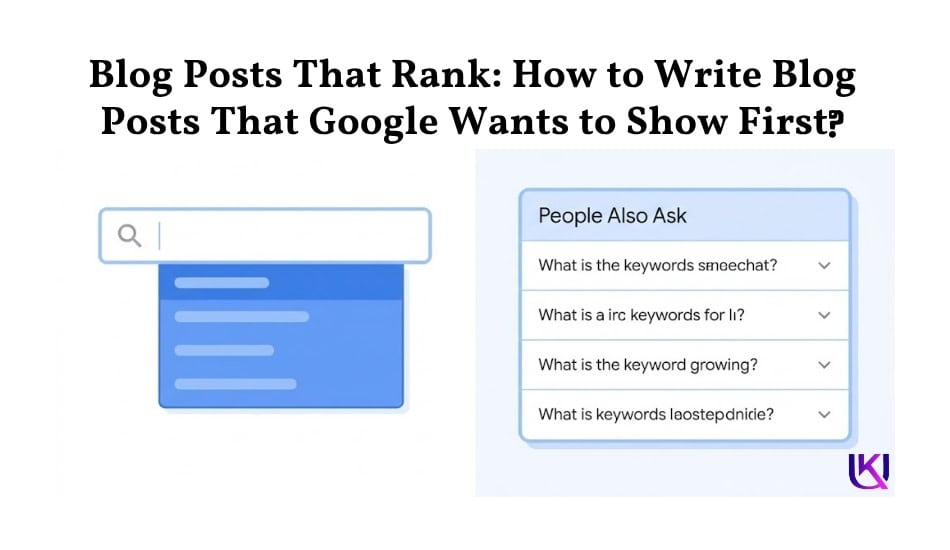
What Does It Really Mean to “Rank” on Google?
Ranking means your post shows up on page one of Google when someone searches for a keyword related to your topic.
Basically, when someone types a search query into Google, they expect a clear answer. Google’s systems look for helpful content that shows real experience, expertise, authoritativeness, and trustworthiness (EEAT).
They also use natural language processing (NLP), entities, and contextual relevance to understand what a page is truly about. This means your content must do more than target a primary keyword. It must answer real questions, cover related topics, and satisfy the user’s intent from start to finish.
If you want to create blog posts that rank, you need a content strategy built around keyword research, semantic SEO, topic clusters, user experience, and helpful information.
In this guide, you will learn how to write content that Google can understand, readers can trust, and search engine results pages (SERPs) are more likely to reward with higher rankings and steady organic traffic.
Google processes over 13.7 to 16.4 billion searches per day globally. This translates to more than 5 trillion searches every year. Industry breakdowns of this massive volume show the following:
- Per Second Search: Roughly 190,000 search queries are processed every single second.
- Per User Visit: The average person uses Google 3-4 times per day.
- Platform Share: Google holds over 90% of the global search engine market share.
- Smartphone vs. Desktop: Around 71% of all Google searches are conducted on mobile devices.
Most people only click results on the first page. Studies show the first result gets about 27% of all clicks. By the time you reach result ten, click-through rates drop to under 3%.
If your post is on page two or three, it basically does not exist for most searchers.
So how do you get to page one?
You need three things working together:
• The right keyword means one people actually search for, with low competition.
• Content that fully answers what the searcher wants
• Technical signals that tell Google your page is trustworthy
Each section below covers one of these pieces in depth.
Why Most Blog Posts Fail to Rank?
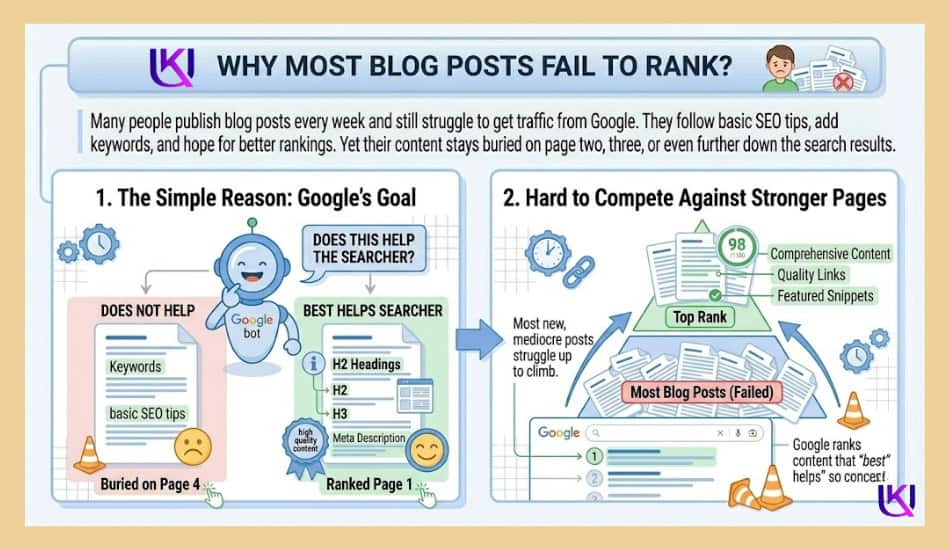
Many people publish blog posts every week and still struggle to get traffic from Google. They follow basic SEO tips, add keywords, and hope for better rankings. Yet their content stays buried on page two, three, or even further down the search results.
The simple reason is that Google does not rank content just because it exists. It ranks content that best helps the searcher. If your article does not meet that goal, it will have a hard time competing against stronger pages.
1. Writing for Keywords Instead of People
One of the biggest mistakes is writing for search engines instead of readers.
Years ago, some websites ranked by repeating the same keyword over and over. Today, Google’s systems are much smarter. They use natural language processing (NLP) and entity understanding to figure out what a page means, not just how many times a keyword appears.
For example, if someone searches for “blog posts that rank,” they do not want to read the phrase repeated in every paragraph. They want practical advice, examples, solutions, and clear steps they can follow.
When you focus only on keywords, your content often feels forced and unnatural. When you focus on helping readers, keywords fit naturally into the discussion.
A good question to ask before writing is: “What problem is this person trying to solve?”
The answer should guide your entire article.
2. Ignoring Search Intent
Search intent is the reason behind a search.
If someone searches for “how to write blog posts that rank,” they are looking for a process they can follow. They want instructions, examples, and proven methods.
Many articles fail because they give information that does not match what the reader expects.
For example:
- An informational search needs education and guidance.
- A commercial search needs comparisons and recommendations.
- A transactional search needs a clear path to take action.
When your content does not align with intent, visitors leave quickly because they did not find what they came for.
Before creating content, study the top-ranking pages in the search results. Look at the type of content Google is already rewarding. This gives you clues about what users expect to see.
3. Publishing Thin Content
Thin content is content that provides very little value, may be short, incomplete, outdated, or missing important details that readers need.
Imagine searching for a guide on writing blog posts. You click a result and find only a few basic tips with no examples, no explanations, and no real help. You would probably leave and look for a better resource.
Google notices these patterns.
Strong content usually:
- Answers the main question clearly.
- Covers related subtopics.
- Includes helpful examples.
- Solves common problems.
- Provides useful next steps.
The goal is not to make an article longer. The goal is to make it more helpful.
A complete article often satisfies more search queries because it covers the topic from multiple angles.
Lack of EEAT Signals
Google wants to show content people can trust.
That is where EEAT comes in:
- Experience
- Expertise
- Authoritativeness
- Trustworthiness
If your content lacks these signals, Google may have a harder time seeing it as a reliable source.
You can strengthen EEAT by:
- Sharing real experiences and examples.
- Using accurate facts and research.
- Citing trustworthy sources.
- Keeping information updated.
- Showing who created the content.
- Demonstrating knowledge of the topic.
Readers also look for trust signals. They want confidence that the advice comes from someone who understands the subject.
The most successful blog posts do not simply target keywords. They solve problems, match search intent, provide complete answers, and demonstrate strong EEAT. When you combine these elements, you create content that serves both readers and search engines.
Step 1: Find the Right Keywords Before You Write Anything
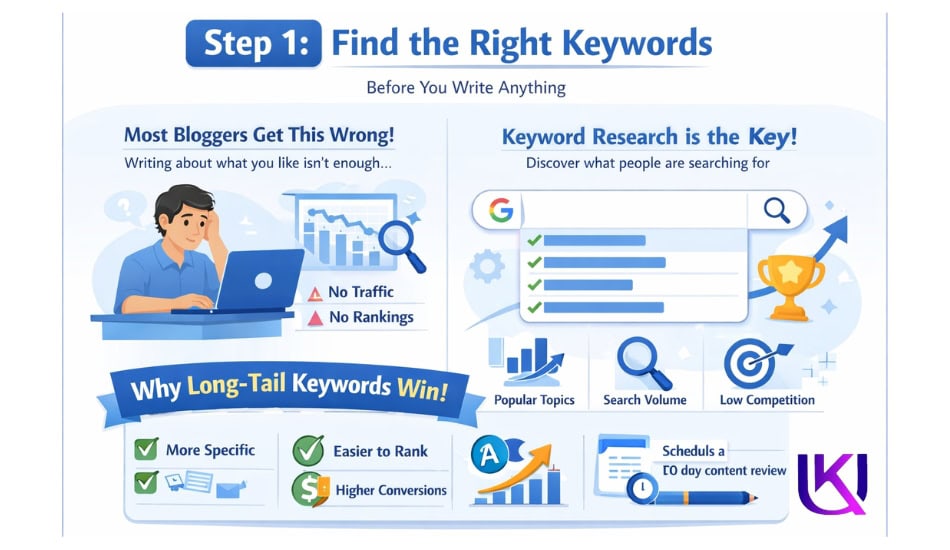
Most bloggers skip this step. They write about what interests them, not what people are searching for. That is the number one reason blog posts fail to rank.
Keyword research is how you find out what your readers are already typing into Google.
Why Long-Tail Keywords Win
A long-tail keyword is a phrase with three or more words. It is more specific. It has less competition. And it is easier to rank for.
Compare these two keywords:
• “SEO” is searched millions of times per month. Competed for by Forbes, Moz, Semrush, and thousands of others. Nearly impossible to rank for.
• “How to write SEO blog posts for beginners” is still searched regularly. Far fewer competing pages. Much easier to rank for.
When you target long-tail keywords, you are not giving up traffic. You are targeting the traffic you can actually win.
How to Find Long-Tail Keywords for Free?
You do not need a paid tool to start. Use these free methods:
1. Type your topic into Google: Look at the autocomplete suggestions that drop down. Each one is a real search that people are doing.
2. Scroll to the bottom of the search results page: You will see a “Related searches” section. Those are real keyword ideas.
3. Click on any result and look at the “People Also Ask” box: Those questions are gold. They are literally what your readers want to know.
4. Search your topic on Reddit or Quora: Read the questions people ask. Those are real search problems waiting for a blog post.
Check the Competition Before You Commit
Before you write, search your target keyword on Google. Read the top three results.
Ask yourself:
• Are these posts thorough? Or do they miss things?
• Do they answer follow-up questions someone might have?
• Are they outdated? Do they show information from 2019 or earlier?
If the top results are thin or outdated, that is your opening. Write something better.
If every top result is a major brand with thousands of backlinks, choose a more specific keyword variation instead.
Step 2: Structure Your Post for the Reader and for Google
Google reads your post the same way a person does. It looks at your headings. It scans for clear sections. It checks if your content flows logically from question to answer.
Structure is not just about looks. It directly affects your ranking.
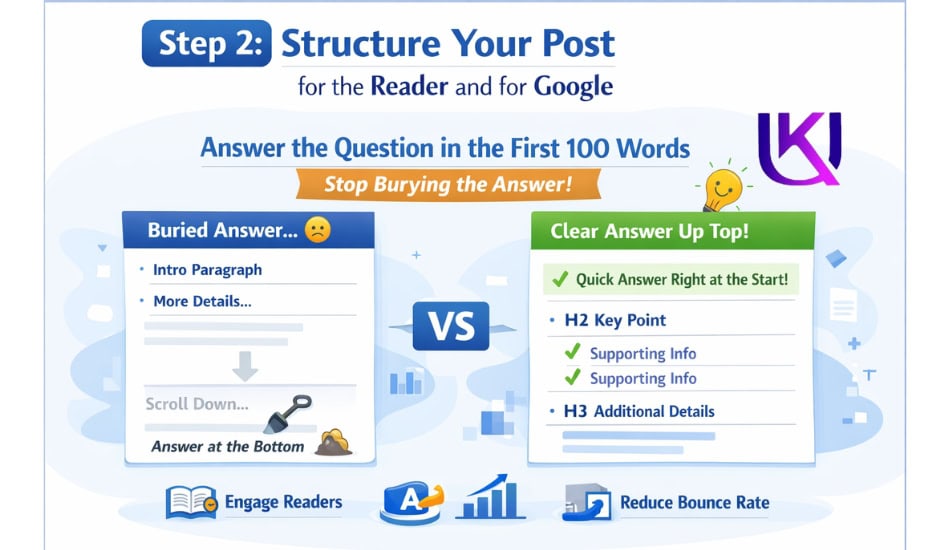
Answer the Question in the First 100 Words
Stop burying the answer.
Most blog posts waste the first three paragraphs on slow introductions, backstory, or definitions nobody asked for. Google notices this. More importantly, your reader notices. They bounce.
Your first 100 words should:
• Acknowledge the problem your reader has
• Give a direct preview of the answer
• Tell them what they will learn by reading on
This is not about making the post shorter. It is about getting to the point first and then going deeper. Google rewards posts that do this because it shows the content matches search intent.
Use One H1 and Clean H2/H3 Tags
Every blog post should have exactly one H1. That is your title.
Under that, use H2 tags for main sections. Use H3 tags for sub-topics inside each H2 section.
Your target keyword and related phrases should appear naturally in your headings. Do not stuff them in. Just make sure each heading describes what that section actually covers.
Example heading structure:
| Heading Types | Heading Topic Like |
| H1 | How to Write Blog Posts That Rank on Google? |
| H2 | Step 1: Find the Right Keywords |
| H3 | Why Long-Tail Keywords Win? |
| H3 | How to Check the Competition |
| H2 | Step 2: Structure Your Post the Right Way |
| H3 | The First 100 Words Rule |
| Also | Using H2 and H3 Tags Correctly |
Write Like You Are Talking to One Person
Use “you.” Not “readers.” Not “users.” Not “one should.”
Second-person writing feels personal. It keeps people reading. It also sounds natural, which is exactly what Google wants to see from content in 2024 and beyond.
Keep sentences short. Under 20 words is a good rule. If a sentence has more than two ideas in it, split it in half.
Short paragraphs, too. Two to three sentences at most. White space helps the eye move down the page.
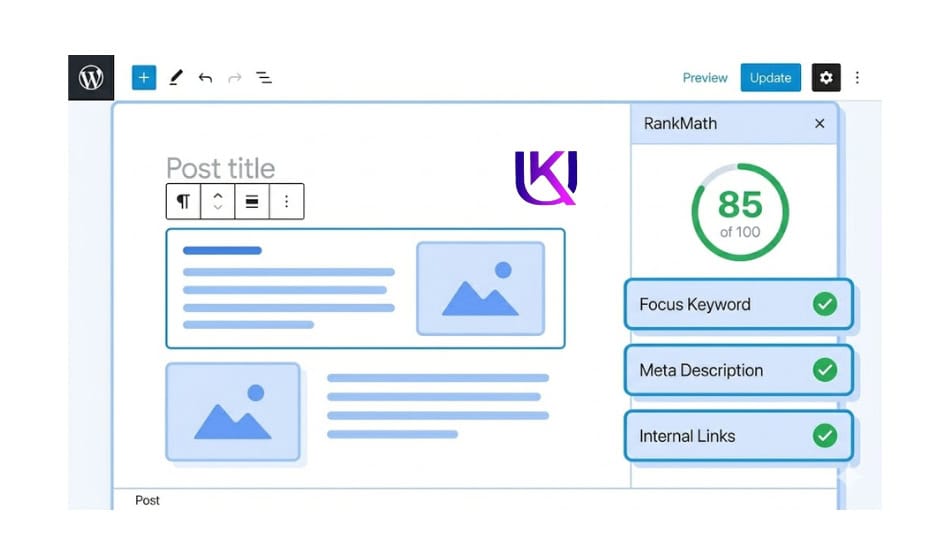
Use RankMath to Optimize Before You Publish
RankMath is a WordPress SEO plugin that scores your blog post before it goes live. It checks things like:
• Is your focus keyword in the title, meta description, and first 100 words?
• Do you have enough internal links?
• Is your content long enough?
• Does your URL include the target keyword?
Aim for a RankMath score of 80 or above. A green score does not guarantee ranking, but it means you have done the basics right.
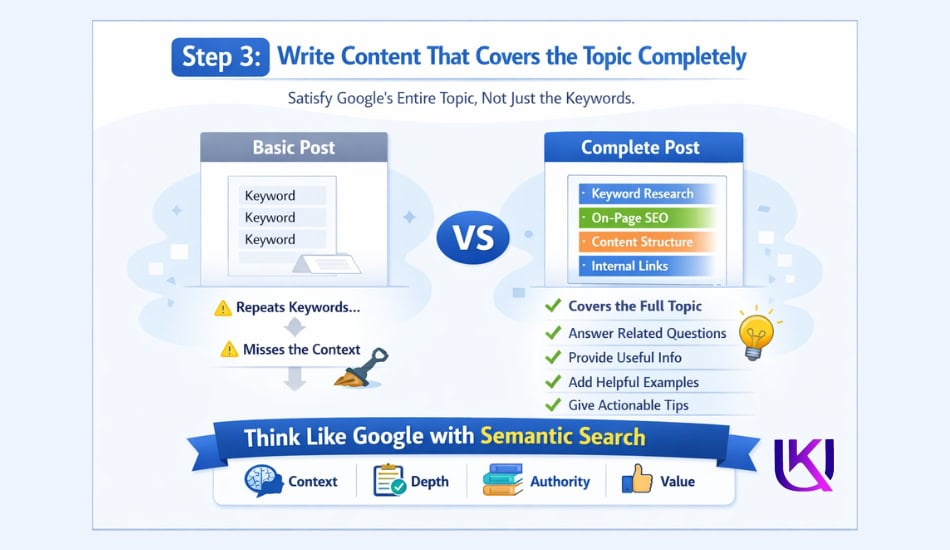
Step 3: Write Content That Covers the Topic Completely
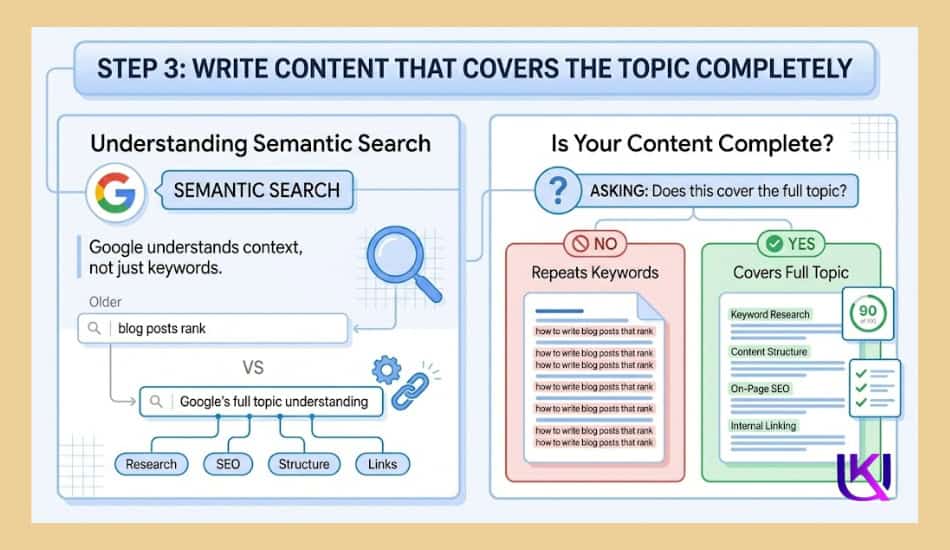
Google has been getting smarter every year. It no longer just matches keywords. It understands topics.
When you search “how to write blog posts that rank,” Google knows the full context. It knows you probably also want to understand keyword research, on-page SEO, content structure, and maybe internal linking too.
This is called semantic search. Google looks at your post and asks: Does this cover the full topic? Or does it just repeat the keyword a bunch of times?
A. Cover What Competing Posts Miss
When you research the top results for your keyword, take notes on what they skip.
Common gaps you can fill:
• Real examples and case studies instead of vague tips
• Updated information (tools, screenshots, and data from the current year)
• Answers to the follow-up questions that come right after the main answer
• Step-by-step instructions instead of high-level overviews
If your post covers the full topic while others skim the surface, Google will eventually notice. Readers will too. They will stay on your page longer because they find everything they need without going back to search.
B. Aim for the Right Length, Not the Longest Post
There is a myth that longer posts always rank better. That is not true.
The right length is whatever it takes to fully answer the question. Some topics need 600 words. Others need 3,000.
Check the average length of the top three results for your keyword. Match or beat that by covering the topic more completely, not by padding.
C. Use Entities, Not Just Keywords
An entity is a specific concept, tool, brand, or topic that Google understands. Using entities makes your post feel like it was written by someone who knows the subject deeply.
For a post about SEO blog writing, relevant entities include:
• RankMath and Yoast SEO
• Featured snippets and position zero
• E-E-A-T (Experience, Expertise, Authoritativeness, Trustworthiness)
• Search intent (informational, navigational, transactional)
You do not need to force these in. Just write naturally about the topic, and they will appear where relevant.
Step 4: Optimize Every On-Page Element
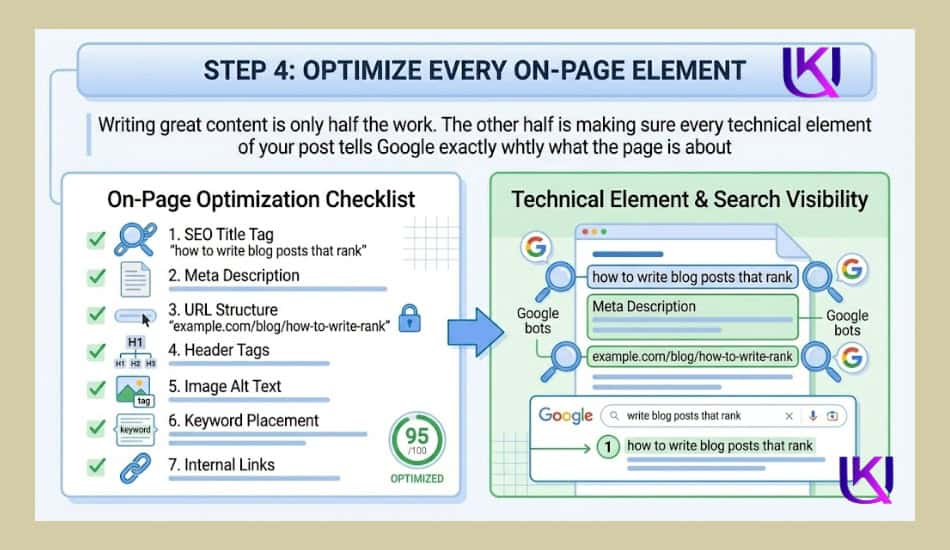
Writing great content is only half the work. The other half is making sure every technical element of your post tells Google exactly what the page is about.
1. Write a Meta Description That Gets Clicks
Your meta description is the short text that appears under your title in search results. It does not directly affect ranking. But it affects whether people click.
A strong meta description:
• Is under 160 characters
• Contains your target keyword
• Promises a specific benefit or outcome
• Ends with a soft call to action
Example: “Learn how to write blog posts that rank on Google with a step-by-step strategy for keywords, structure, and content refresh. Start ranking today.”
2. Optimize Your URL
Keep your URL short and keyword-focused.
- Bad: yoursite.com/blog/2024/04/12/post-about-seo-writing-tips-for-beginners-who-are-just-starting-out
- Good: yoursite.com/blog/blog-posts-that-rank
No dates. No filler words. Just the core keyword.
Add Alt Text to Every Image
Google cannot see images. It reads the alt text you write for each one.
Describe the image accurately. Include your keyword naturally if it fits. Do not stuff ten keywords into a single alt tag.
Step 5: Build Internal Links and Earn Backlinks
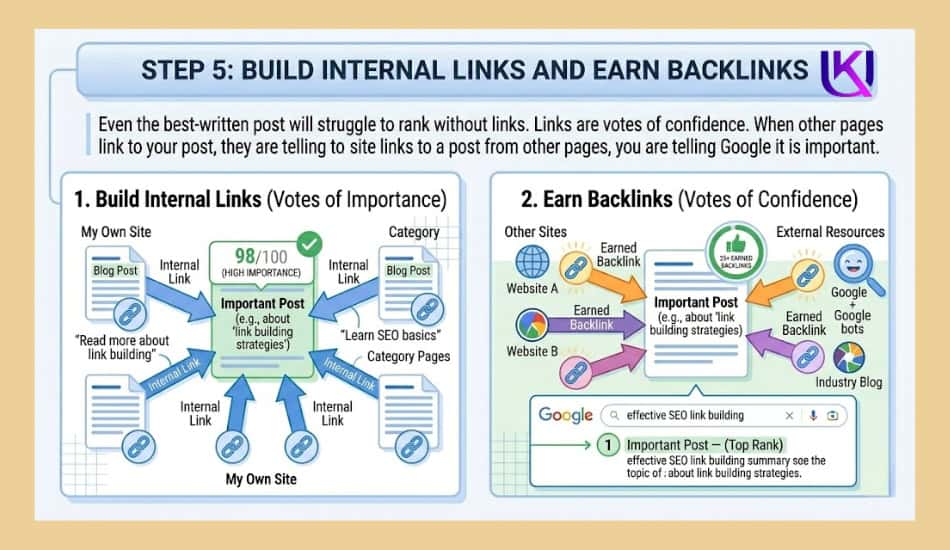
Even the best-written post will struggle to rank without links.
Links are votes of confidence. When other pages link to your post, they are telling Google it is worth reading. When your own site links to a post from other pages, you are telling Google it is important.
1. Internal Links: Start on Day One
As soon as you publish a new post, go to three to five existing posts on your site that are related to the topic. Add a link from each one to your new post.
This does two things:
5. It tells Google your new page is connected to your existing content and worth crawling.
6. It passes some ranking authority from your older, established pages to the new one.
Do this every time you publish. Over time, you build a web of internal links that strengthen every page on your site.
2. Getting Backlinks Without a Big Budget
Backlinks from high-authority websites are one of the strongest ranking signals Google uses. But getting them is not easy.
Here are three methods that work for smaller sites:
7. Write original research or data. Original studies get linked to because nobody else has the same data.
8. Create the best resource on a topic. If your post is the most complete, thorough guide available, other writers will naturally link to it when they reference the subject.
9. Reach out to site owners who link to similar content. Show them your post and explain why it would be a useful addition to their resource page.
You do not need hundreds of backlinks. A few high-quality links from relevant, trusted sites can move your ranking significantly.
Step 6: Target Featured Snippets and People Also Ask
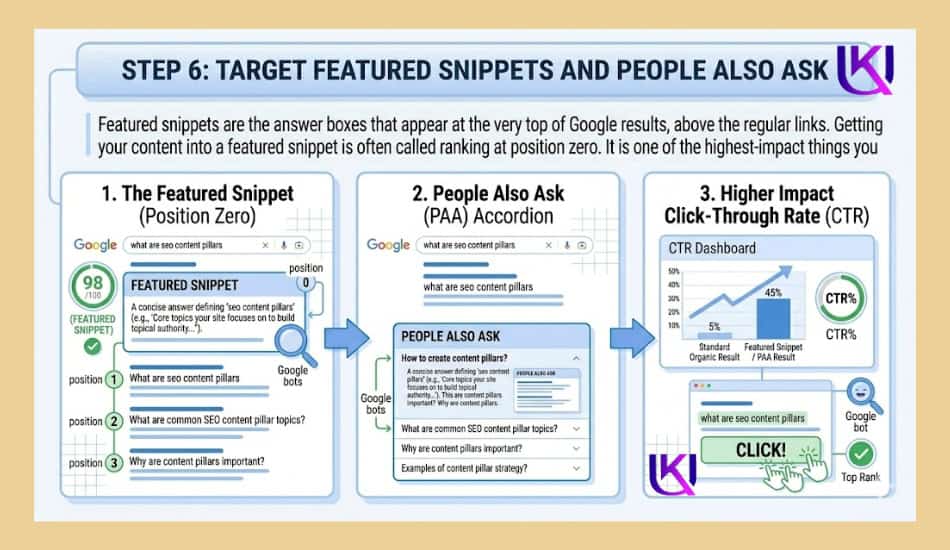
Featured snippets are the answer boxes that appear at the very top of Google results, above the regular links. Getting your content into a featured snippet is often called ranking at position zero.
It is one of the highest-impact things you can do for click-through rates.
1. How to Format for Featured Snippets
Google pulls featured snippets in a few common formats:
• Paragraph snippets: A short, direct answer to a specific question
• List snippets: A numbered or bulleted step-by-step process
• Table snippets: Comparison data or structured information
To target a paragraph snippet, include a direct question as a subheading, then answer it in two to three clear sentences right below. Do not pad. Do not bury the answer.
To target a list snippet, use a numbered list for any multi-step process in your post.
2. Build a People Also Ask Section
The “People Also Ask” box in Google search results shows real questions that searchers type in. These questions are directly related to your main keyword.
Create a dedicated FAQ section in your post that answers four to six of these questions. This serves two purposes:
10. It helps your post appear in the PAA box for related queries.
11. It makes your post more complete because it answers the follow-up questions readers actually have.
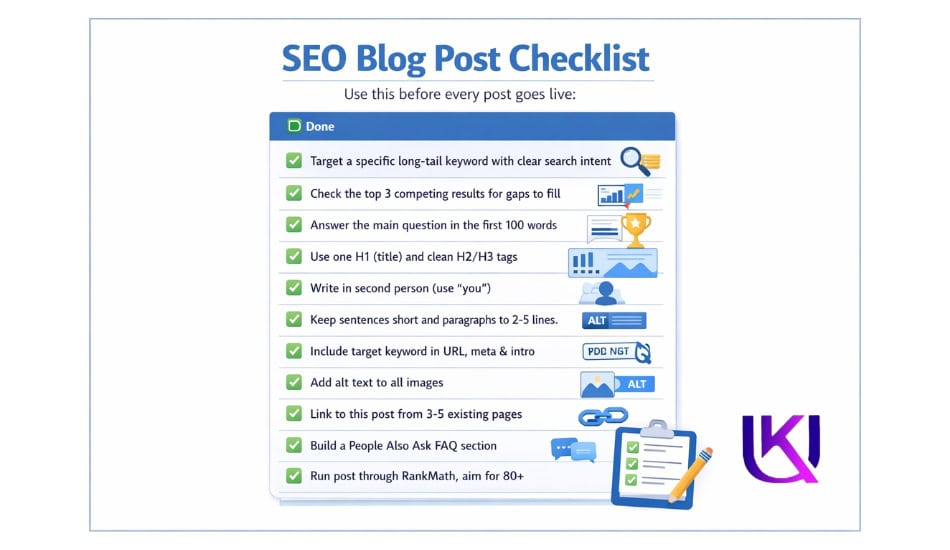
SEO Blog Post Checklist
Use this before every post goes live:
| Done | SEO Blog Post Checklist |
| ☐ | Target a specific long-tail keyword with clear search intent |
| ☐ | Check the top 3 competing results for gaps to fill |
| ☐ | Answer the main question in the first 100 words |
| ☐ | Use one H1 (title) and clean H2/H3 tags with keywords naturally included |
| ☐ | Write in second person (use “you”) throughout the post |
| ☐ | Keep sentences short and paragraphs to 2-3 lines maximum |
| ☐ | Include your target keyword in the URL, meta description, and first paragraph |
| ☐ | Add alt text to all images with natural keyword usage |
| ☐ | Link to this post from 3-5 existing pages on your site |
| ☐ | Build a People Also Ask FAQ section with 4-6 real questions |
| ☐ | Run the post through RankMath and aim for a score of 80 or above |
| ☐ | Schedule a 90-day content review and add it to your calendar |
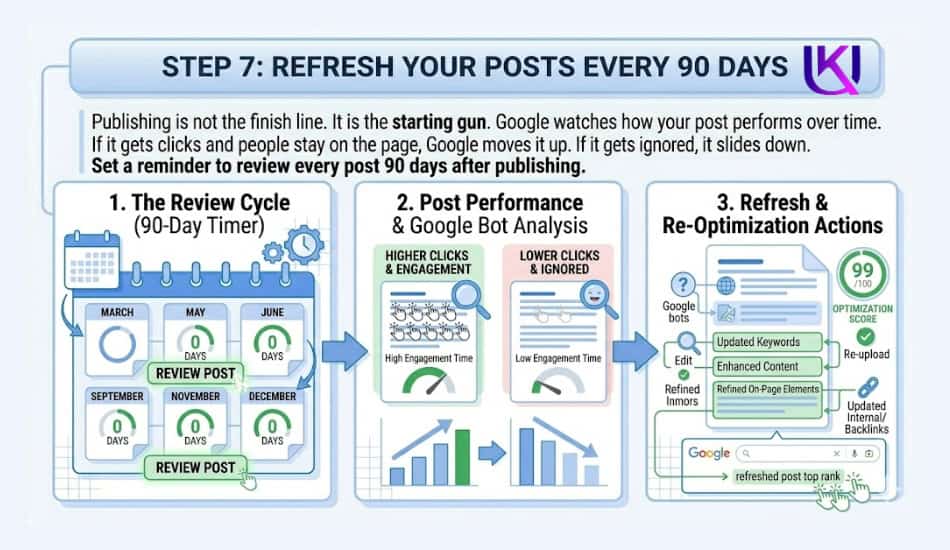
Step 7: Refresh Your Posts Every 90 Days
Publishing is not the finish line. It is the starting gun.
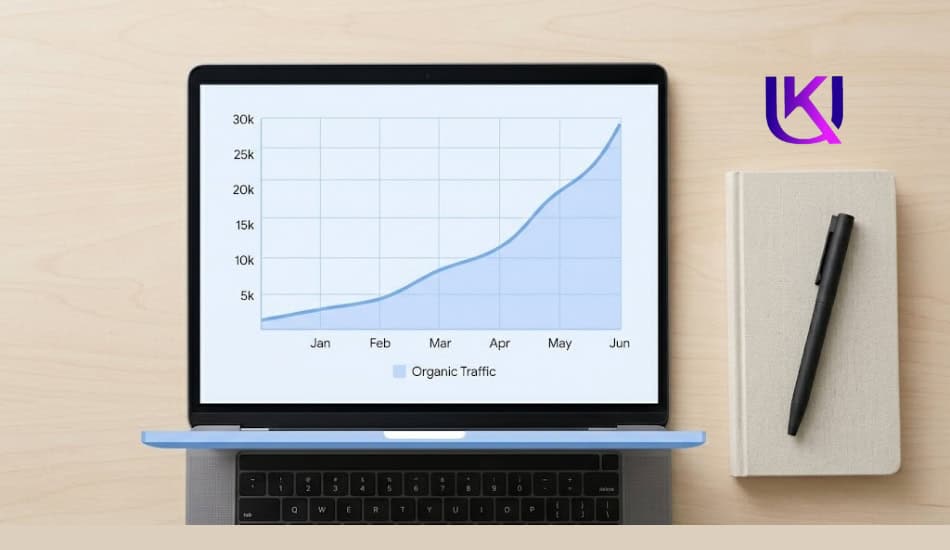
Google watches how your post performs over time. If it gets clicks and people stay on the page, Google moves it up. If it gets ignored, it slides down.
Set a reminder to review every post 90 days after publishing.
What to Check at the 90-Day Mark
Log in to Google Search Console and search for your post URL. Look at:
• Which keywords is it ranking for? Are there new ones you did not target?
• What is the average position? Has it moved up or stayed flat?
• What is the click-through rate? If the post ranks but nobody clicks, your title or meta description needs work.
Also, read the post again from top to bottom. Ask:
• Is any information outdated? Update it.
• Are there screenshots or examples that look old? Replace them.
• Are there questions in the PAA box that you have not answered yet? Add them.
A refreshed post often jumps several positions within a few weeks of the update. Google rewards fresh, accurate content.
Final Word: Ranking Is a System, Not a Shortcut
There is no magic formula. No tool that guarantees page one overnight.
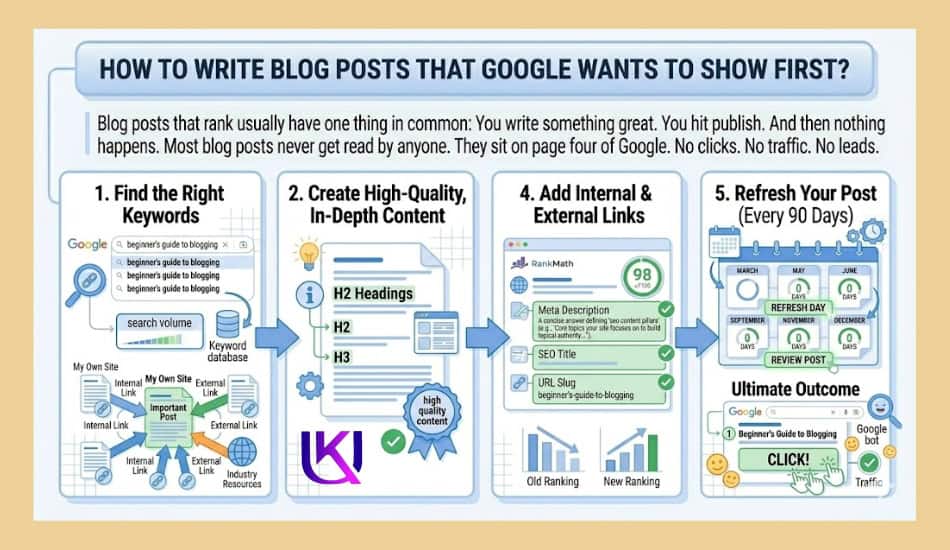
But there is a proven system. Find keywords you can win. Write posts that answer the full question. Structure them for readers and search engines. Build links. Refresh often.
Do this consistently across ten, twenty, fifty posts, and something happens. Your site starts to build topical authority. Google starts to trust your content. Rankings improve across the board, not just post by post.
The bloggers who win on Google are not the ones with the biggest budgets. They are the ones who treat SEO like a long game and keep showing up.
Start with one post. Apply every step in this guide. Then do it again.
People Also Ask: How Can You Write Blog Posts That Google Shows First?
1. What makes a blog post rank on Google?
A blog post ranks when it targets a specific keyword with manageable competition, answers the search intent immediately, uses a clean heading structure, earns backlinks, and gets refreshed when information becomes outdated.
2. How long should a blog post be for SEO?
Length should match the topic, not a preset number. Check the average word count of the top three posts ranking for your keyword. Match or exceed that by covering the topic more completely, not by padding with filler.
3. What is SEO blog writing?
SEO blog writing is the practice of creating blog content that is strategically optimized to rank in search engines. It combines keyword research, content structure, on-page optimization, and reader-first writing to bring organic traffic to a site.
4. How do I optimize a blog post for SEO after publishing?
After publishing, add internal links from related pages, monitor performance in Google Search Console, build backlinks by promoting the post to relevant sites, and return every 90 days to update outdated content and add answers to new questions.
5. What is a good SEO blog post template?
A strong template includes: a title with your target keyword, an intro that answers the question within 100 words, H2 sections for each major subtopic, bulleted or numbered lists for steps and tips, an FAQ section targeting People Also Ask questions, and a clear closing with a next step or CTA.
6. Does RankMath help blog posts rank?
RankMath helps you optimize the on-page elements of your post before publishing. It checks keyword placement, meta description, URL structure, internal links, and content readability. A high RankMath score means you have handled the technical basics. The actual ranking still depends on content quality and backlinks.