
Guest posting for SEO is more than publishing an article on another website to get a backlink. It is a way to reach new readers, build your brand, and earn attention from websites in your industry.
But choosing the wrong website or using poor link-building methods can waste your time and put your SEO efforts at risk.
For example, if you offer WordPress development services, you could write a useful article about website security for a relevant WordPress blog. Its readers may discover your expertise, visit your website, and become potential clients.
To get real value from guest posting, you need the right websites, useful content, natural links, and a clear plan.
In this guide, you will learn how to write a guest post, contact website editors, understand free and paid publishing, follow safe link-building practices, and measure your results.
The goal is not to collect more backlinks. It is to publish valuable content that reaches the right audience and builds trust.
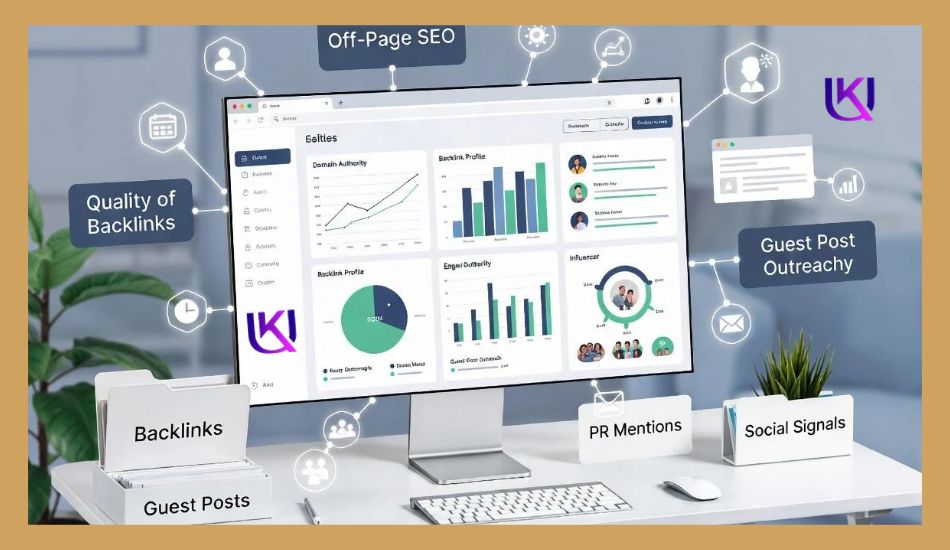
How to Write and Submit A Guest Post for SEO Guide
Once you find a suitable website and check its quality, the next step is to write your guest post.
Your article should match the host website’s topic, answer a real question, and give readers something useful. Do not write an article just to add a backlink to your website.
Follow these steps to prepare a guest post for a Search Engine Optimization (SEO) guide that editors and readers will value.
1. Choose a Topic That Matches the Website
Start by understanding what the host website publishes and who reads its content.
Review its recent articles and find topics that match its audience but aren’t covered in enough detail.
For example, if you want to write for a WordPress website, you could suggest:
- How to Improve WordPress Website Security
- Common WordPress Speed Problems and Their Solutions
- How to Protect a WordPress Website From Spam
- WordPress SEO Mistakes Beginners Should Avoid
Choose a topic where you have enough knowledge to provide clear and useful advice.
2. Research the Topic Before Writing
Good research helps you create accurate and trustworthy content.
Before writing a guest post for an SEO guide, check:
- What questions do readers ask about the topic?
- What information do existing articles miss?
- Which facts need reliable sources?
- Can you include practical examples?
- Are there recent changes readers should know?
Use reliable sources, original research, and your own experience where relevant.
Avoid copying ideas or sentences from other websites.
3. Follow the Editorial Guidelines
Every publisher may have different rules for guest contributors.
One website may accept articles between 800 and 1,200 words, while another may require longer guides.
Check its rules for:
- Word count.
- Heading structure.
- Writing style.
- Featured images.
- External links.
- Author bio.
- Content originality.
- Submission format.
Following these instructions saves time and reduces the chance of rejection.
4. Write Original and Useful Content
Your guest article should offer something valuable to the host website’s readers.
Use simple language, short paragraphs, and clear headings. Explain difficult ideas with examples that beginners can understand.
A good guest post should:
- Answer the main question early.
- Cover the topic without unnecessary information.
- Include useful examples or practical steps.
- Support important claims with reliable sources.
- Avoid keyword stuffing.
- Provide information that readers can use.
Do not submit the same article to several websites. Create a unique article for each publisher.
5. Add Relevant Links Naturally
Some publishers allow guest authors to include links to useful resources.
You may be able to link to:
- Your website’s relevant service page.
- A helpful guide on your blog.
- A trusted research source.
- A useful tool or resource.
Only add a link when it helps the reader understand the topic or find more information.
For example, if you write about WordPress security, a link to a detailed WordPress security checklist may be useful.
Do not force commercial keywords into anchor text or add unrelated links to gain backlinks. Follow the publisher’s link rules and Google’s link spam policies.

6. Write a Short Author Bio
An author bio tells readers who wrote the article.
Keep it short and include information that helps readers understand your background.
For example:
Uttom K Deb is an SEO specialist and WordPress developer. He helps businesses improve search visibility, website performance, and digital growth through practical SEO and WordPress solutions.
If the publisher allows it, you can include a relevant link to your website.
Make sure your bio describes your real experience and services.
7. Proofread Your Article Before Submission
Before sending your article, check the guest posting for SEO guide carefully.
Look for:
- Spelling and grammar mistakes.
- Broken or incorrect links.
- Repeated information.
- Unsupported claims.
- Unclear sentences.
- Missing headings.
- Formatting problems.
You can use tools such as Grammarly or a spelling checker to find writing errors. However, review every suggestion yourself to keep your meaning clear.
8. Submit Your Article to the Editor
Once your article is ready, submit it using the method requested by the publisher.
Some websites accept articles through email. Others use online forms, Google Docs, or contributor platforms.
Include a short message with:
- Your name.
- The approved article topic.
- Your article or document link.
- A short introduction.
- Any requested writing samples.
After submission, give the editor time to review your work. If you do not receive a reply, send one polite follow-up after a reasonable period.
Beginner tip: Write for the host website’s readers first. A useful, original article that follows the editor’s rules has a better chance of being accepted than an article created mainly to place a backlink.
How to Write a Guest Post Pitch Email
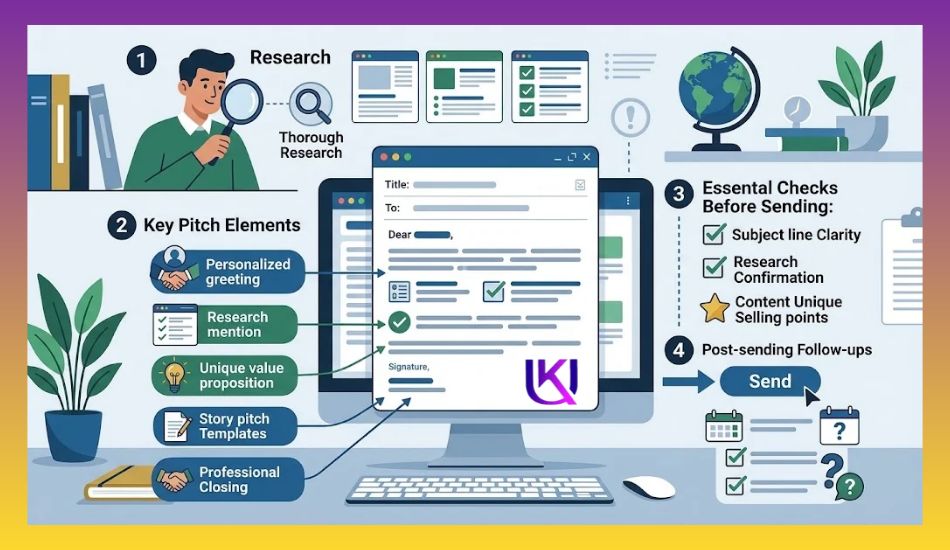
A guest post pitch is a short email you send to a website owner or editor to suggest an article idea. It is your first chance to show why your content would be useful to their readers.
A good pitch should be clear, personal, and easy to understand. You do not need a long email to get an editor’s attention. You need a relevant topic and a good reason for suggesting it.
1. Write a Clear Subject Line
Your email subject should tell the editor why you are contacting them.
Here are some examples:
- Guest Post Idea for Your SEO Blog
- Article Contribution: WordPress Security Tips
- Guest Article Proposal for Your Marketing Website
- Content Idea for Your Small Business Blog
Avoid unclear subject lines such as “Hello” or “Backlink Opportunity.”
2. Introduce Yourself Briefly
Start your email with a polite greeting. Then tell the editor who you are and what you do.
For example:
“I’m Uttom K Deb, an SEO specialist and WordPress developer. I write practical guides about SEO, website security, and digital marketing for business owners.”
Keep your introduction short. Focus on information that makes you a suitable contributor.
3. Suggest Relevant Article Topics
Give the editor two or three topic ideas that match their website.
For example, if you are contacting a WordPress blog, you could suggest:
- Common WordPress Security Mistakes and How to Fix Them
- How to Improve WordPress Website Speed
- A Beginner’s Guide to WordPress Technical SEO
Choose topics that offer something useful to the website’s existing audience.
4. Explain Why Your Article Will Help Readers
Do not simply send a list of article titles. Explain what readers will learn from your suggested topic.
For example:
“This article will help small business owners understand common website security risks and take simple steps to protect their WordPress websites.”
This shows that you understand the publisher’s audience.
5. Share Your Writing Samples
If you have published articles, share two or three relevant examples.
Writing samples help editors check your writing style, subject knowledge, and content quality.
If you are a beginner and do not have published samples, you can share a well-written sample article instead.

6. Use a Simple Guest Post Pitch Template
Here is an example you can adapt when contacting a website editor.
Hi [Editor’s Name],
I hope you’re doing well.
My name is [Your Name], and I write about WordPress, SEO, and website development.
I recently read your website and found your content about WordPress helpful. I’d like to contribute an original article that provides practical value to your readers.
Here are three topic ideas:
- Common WordPress Security Mistakes and How to Fix Them
- How to Improve WordPress Website Speed
- A Beginner’s Guide to WordPress Technical SEO
I will create original content based on your editorial guidelines and make sure the article matches your audience’s needs.
Here are a few writing samples:
- [Writing Sample 1]
- [Writing Sample 2]
Would you be interested in any of these topics?
Thank you for your time. I look forward to hearing from you.
Best regards,
[Your Name]
[Your Website]
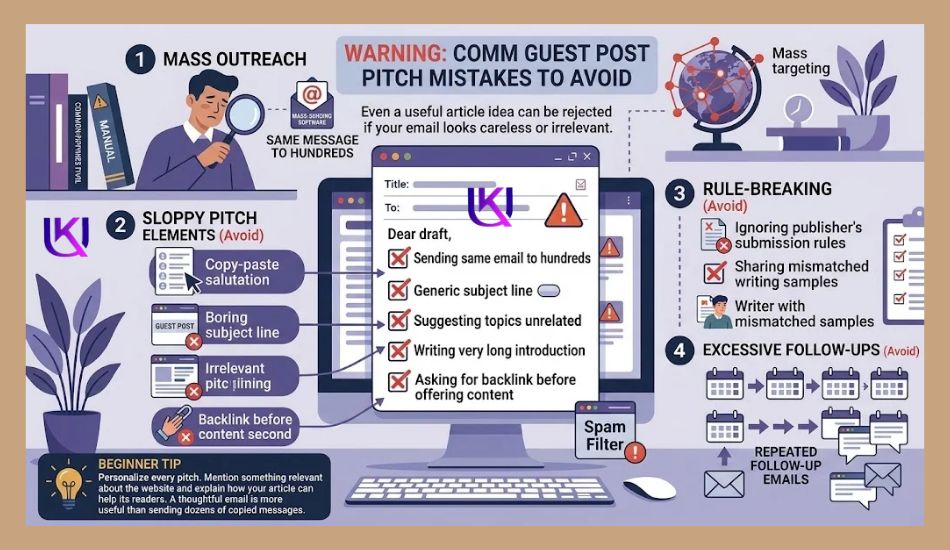
Common Guest Post Pitch Mistakes to Avoid
Even a useful article idea can be rejected if your email looks careless or irrelevant.
Avoid these mistakes:
- Sending the same email to hundreds of websites.
- Using a generic subject line.
- Suggesting topics unrelated to the website.
- Writing a very long introduction.
- Asking for a backlink before offering useful content.
- Ignoring the publisher’s submission rules.
- Sending repeated follow-up emails.
- Sharing writing samples that do not match the topic.
Beginner tip: Personalize every pitch. Mention something relevant about the website and explain how your article can help its readers. A thoughtful email is more useful than sending dozens of copied messages.

Is Guest Posting Free or Paid?
Guest posting can be free or paid. It depends on the website, its publishing rules, and the agreement between you and the publisher.
Some websites accept useful articles without charging writers. Others charge a publishing fee or offer sponsored content opportunities.
Before choosing either option, understand how each one works.
1. Free Guest Posting
Free guest posting means you write and submit an article without paying the website owner to publish it.
In return, the publisher gets useful content for its readers, while you get an opportunity to reach a new audience.
Free guest posting may offer:
- A chance to share your knowledge.
- Exposure to a new audience.
- An author bio with your name.
- Referral traffic from relevant readers.
- Opportunities to build industry relationships.
Example: You write an article about WordPress security for a website that accepts free guest contributions. The editor reviews your article and publishes it without asking for a publishing fee.
However, free does not mean automatic acceptance. Your article must meet the publisher’s quality standards.
2. Paid Guest Posting
Paid guest posting means you pay a publisher to publish your article or sponsored content on its website.
The price can vary based on the website, audience, content requirements, and publishing agreement.
Businesses may consider paid placements to:
- Promote a product or service.
- Reach a specific audience.
- Share sponsored educational content.
- Increase brand awareness.
- Support a wider marketing campaign.
However, you should understand Google’s rules before paying for a guest post.
If you pay for a link or provide another benefit in exchange for a link, Google recommends using the rel=”sponsored” attribute. The rel=”nofollow” attribute is also acceptable.
Paying for a link to manipulate search rankings can violate Google’s spam policies.
3. Free vs. Paid Guest Posting for SEO
Here is a simple comparison to help you understand the difference between free and paid guest posting for SEO.
| Factor | Free guest posting | Paid guest posting |
| Publishing cost | Usually free | Requires payment |
| Article review | Editorial review | Depends on the publisher |
| Content quality | Must meet editorial rules | Must meet publishing rules |
| Publishing time | May take longer | Depends on the agreement |
| Author bio | May be available | Depends on the agreement |
| Sponsored disclosure | Depends on the arrangement | Required when applicable |
| SEO link rules | Must follow Google policies | Paid links need proper qualification |
4. Should You Pay for Guest Posting?
Not every paid guest posting offer is worth your money.
Before paying a publisher, check:
- Does the website cover your industry?
- Does it have real readers?
- Is its content useful and original?
- Does it have a clear editorial process?
- Are sponsored articles clearly identified?
- Does the publisher follow proper link policies?
- Is the price reasonable for the actual marketing value?
Avoid websites that promise guaranteed Google rankings, sell hundreds of backlinks, or publish unrelated articles mainly to earn money.
My recommendation: Start by building relationships with relevant websites that accept free guest contributions. Consider paid placements only when they offer genuine advertising or audience value. Never pay for a link just to manipulate search rankings.

Does Guest Posting Help SEO?
Yes, guest posting can support your SEO efforts when you publish useful content on relevant websites. It can help people discover your website, bring referral traffic, and earn natural backlinks.
However, guest posting does not guarantee higher Google rankings. The value depends on the quality of the content, the website, and how you use links.
Let’s look at how guest posting relates to SEO.
1. Guest Posting Can Help You Earn Backlinks
A backlink is a link from another website that points to a page on your website.
For example, you write an article about WordPress security for a technology blog. The editor includes a relevant link to your WordPress security guide.
Readers can click that link to learn more about the topic.
Relevant editorial links can help search engines discover pages and understand how websites connect. However, you should not publish guest articles mainly to build links or influence rankings.
2. Guest Posts Can Bring Referral Traffic
Referral traffic comes from people who visit your website through links on other websites.
Imagine you publish a helpful SEO guide on a popular marketing blog. Some readers may click your author bio or a relevant resource link to visit your website.
These visitors may:
- Read more of your articles.
- Explore your services.
- Subscribe to your newsletter.
- Contact you about a project.
This traffic can be useful even if the link does not directly improve your search rankings.
3. Guest Posting Can Increase Brand Visibility
When your articles appear on relevant websites, more people can discover your name, business, or website.
For example, publishing helpful articles on respected SEO and marketing websites can introduce your expertise to business owners who may need your services.
Over time, this exposure can help people recognize your brand and search for it by name.
4. Guest Posting Can Help Build Industry Relationships
Working with relevant publishers helps you connect with editors, website owners, and professionals in your industry.
These relationships may lead to:
- Expert interviews.
- Content partnerships.
- Industry discussions.
- Genuine business referrals.
- Future publishing opportunities.
Such connections can support your wider marketing efforts beyond SEO.
5. Understand DoFollow and NoFollow Links
When you publish a guest post, the publisher may allow links to your website. These links can have different HTML attributes.
Here are the main types you should understand.
| Link type | What it means |
| DoFollow | A normal link without a special rel attribute. |
| NoFollow | A link marked with rel=”nofollow”. |
| Sponsored | A paid or advertising link marked with rel=”sponsored”. |
| UGC | A user-generated link marked with rel=”ugc”. |
A normal link can be considered by Google’s ranking systems. A NoFollow link tells Google that you do not want to associate your website with the linked page or follow it from that link.
A Sponsored link identifies a commercial relationship. A UGC link is used for links in places such as comments and forums.
Important: Do not reject a useful guest post just because it offers a no-follow link. It can still bring visitors, brand exposure, and potential customers.
Google for Developers+1
6. Use Natural Anchor Text
Anchor text is the clickable text that contains a link.
For example:
“Learn how to improve your WordPress website security with this beginner-friendly guide.”
Here, the words WordPress website security can be the anchor text.
Use anchor text that explains what readers will find after clicking.
Avoid:
- Repeating the same keyword-rich anchor text.
- Adding links that do not match the article.
- Using commercial keywords in every guest post.
- Adding too many links to your own website.
Natural links help readers understand where a link will take them.
7. Avoid Guest Posting Practices That Can Harm SEO
Guest posting becomes risky when you use it mainly to manipulate search rankings.
Google identifies several practices that may violate its link spam policies:
- Publishing large numbers of articles mainly to build backlinks.
- Adding keyword-rich links unnaturally.
- Buying links that pass ranking credit.
- Publishing the same or similar articles across many websites.
- Using writers who lack knowledge of the subject.
- Creating low-value articles just to place links.
These practices can lead Google to ignore spammy links or take action against websites involved in link spam.
A Safe Guest Posting SEO Strategy
Follow these simple rules:
- Choose websites that cover your industry.
- Write original articles that help their readers.
- Use links only when they add useful information.
- Keep anchor text natural and relevant.
- Qualify paid links with the correct link attributes.
- Avoid bulk guest post packages that promise rankings.
- Measure referral traffic and business results.
Guest posting should be a content marketing activity, not a shortcut to higher rankings. When you focus on relevant audiences, useful articles, and honest publishing practices, you can build a stronger online presence without relying on risky link-building methods.
Official Google resources for this section:
10 Most Common Guest Posting Mistakes to Avoid
Guest posting can help you reach new readers and build your online presence. However, some mistakes can waste your time, damage your reputation, or create SEO risks.
If you are new to guest posting, learn these common mistakes before submitting your first article.
1. Choosing Websites Only for Backlinks
Many beginners choose websites based only on their Domain Rating (DR) or Domain Authority (DA).
They ignore the website’s topic, audience, and content quality.
For example, if you run an SEO website, publishing an article on an unrelated website just to get a backlink may bring little value.
How to avoid it: Choose websites that cover your industry and have readers who may find your content useful.
2. Publishing Low-Quality Content
Some writers create articles quickly without proper research. They use repeated ideas, weak examples, and information that readers can find everywhere.
Editors may reject this type of content.
How to avoid it: Research your topic, use reliable sources, include practical examples, and offer useful information that makes your article worth reading.
3. Sending Generic Pitch Emails
Sending the same email to hundreds of website owners is a common outreach mistake.
Editors can easily notice when your message does not match their website.
How to avoid it: Read the website before contacting its editor. Suggest relevant topics and explain how your article will help its readers.
4. Ignoring Editorial Guidelines
Every publisher may have different content rules. Some require a specific word count, heading format, writing style, or submission method.
Ignoring these instructions can lead to rejection.
How to avoid it: Read the guest post guidelines carefully and follow every important requirement before submitting your article.
5. Using Keyword-Rich Anchor Text Unnaturally
Some guest authors use the same commercial keyword as anchor text in every article.
For example, they repeatedly use phrases such as “best SEO services” or “cheap link building services” to link to their websites.
This can look like an attempt to manipulate search rankings.
How to avoid it: Use natural anchor text that explains the linked page. Add a link only when it helps the reader.
6. Submitting Duplicate Articles
Publishing the same article on several websites can reduce its value for publishers and readers.
Many editors want original content that fits their audience.
How to avoid it: Write a unique article for each website. You can cover a similar subject, but the content, examples, and approach should be created for that publisher.
7. Ignoring Website Quality
A website may accept guest posts but publish unrelated, copied, or spammy content.
Publishing on such websites may damage your brand’s reputation.
How to avoid it: Review the website’s content, audience, traffic quality, outbound links, and editorial standards before accepting a publishing offer.
8. Expecting Instant SEO Results
Guest posting is not a quick way to reach the first page of Google.
You may publish a useful article and still receive little traffic or no immediate ranking changes.
How to avoid it: Treat guest posting as a long-term content marketing activity. Focus on relevant audiences, useful content, brand visibility, and genuine relationships.
9. Buying Links Without Checking Google’s Rules
Some websites sell guest posts with promises of DoFollow backlinks and higher Google rankings.
Paying for links that pass ranking credit can violate Google’s link spam policies.
How to avoid it: Do not buy links to manipulate rankings. For paid placements, follow Google’s link qualification rules and use the appropriate sponsored or nofollow attributes.
10. Forgetting to Track Guest Posting Results
Publishing an article is not the end of the process.
If you never check its performance, you will not know whether your guest posting work is bringing useful visitors or business opportunities.
How to avoid it: Track referral traffic, link clicks, conversions, brand mentions, and new business inquiries.
Quick Guest Posting Mistake Checklist
Before submitting your next guest article, check these points:
- The website matches your niche.
- The article is original and useful.
- The topic matches the publisher’s audience.
- You have followed the editorial guidelines.
- Your links are relevant and natural.
- You have avoided keyword stuffing.
- You have checked the website’s quality.
- You understand the rules for paid links.
- You have a plan to measure results.
Guide: Successful guest posting is not about publishing on as many websites as possible. It is about choosing the right publishers, sharing useful knowledge, and building relationships with people in your industry.
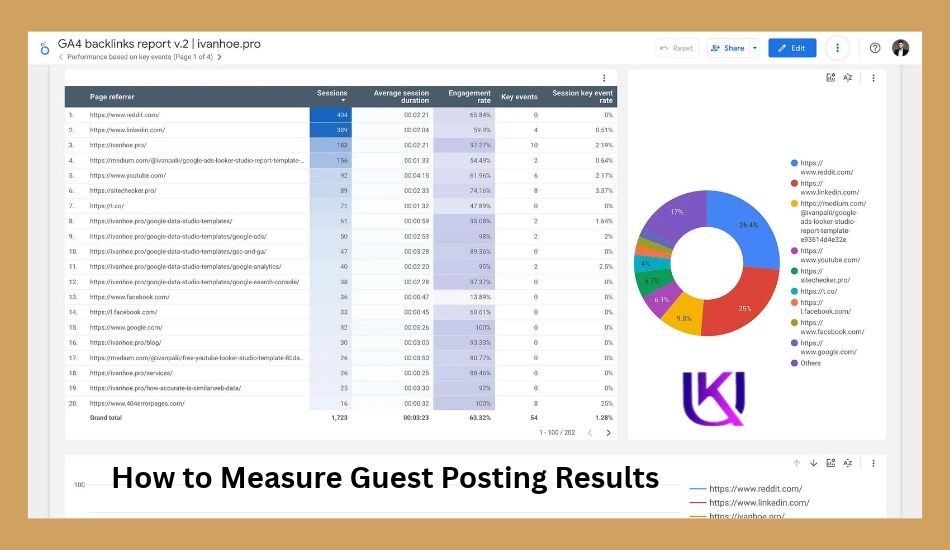
How to Measure Guest Posting Results
Publishing a guest post is only the first step. You also need to check what happens after it goes live.
A guest post may bring website visitors, new leads, brand mentions, or a useful backlink. But you cannot judge its value by counting links alone.
Here are the key results you should track.
1. Track Referral Traffic
Referral traffic means visitors who reach your website by clicking a link on another website.
Use Google Analytics 4 (GA4) to check this traffic.
Look for:
- How many visitors came from the guest post?
- Which publisher sent them?
- Which pages did they visit?
- Did they stay and explore your website?
If a guest post brings visitors who are interested in your services, it may be more useful than a link from a site that sends no relevant visitors.
2. Measure Leads and Conversions
Traffic does not always mean business growth. You need to know whether visitors take action.
Track actions such as:
- Contact form submissions
- Free consultation requests
- Newsletter signups
- Product purchases
- Service inquiries
- Downloads
For example, if you publish a guest post about WordPress security, check whether readers visit your WordPress development service page or request a website security audit.
3. Check Your Backlinks
Review the link included in your guest post.
Check these points:
- Is the link still live?
- Does it open the correct page?
- Is the publisher relevant to your topic?
- Does the link use the correct rel attribute?
- Does the page still contain your article?
You can use Google Search Console’s Links report or an SEO tool to review your backlinks.
Do not judge a backlink only by Domain Rating (DR) or Domain Authority (DA). These are third-party metrics, not Google ranking scores.
4. Monitor Brand Visibility
A guest post can help more people discover your name, website, or business.
You can track:
- Brand mentions on other websites
- Branded searches in Google Search Console (GSC)
- Social shares and comments
- New invitations to write for other websites
- Direct visits to your website
These signs can help you understand whether your guest content is reaching the right audience. However, a rise in branded searches does not prove that one guest post caused it.
5. Track Business Relationships
Some guest posts create value beyond traffic and backlinks.
A good publisher may invite you to write again. You may also build relationships with editors, business owners, and experts in your industry.
Keep a record of these opportunities. They can lead to future content partnerships, referrals, or business leads.
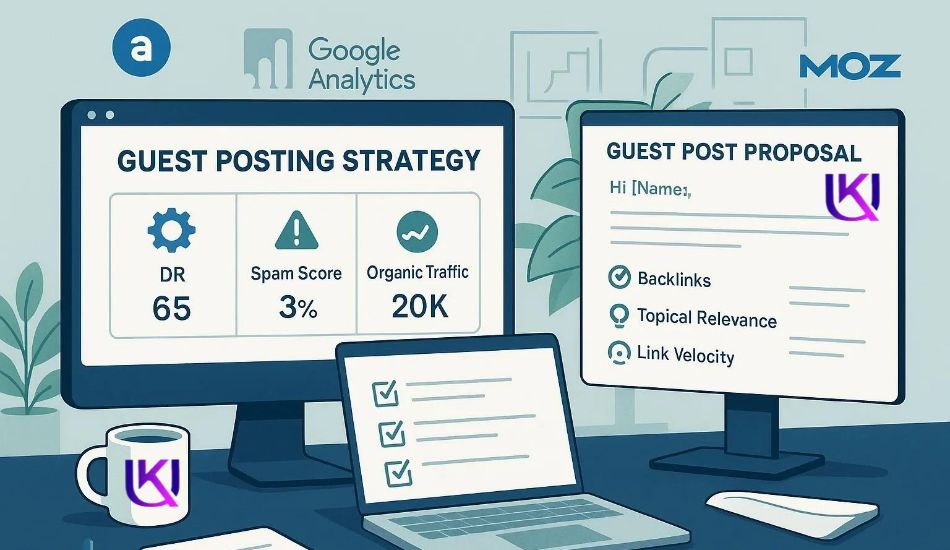
What Should You Track After Publishing a Guest Post?
Use this simple table to review each published article.
| Metric | What to check |
| Referral traffic | Visitors from the publisher |
| Conversions | Leads, signups, or sales |
| Backlink status | Whether your link is live |
| Link attribute | Follow, nofollow, or sponsored |
| Brand visibility | Mentions and branded searches |
| Engagement | If visitors explore your website |
| Relationships | New contacts or publishing invitations |
When Should You Review Guest Posting Results?
Start tracking as soon as your guest post goes live.
Review the results after 30 days, then check again after 60 or 90 days. These are practical review points, not fixed rules. Some posts may bring visitors quickly, while others may take longer to gain attention.
Expert tip: Do not stop working with a publisher just because one article brings little traffic. Review the site’s audience, content quality, backlink relevance, and long-term value before making your decision.
The goal is not to publish as many guest posts as possible. Your goal is to reach the right readers, build trust, and create useful business opportunities.
Conclusion: Build Better Results With Guest Posting for SEO Guide.
Guest posting can help you reach new readers, grow your brand, and build useful relationships in your industry. It may also bring relevant backlinks and referral traffic when you publish on the right websites.
But success does not come from publishing hundreds of articles. It comes from choosing the right publishers and sharing content that helps their readers.
Before you submit your next guest post, remember these key points:
- Choose websites related to your industry.
- Write original content that solves real problems.
- Send personal pitches to website editors.
- Use natural links that help readers.
- Follow Google’s link spam policies.
- Track referral traffic, leads, and backlink status.
Avoid low-quality websites, paid link schemes, and keyword-stuffed articles. These shortcuts can put your SEO efforts at risk.
Start with one relevant website. Write something worth reading. Build trust with every publication.
That is how you can make guest posting a useful part of your long-term SEO strategy.
Read Part 1: What Is Guest Posting? A Complete Beginner-Friendly Guide
FAQs: How to Do Guest Posting for SEO Guide Strategy
1. What makes a good guest post?
A good guest post solves a real problem for the host website’s readers. It should have an original and useful topic, Clear headings, and short paragraphs. Accurate facts and examples, natural links to helpful resources, no keyword stuffing, and a clear match with the website’s audience.
2. How long should a guest post be?
There is no fixed word count for every guest post. Follow the publisher’s content guidelines first. If no length is given, write enough to answer the topic clearly. Do not add extra words just to make the article longer.
3. Should guest posts include backlinks?
A guest post can include links when they help readers find useful information. You may link to a relevant resource on your website if the publisher allows it. However, do not force links into the article or use keyword-rich anchor text to manipulate rankings.
4. What is the difference between guest posting and sponsored posting?
Guest posting usually means you contribute an article to another website under its editorial rules. Sponsored posting involves payment or another commercial deal for publication. A paid article should be clearly identified when required, and paid links should use the appropriate rel=”sponsored” attribute.
5. Can beginners write guest posts?
Yes. You do not need to be a famous expert to contribute. Start with topics you understand well. Read the publisher’s guidelines, study its existing articles, and send a short, relevant pitch. Your content should be useful and accurate.
6. How many guest posts should you publish each month?
There is no ideal number for every website. Focus on the quality and relevance of each opportunity. One useful article on a respected industry website may offer more value than many posts on unrelated, low-quality sites.