

What Is Guest Posting for SEO Magic Returns! A guest post is an article you write for another website or blog. Instead of publishing it on your own website, you share it with another website’s audience. The website owner or editor reviews your article and may publish it under your name as a guest author.
For example, imagine you run a small digital marketing business. You write a helpful article about SEO for a popular marketing blog.
Its readers learn from your experience, while you get a chance to introduce your business to a new audience. The publisher may also include an author bio with a link to your website. This is how guest posting works.
But guest posting is not just about getting backlinks. It can help you build brand awareness, share your knowledge, gain referral traffic, and connect with people in your industry.
However, you need to choose relevant websites, follow their editorial guidelines, and publish original content that helps their readers. If you use guest posts only to manipulate search rankings, you may go against Google’s link spam policies.
Whether you are a blogger, business owner, freelance writer, or SEO beginner, understanding guest posting can help you reach the right audience.
In this guide, you will learn what a guest post is, how it works, how to find suitable websites, and how to write and submit an article. You will also learn how guest posting relates to SEO and which mistakes you should avoid.
What Is Guest Posting? How Does Guest Posting for SEO Magic Work?
A guest post is an original article that you write and publish on someone else’s website or blog. You act as a guest author, while the website owner acts as the host publisher.
In simple terms, you create useful content for another website instead of publishing it only on your own site.
For example, suppose you own a website about digital marketing. You find another blog that shares SEO tips for small businesses. You contact its editor and offer to write an article about local SEO.
If the editor accepts your idea, you write the article and submit it for review. Once approved, the website publishes it with your name. It may also include a short author bio that tells readers about you and your work.
Guest posting for SEO magic returns. Here is how both sides benefit:
- You (Guest Author): You reach new readers, share your knowledge, build your personal brand, and may receive referral traffic through an author bio link.
- The Host Website: It gets original content, useful ideas, and fresh knowledge for its readers.
- The Readers: They get helpful information from another writer or industry expert.
A Simple What Is Guest Posting for SEO Magic Returns Example
Imagine you run a WordPress development business. You write an article called “10 WordPress Security Mistakes Small Business Owners Should Avoid” for another website that covers website development.
The host website publishes your article and adds a short author bio:
About the Author: UK Deb is an SEO specialist and WordPress developer who helps businesses improve website performance, search visibility, and online growth.
Readers can learn from your experience and visit your website if they want to know more about your services.
A guest post is not simply an article with a backlink. Its main purpose is to share useful information with another website’s audience. A relevant link can be an added benefit, but it should not be the only reason you write the article.
How Does Guest Posting Work?
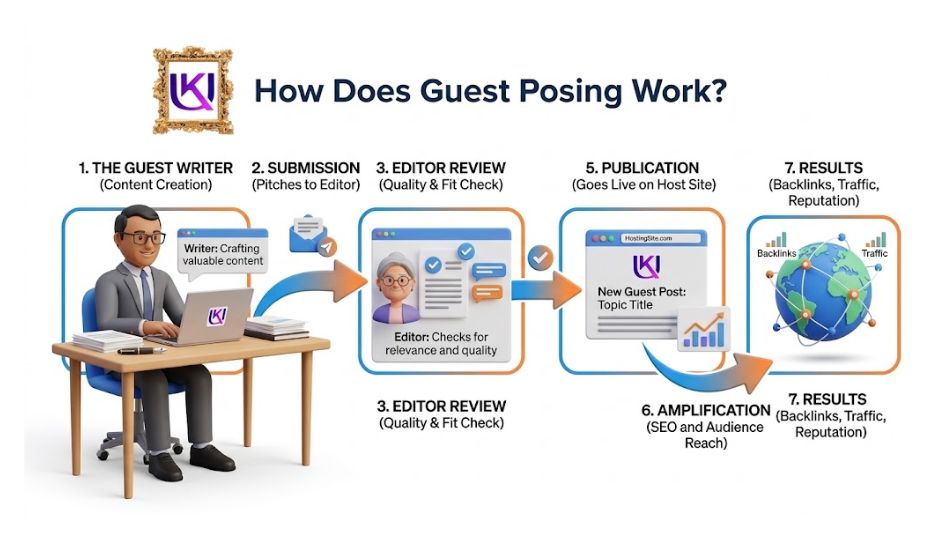
Guest posting for SEO magically returns and follows a simple process. You find a website that accepts guest articles, suggest a useful topic, write the content, and submit it for review. If the editor approves your article, the website publishes it for its readers.
You do not need to own a large website or have years of writing experience to get started. However, you must understand the host website’s audience and content rules.
Here are the main steps.
1. Find a Website That Accepts Guest Posts
First, look for blogs and websites that publish content related to your topic. These websites should have an audience that may be interested in your knowledge or services.
For example, if you work in SEO, look for websites about:
- Search engine optimization
- Digital marketing
- Content marketing
- WordPress development
- Online business
You can also search Google using terms such as:
- SEO write for us
- Digital marketing guest post
- SEO guest article guidelines
- Contribute to our blog
Choose websites that publish useful content and have clear editorial standards.
2. Check the Website’s Submission Guidelines
Before contacting the website owner, check its guest post or contributor guidelines.
These guidelines may explain:
- Which topics the website accepts.
- How long your article should be.
- What writing style you should follow.
- Whether external links are allowed.
- If an author bio is available.
- How to submit your article.
Following these rules can improve your chance of getting your article accepted.
3. Send a Guest Post Pitch
A guest post pitch is a short message you send to a website owner or editor. It explains who you are and what topic you want to write about.
Your pitch should include:
- A short introduction about yourself.
- Two or three relevant article ideas.
- A brief explanation of how each topic helps their readers.
- Links to your previous writing samples, if available.
Avoid sending the same generic email to every website. Make your message relevant to the website you contact.
4. Write and Submit Your Article
If the editor accepts your topic, start writing the article.
Create original content that answers a real question or solves a problem for the website’s readers. Use clear headings, short paragraphs, useful examples, and reliable sources.
Before submission, check the website’s editorial guidelines again. Make sure your article follows its rules for word count, formatting, images, and links.
5. Wait for Editorial Review
After receiving your article, the editor may review its quality, accuracy, originality, and relevance.
The editor may:
- Accept your article without changes.
- Ask you to improve certain sections.
- Request different links or examples.
- Reject the article if it does not meet their standards.
Make the requested changes if you want to move forward.
6. Get Your Guest Post Published
Once approved, the website publishes your article. It may include your name, author bio, and an approved link to your website.
After publication, share the article with your audience through social media, email, or your own website.
You can also track referral visits, engagement, and leads to see whether the guest post brings useful results.
Example: A Simple Guest Posting Process
- Find a relevant website: You find a digital marketing blog that accepts guest articles.
- Send your topic idea: You suggest an article about SEO for small businesses.
- Write the article: You create original, helpful content based on the editor’s rules.
- Submit for review: The editor checks your article and requests changes if needed.
- Get published: Your article goes live with your name and an approved author bio.
Beginner tip: Do not focus only on getting a link. Choose a website where your knowledge can help real readers. A useful guest post can build trust and create new business opportunities over time.
Why Is Guest Posting Important? How Can You Get Benefits?
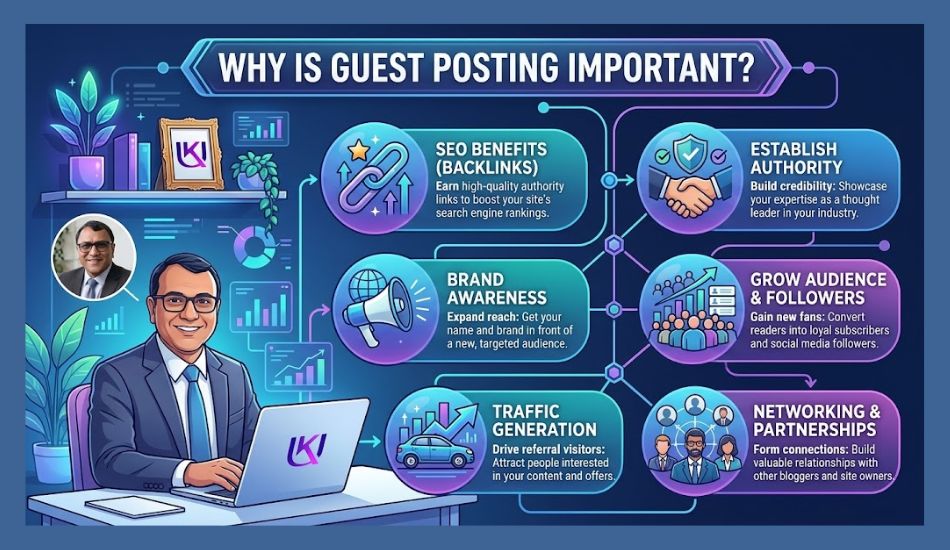
Guest posting helps you share your knowledge with people who may not know about your website or business yet. Instead of waiting for visitors to find your website, you can reach them through blogs and websites they already read.
When you publish useful articles on relevant websites, you can build your online presence, connect with new readers, and create more chances for people to discover your work.
Here are the main benefits of guest posting.
1. Reach a New Audience
Your website may have a small audience when you first start. Guest posting gives you a chance to reach readers from other websites.
For example, imagine you run a website about WordPress development. You publish a helpful article on a popular WordPress blog. Its readers may discover your website and explore your services.
This helps you introduce your work to people who may become future readers or customers.
2. Build Your Brand Awareness
Brand awareness means helping more people recognize your business, website, or name.
When readers see your name and useful content on trusted websites, they become more familiar with your brand.
For example, if you regularly share helpful SEO articles on relevant marketing blogs, readers may start recognizing you as someone who understands SEO.
However, publishing useful content matters more than simply appearing on many websites.
3. Build Industry Relationships
Guest posting helps you connect with website owners, editors, bloggers, and other professionals in your industry.
These connections may lead to:
- Future guest writing opportunities.
- Content partnerships.
- Expert interviews.
- Business referrals.
- Professional collaborations.
A good relationship with an editor can also make future content submissions easier.
4. Get Referral Traffic
Referral traffic means visitors who reach your website by clicking a link on another website.
For example, you write a guest article about technical SEO. The publisher includes an approved link to your website in your author bio.
If readers find your article useful, some may click that link to learn more about your services.
This can bring relevant visitors who already have an interest in your topic.
5. Earn Relevant Backlinks
A backlink is a link from another website that points to your website.
Some publishers allow guest authors to include relevant links in their articles or author bios. These links can help readers find useful resources on your website.
Relevant, natural links can also support your SEO efforts. However, not every guest post provides a ranking benefit.
Google warns against publishing guest articles mainly to build links and manipulate search rankings. You should focus on useful content and natural editorial links instead.
6. Build Your Professional Credibility
Guest posting gives you a chance to show what you know.
You can share practical advice, real project examples, research findings, and solutions to common problems. When readers find your work helpful, they may become more confident in your knowledge.
For example, a freelance SEO expert who writes useful articles for respected marketing websites can build a stronger professional reputation.
Make sure your claims match your real skills and experience. Do not present yourself as an expert in areas you do not understand.
7. Generate Business Leads
Guest posting can also help you reach people who need your services.
Suppose you provide WordPress development services. You publish a guest article about website speed and common WordPress errors on a business website.
A business owner reading your article may realize that their own website has similar problems. They may visit your website to learn about your services or request help.
This does not guarantee new customers, but it creates another way for potential clients to discover your business.
So, guest posting works best when you choose relevant websites and write content that helps their readers. Do not measure success only by the number of backlinks you receive. Also look at referral visits, brand mentions, useful connections, and actual business leads.
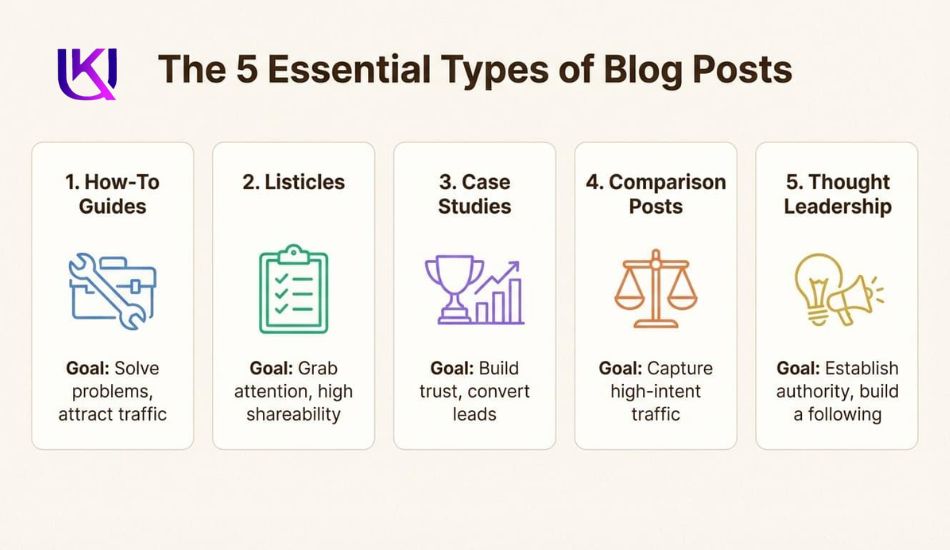
What Are the Different Types of Guest Posts?
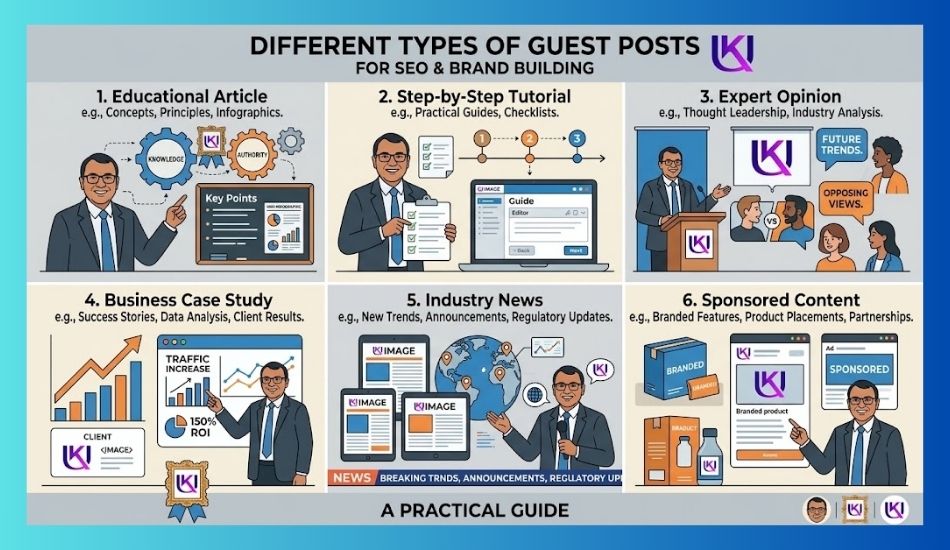
Not every guest post serves the same purpose. Some articles teach readers new skills, while others share expert opinions, real project results, or product information.
Before choosing a guest post topic, you should understand the type of content the host website wants to publish.
Here are the most common types of guest posts.
1. Educational Guest Posts
Educational guest posts teach readers about a topic, skill, or process. Their main goal is to answer questions and help readers understand something new.
For example:
- What Is Technical SEO?
- How to Start a WordPress Website
- How Does Keyword Research Work?
- A Beginner’s Guide to Local SEO
These articles work well on blogs that focus on learning, tutorials, and industry knowledge.
2. How-to Guest Posts
How-to guest posts show readers how to complete a task step by step. They focus on practical solutions rather than general explanations.
For example, if you write for a WordPress website, you could suggest:
“How to Improve WordPress Website Speed Without Hiring a Developer”
Your article could explain image compression, caching, database cleanup, and other useful steps.
This type of guest post is helpful because readers can apply what they learn.
3. Expert Opinion Guest Posts
Expert opinion articles share your views, knowledge, or experience about a subject.
For example:
- Why Small Businesses Need Technical SEO
- What Makes a Good Backlink in 2026?
- Why Website Speed Matters for Online Stores
You should support your opinions with clear reasons, reliable facts, and real examples. Avoid making claims that you cannot prove.
4. Case Study Guest Posts
A case study explains a real project, problem, or result. It helps readers understand how a solution works in practice.
For example: “How We Improved a Small Business Website’s Organic Traffic Through Technical SEO”
You could explain:
- The website’s main problems.
- The SEO changes you made.
- The tools and methods you used.
- The results you measured.
- The lessons other website owners can learn.
Use real data and explain how you collected it. Never invent traffic growth, rankings, or client results.
5. Industry News and Trend Guest Posts
These articles explain new changes, tools, updates, or trends in a specific industry.
For example:
- Important Google Search Changes for Website Owners
- New WordPress Features You Should Know About
- How AI Search Is Changing Content Discovery
This type of guest post works best when you provide useful details instead of repeating news that readers can find everywhere.
6. Sponsored Guest Posts
A sponsored guest post is content published through a paid agreement between a brand and a publisher.
For example, a software company may pay a marketing website to publish an article about its product or service.
Sponsored content should be clearly identified when required. Links that are paid for should use Google’s recommended rel=”sponsored” attribute.
Unlike a regular editorial guest post, a sponsored article involves payment or another form of commercial agreement.
Which Type of Guest Post Should You Choose?
Your choice depends on your knowledge, target audience, and the host website’s content needs.
| Your goal | Suitable guest post type |
| Teach a new skill | Educational |
| Solve a reader’s problem | How-to |
| Share your knowledge | Expert opinion |
| Show real project results | Case study |
| Explain industry changes | News and trends |
| Promote a paid partnership | Sponsored post |
Beginner tip: Start with educational or how-to guest posts. These formats help you share useful knowledge without needing a large audience or a well-known personal brand.
Always check the host website’s editorial guidelines before selecting your topic. A great article idea may still be rejected if it does not match the website’s audience.
How to Find Websites That Accept Guest Posts
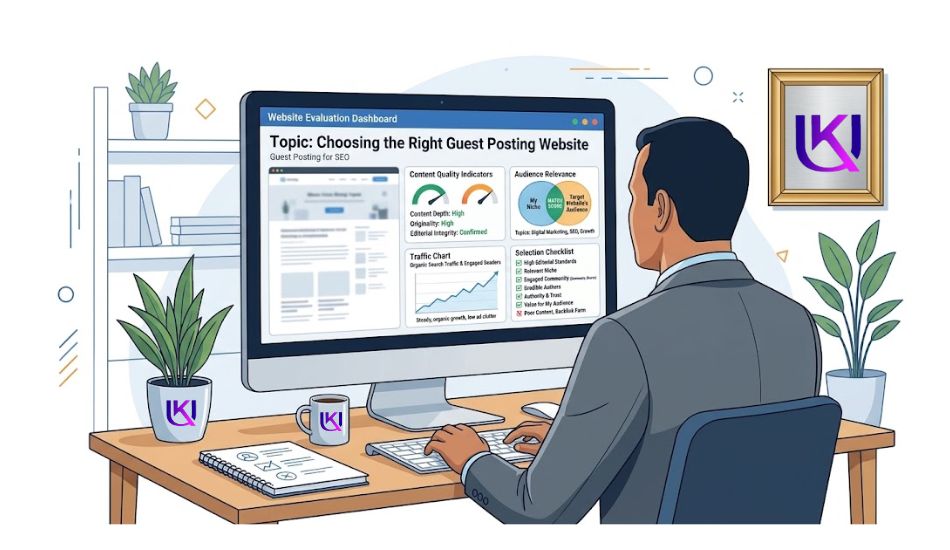
Finding the right website is one of the most important steps in guest posting. You should not send your article to every website that accepts guest contributions.
Look for websites that cover your topic, publish useful content, and reach the audience you want to connect with.
Here are some practical ways to find guest posting opportunities.
1. Use Google Search Operators
Google search operators help you find websites with guest post pages, contributor rules, and article submission options.
You can use these search terms to find relevant websites:
| Google search query | What you can find |
| SEO “write for us” | SEO websites accepting articles |
| “digital marketing” “guest post” | Digital marketing guest post opportunities |
| “write for us” + WordPress | WordPress blogs accepting writers |
| “submit a guest post” + SEO | SEO article submission pages |
| “guest post guidelines” + marketing | Guest posting rules |
| “become a contributor” + business | Business websites accepting contributors |
Example: If you provide SEO services, search for:
SEO “write for us”
Google may show websites with pages that explain how to submit SEO articles.
Open those pages and check whether they still accept guest contributions.
2. Look for Write for Us Pages
Many websites have a dedicated page for guest writers. You can often find it through links in the website footer, navigation menu, or blog section.
Look for page titles such as:
- Write for Us
- Guest Post Guidelines
- Submit an Article
- Become a Contributor
- Contribute to Our Blog
- Guest Author Guidelines
Read the full page before sending your pitch.
Some websites accept articles only from industry experts. Others may accept new writers if they provide useful and original content.
3. Find Websites in Your Industry
You should focus on websites that publish content related to your niche.
For example, if your website covers digital marketing, you can search for:
- SEO blogs
- Content marketing websites
- WordPress blogs
- Small business websites
- Online marketing publications
Do not choose a website only because it has a guest post option.
Its readers should have a real interest in your topic.
4. Study Your Competitors’ Backlinks
Competitor research can help you discover websites that have already published articles from writers in your industry.
For example, suppose another SEO website has backlinks from marketing blogs.
You can use SEO tools such as Ahrefs, Semrush, or Moz to study its backlink profile.
Check these details:
- Which websites link to your competitor?
- Are those links from guest articles?
- Does the website accept outside contributors?
- Are the published articles related to your niche?
This research can help you find websites worth contacting. However, not every competitor backlink comes from a guest post.
5. Check Industry Blogs and Online Communities
Some websites do not have a visible “Write for Us” page but still accept expert contributions.
You can discover these opportunities by:
- Reading popular blogs in your industry.
- Checking articles written by guest authors.
- Following industry publications.
- Joining relevant professional communities.
- Contacting editors with useful article ideas.
A website does not need to advertise guest posting to consider a strong contribution.
6. Create a Guest Posting Prospect List
Do not contact websites without keeping track of your research.
Create a simple spreadsheet to organize your guest posting opportunities.
| Website | Niche | Contact | Status |
| Marketing Blog A | SEO | Editor email | Not contacted |
| WordPress Blog B | WordPress | Contact form | Pitch sent |
| Business Blog C | Small business | Editorial team | Under review |
| Tech Blog D | Technology | Contributor page | Research needed |
Add the website URL, contact details, submission rules, and follow-up dates to your sheet.
This makes it easier to manage your guest post outreach and avoid contacting the same website several times.
Beginner tip: Start with 10–15 relevant websites instead of collecting hundreds of random opportunities. Research each website before sending your pitch. A small list of suitable publishers is more useful than a large list of unrelated websites.
How to Choose the Right Guest Posting Website
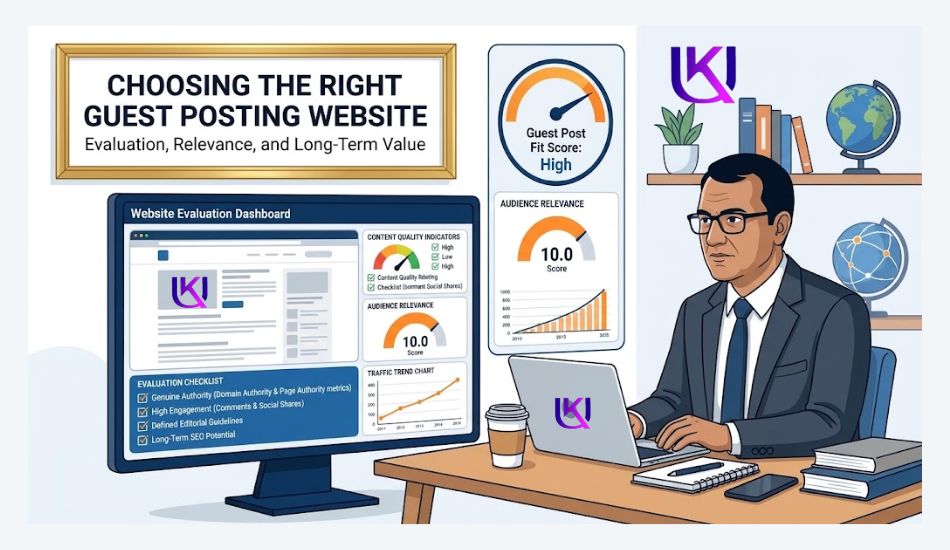
Finding a website that accepts guest posts is only the first step. You also need to check whether that website is worth your time.
A website may accept guest articles but still have poor content, unrelated topics, or an audience that does not match your business.
Publishing on the wrong website may bring little value to your brand or readers. Before sending your article, check these important factors.
1. Check Topical Relevance
Topical relevance means how closely a website’s content matches your subject.
For example, if you provide SEO services, a digital marketing blog is a better choice than a website about cooking or fashion.
Look for websites that regularly publish content about:
- Your industry or business niche.
- Topics related to your services.
- Problems your target audience wants to solve.
- Subjects where you have real knowledge.
A relevant website gives you a better chance of reaching people who care about your content.
2. Check Website Traffic and Audience
A website’s traffic can help you understand whether people visit and read its content.
You can use tools such as Ahrefs, Semrush, or Similarweb to estimate website traffic.
Check the following:
- Does the website receive organic search traffic?
- Are its visitors interested in your industry?
- Does it publish content regularly?
- Does its content attract genuine readers?
Remember, estimated traffic is not proof of content quality. A smaller website with the right audience may be more useful than a large website with unrelated visitors.
3. Review Content Quality
Read a few articles before contacting the website owner.
Look for signs of useful and well-managed content.
Check whether:
- Articles answer real reader questions.
- Information is accurate and easy to understand.
- Content has clear headings and structure.
- Articles offer original ideas or examples.
- Pages are free from excessive advertisements.
- The website publishes content regularly.
Avoid websites that publish large amounts of thin, copied, or unrelated content.
4. Check Website Authority Carefully
You may see SEO metrics such as Domain Rating (DR), Domain Authority (DA), and Authority Score when researching guest posting websites.
These metrics come from third-party SEO tools. They are not official Google ranking scores.
You can use them to compare websites, but do not choose a publisher based only on a high DR or DA score.
For example, a website with a DR of 25 that covers your exact industry may be a better choice than a website with a DR of 70 that publishes unrelated articles.
Focus on relevance, real readers, and content quality rather than chasing numbers.
5. Review the Website’s Outbound Links
Check the links included in the website’s existing articles.
Do you see links to useful research, trusted resources, and relevant websites?
Or does the website link to unrelated businesses, low-quality pages, and suspicious products?
Be careful if a website publishes guest articles mainly to sell backlinks. This may create SEO risks for your website.
6. Check Editorial Guidelines
A trustworthy publisher should have clear rules for guest contributors.
Before submitting your article, check:
- Accepted topics and content types.
- Article length and formatting rules.
- Originality requirements.
- External link policies.
- Author bio requirements.
- Editorial review process.
- Sponsored content rules, if applicable.
If the website has no clear guidelines, contact its editor and ask about the submission process.
7. Look for Real Engagement
Reader engagement can help you understand whether people interact with the website’s content.
Look for:
- Genuine comments on articles.
- Relevant social media discussions.
- Shares from real users.
- Questions and discussions about published topics.
- Signs of an active industry community.
Do not judge a website only by its social media follower count. Focus on genuine interest and useful interactions.

Guest Posting for SEO: Website Evaluation Checklist
Before choosing a guest posting website, use this simple checklist.
Website quality check: 8 checked
- The website covers topics related to my niche.
- Its content is original and useful.
- It has a relevant audience.
- Its traffic sources look reasonable.
- Its outbound links are relevant and trustworthy.
- It has clear guest posting guidelines.
- Its articles show real editorial review.
- It does not focus mainly on selling backlinks.
Beginner tip: Do not accept every guest posting offer you receive. One relevant, trusted website can offer more value than many low-quality websites. Choose publishers based on their readers and content standards, not just their backlink metrics.
Relevant article: Link Building in 2026 – 2027 Guide: What Works and What Will Get You Penalized?

Conclusion: Is Guest Posting Worth Your Time?
Guest posting is a useful way to reach new readers, share your knowledge, and build trust in your industry. It can also bring referral traffic, business leads, and relevant backlinks.
But your results depend on where and how you publish.
Before you write a guest post, choose a website that matches your topic and audience. Read its editorial guidelines. Send a personal pitch. Then write an original article that solves a real problem for its readers.
Do not chase backlinks from every website that accepts guest posts. Avoid paid link schemes, low-quality publishers, and keyword-stuffed content. These shortcuts can put your SEO at risk.
Guest posting for SEO magic returns and focus on three things:
- Relevance: Choose websites that reach your target audience.
- Quality: Publish useful content that readers want to read and share.
- Trust: Build real relationships with editors, publishers, and industry experts.
Your first guest post may not bring many visitors or leads. That does not mean the effort was wasted. Learn from each publication, track the results, and improve your next pitch.
Start with one relevant website. Share your best knowledge. Build trust one article at a time.
FAQs About Guest Posting for SEO Magic Returns
1. What is the main purpose of guest posting?
The main purpose of guest posting is to share useful content with another website’s audience. It helps you reach new readers, build brand awareness, show your knowledge, and create industry relationships. It may also bring referral traffic and relevant backlinks.
2. Is guest posting good for SEO?
Yes, guest posting can support your SEO when you publish useful content on relevant, trusted websites. A natural backlink may help people discover your website. However, guest posting does not guarantee higher Google rankings. Avoid using it to build links in bulk or manipulate search results.
3. Is guest posting free?
Some websites accept guest posts for free. Others charge a publishing or sponsorship fee. Before you pay, check whether the website has a real audience and offers value beyond a backlink. Paid links should use the proper link attribute, such as rel=”sponsored”.
4. How do you find websites that accept guest posts?
Use Google search phrases such as: your topic + “write for us”, your topic + “guest post guidelines”, your topic + “submit an article”, and your topic + “become a contributor.” You can also study relevant industry blogs and competitor backlinks. Always review each website before sending a pitch.
5. Can guest posting hurt your website’s SEO?
Guest posting itself is not harmful. Problems can arise when you use it to manipulate search rankings through paid links, mass-produced articles, keyword-rich anchor text, or low-quality websites. Focus on useful content and genuine editorial value instead.
6. How long does it take to see results from guest posting?
It depends on the publisher, its audience, the topic, and your goals. You may receive referral visitors soon after publication. Brand awareness and business relationships can take longer to grow. SEO results are not guaranteed, so track traffic, leads, and link quality instead of expecting a fixed result.